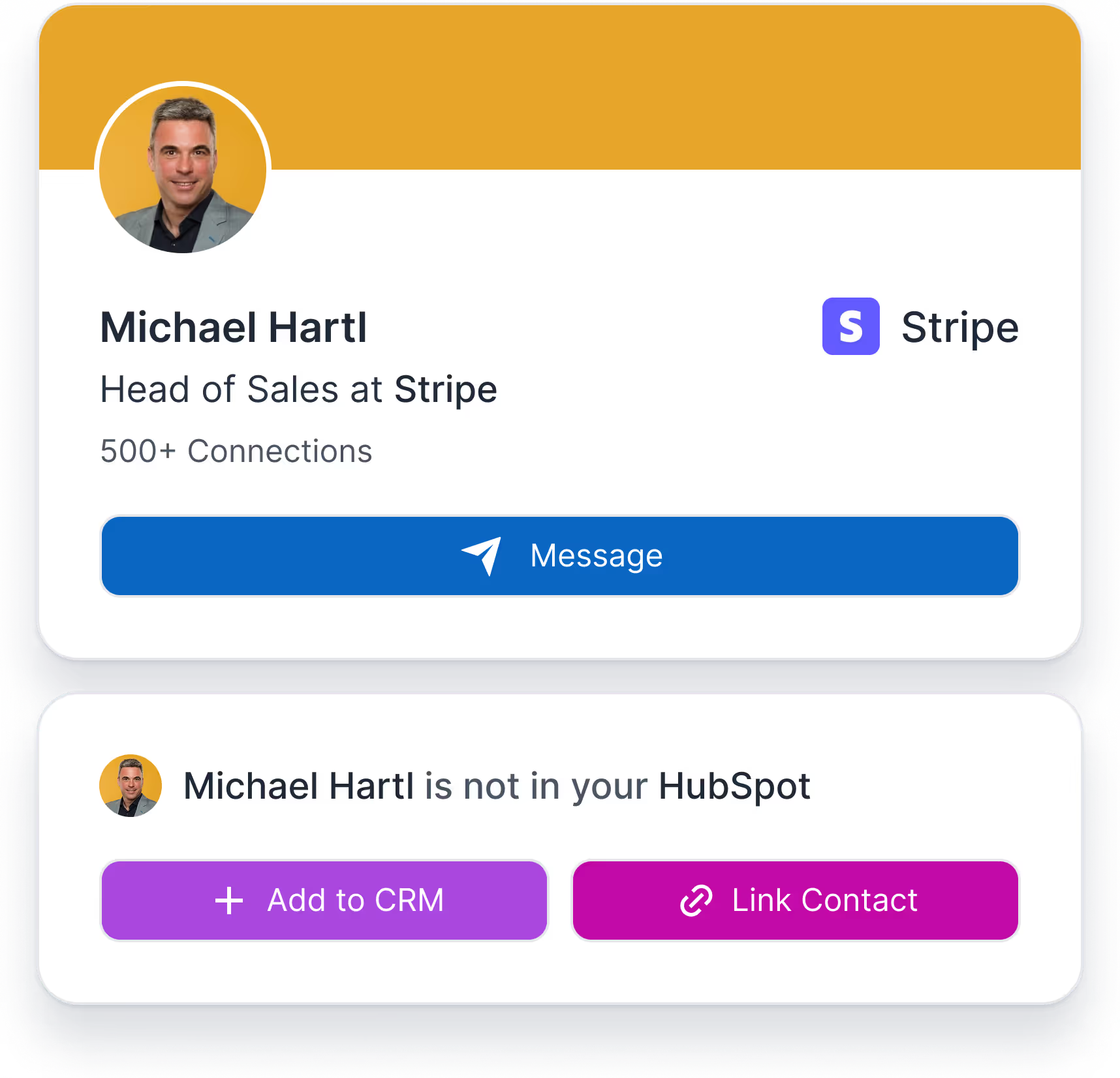
Intégration HubSpot LinkedIn

Connecte LinkedIn à HubSpot
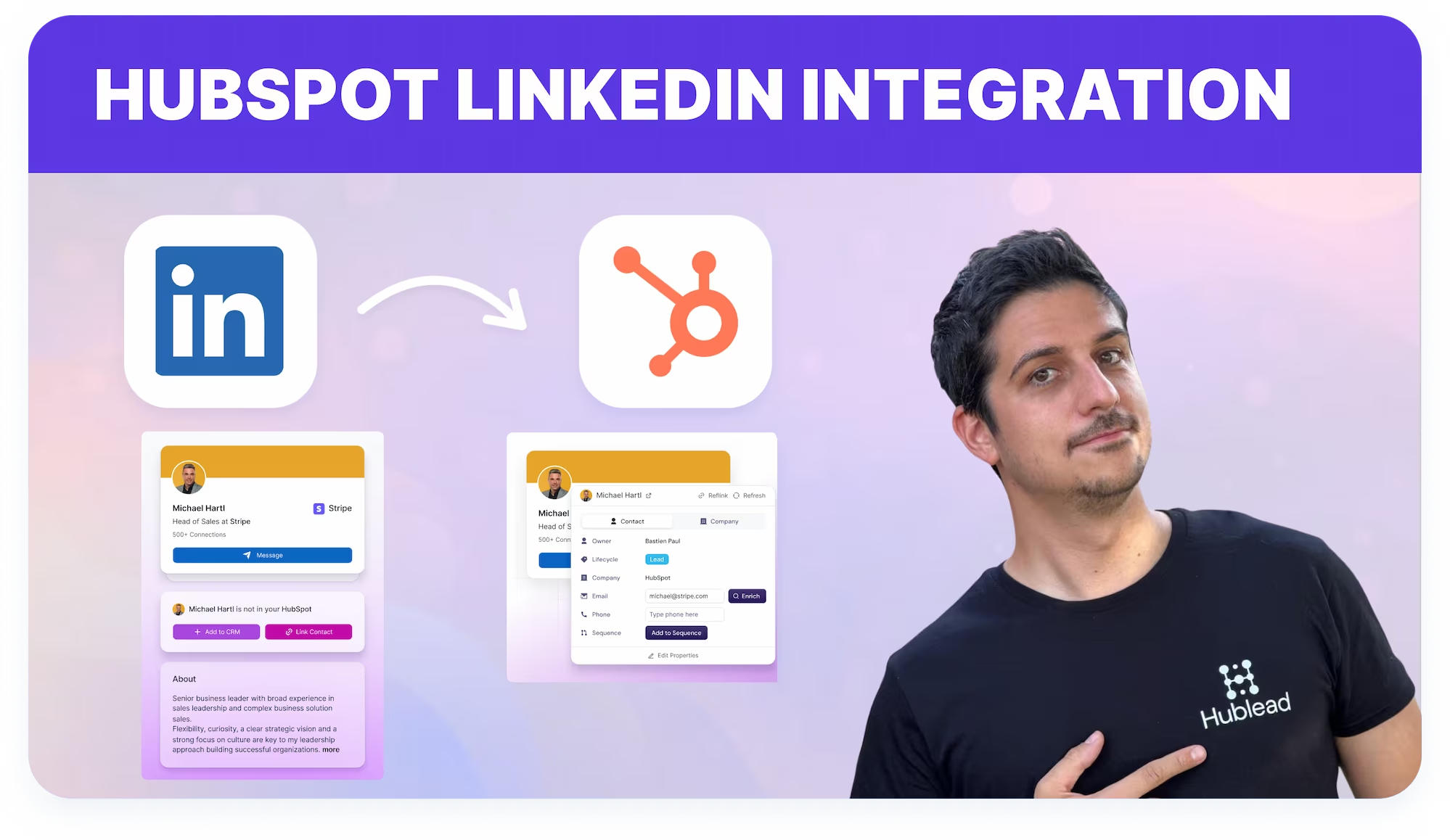

Intègre LinkedIn à HubSpot rapidement et facilement grâce à Hublead. Importe contacts, messages et connexions en un seul clic fluide.
Merci ! Ton message a bien été envoyé.
Oups ! Une erreur s’est produite lors de l’envoi du formulaire.
4,9 notes
141 avis
hublead
Russ Meinhardt avatar image
Russ Meinhardt
CEO at Shoplift
"Hublead saved our team hours every week. It’s incredibly easy to set up, and the impact was immediate. Our reps simply won’t work without it now."

Loved by 8,000+ Users

amptitude8
Simple Strat
Zeplin
Norman & Sons
Shoplift
wrapify
BBD Boom
Bison Group
Jampp
Iterable
Jasper Meurs
Generation C
amptitude8
Simple Strat
Zeplin
Norman & Sons
Shoplift
wrapify
BBD Boom
Bison Group
Jampp
Iterable
Jasper Meurs
Generation C
Average sales rep saves 8+ hours/week

Connecte LinkedIn à HubSpot pour prospecter plus vite

Travaille sur LinkedIn et envoie contacts, messages et activité dans HubSpot sans admin CRM.

Lie LinkedIn à HubSpot

Aligne la prospection LinkedIn avec le CRM HubSpot en liant les profils et en enregistrant l'activité d'Outreach.
Carte CRM d'enrichissement dans HubSpot

Suis les conversations LinkedIn dans HubSpot

Assure la fiabilité des fiches contact HubSpot en enregistrant les messages et connexions LinkedIn plutôt que de dépendre de données obsolètes ou incomplètes.
Enrichir un contact LinkedIn pour les utilisateurs HubSpot

Maintiens des données CRM précises

Assure la fiabilité des fiches contact HubSpot en enregistrant les messages et connexions LinkedIn plutôt que de dépendre de données obsolètes ou incomplètes.

What
HubSpot users
say about Hublead

Discover how sales professionals use Hublead to cut manual work, stay focused on LinkedIn, and turn more conversations into booked demos.

Intégration LinkedIn–HubSpot

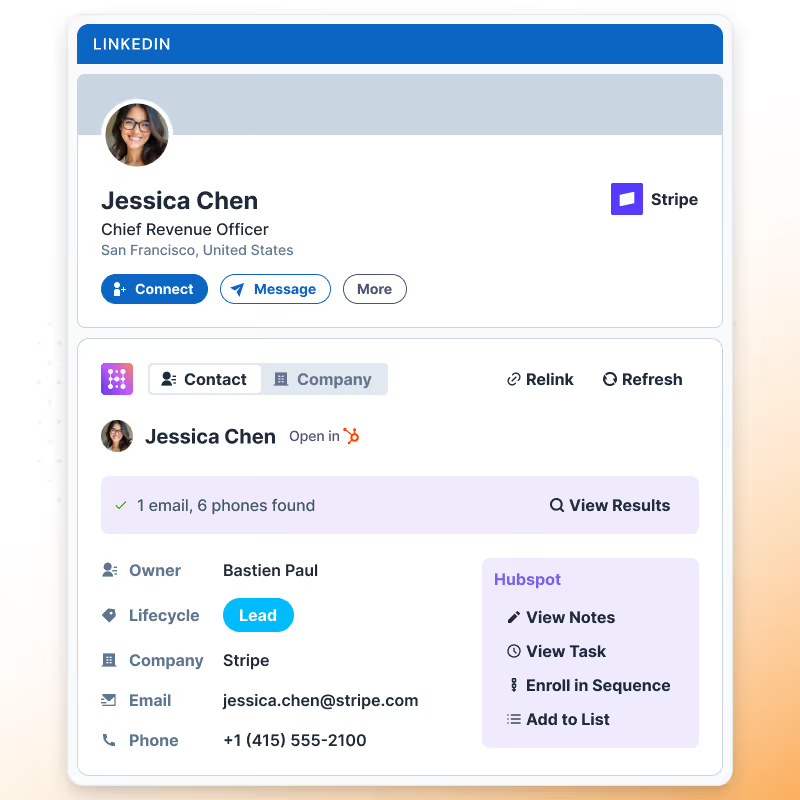
Hublead synchronise les données de profil LinkedIn et l'activité Outbound avec les contacts HubSpot afin que les fiches CRM reflètent toujours les interactions réelles avec les prospects.
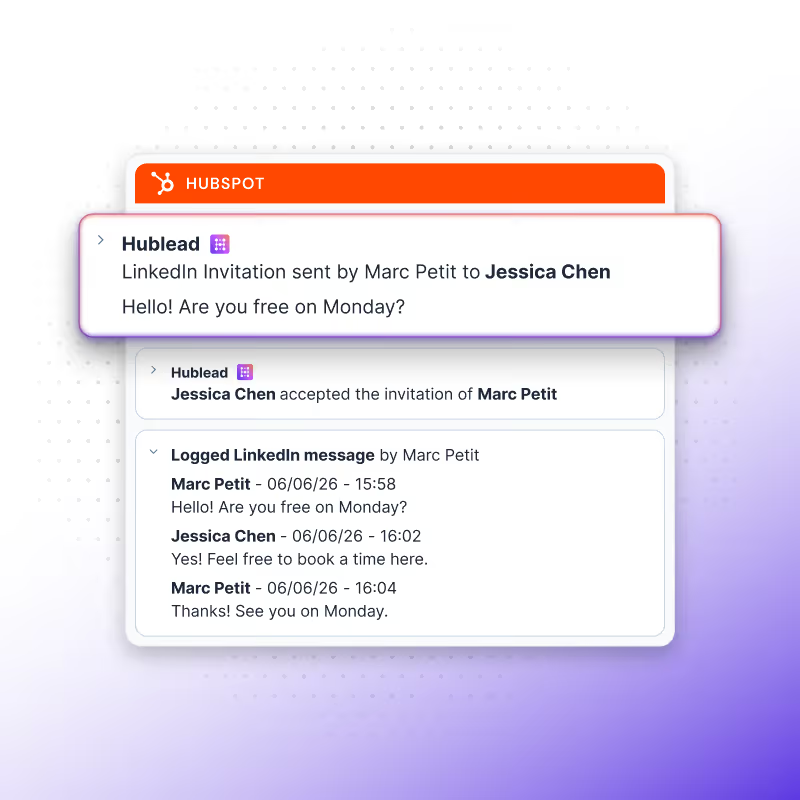
Synchronisation des messages LinkedIn

Les messages LinkedIn envoyés et les réponses reçues sont automatiquement synchronisés dans les timelines de contacts HubSpot, offrant aux équipes un contexte complet des conversations.
Synchronisation continue des données LinkedIn

Hublead maintient les contacts HubSpot alignés avec les données de profil LinkedIn et l'activité Outbound dans le temps après le lien, réduisant les fiches obsolètes ou incomplètes.
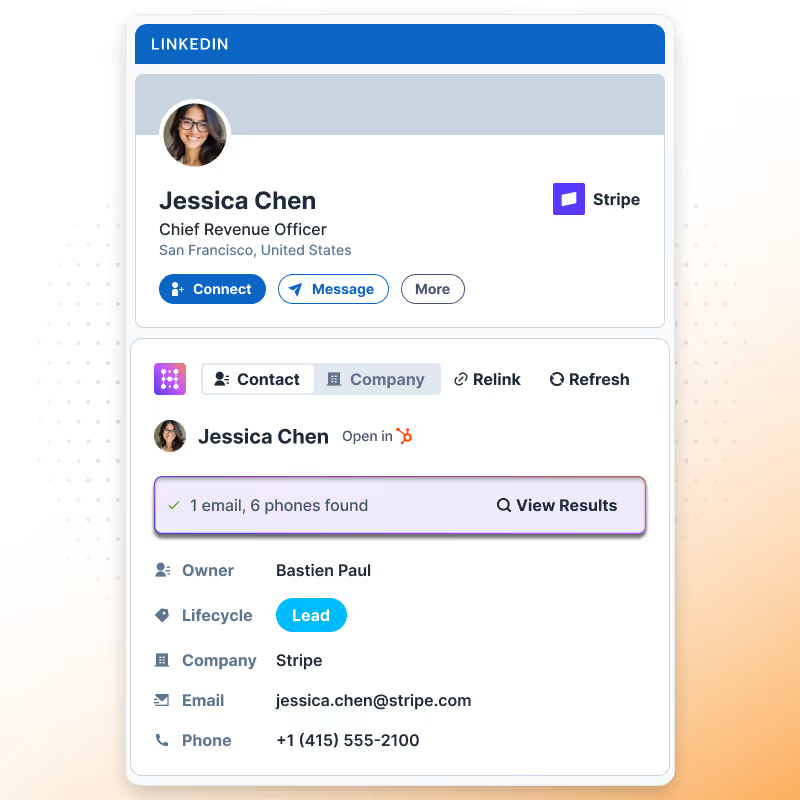
Hublead connects HubSpot to LinkedIn easily

No more guessing who you messaged last week or last month. That’s why you use a CRM to stay organized.

Hublead automatically imports all LinkedIn activities (messages and invitations) into HubSpot, so you can track every lead and turn conversations into revenue without losing time
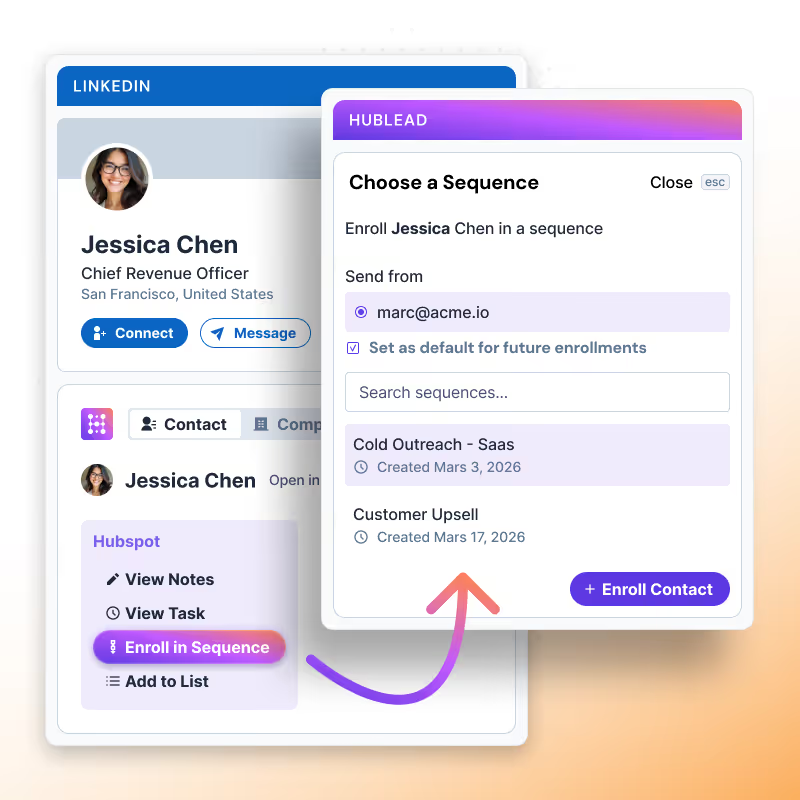
+9
Trusted by 7k+ users!

And what our users are saying​

Hublead is a Chrome extension for adding prospects, logging conversations, and enriching LinkedIn contact data. No duplicates, just pure prospecting.
No items found.
Frequently Asked Questions

Connecte LinkedIn à HubSpot

No need to learn a new tool, Hublead is integrated right into your LinkedIn navigation, helping you stay organized and maximize your prospecting efforts.
What information Hublead imports when I add a new contact?
When clicking on our "Add to CRM" button, you directly import the LinkedIn contact to HubSpot and synchronise these information: First name, Last name, Linkedin Url, Job title, Website URL, City, Country/Region & Language.
Can I use our own LinkedIn URL Property?
Yes! We use by default the "LinkedIn URL" however, you can remap this field.
Does Hublead supports LinkedIn Recruiter?
No we do no support this plan of LinkedIn.
Is Hublead working with all LinkedIn Sales Navigator plans?
Yes Hublead supports all LinkedIn Sales Navigator plans (Core, Advanced and Advanced Plus)
Do I need LinkedIn Sales Navigator to use Hublead?
No you do not need LinkedIn Sales Navigator.
I have already a LinkedIn URL, does Hublead take this into account?
We can use your custom LinkedIn URL, you change that in the dashboard. By default we use a property named "LinkedIn URL".
Can Hublead sends LinkedIn Message from HubSpot?
No, at this moment it is not possible.
Does Hublead works on Safari?
Yes, however the portage is handled by Safari, Hublead guarantees support only on Chrome.
Can I use Hublead on iPad?
No you cannot use Hublead on iPad. Chrome app on iOS does not support chrome extensions.
Which plan should I choose?
Our pricing plans are built for different businesses and needs, Hublead plans adapt to all business sizes.
Is Hublead's data GDPR & CCPA compliant?
Yes, our data is fully committed and compliant to the GDPR & CCPA requirements.
Do you integrate with other CRMs than HubSpot?
We only integrate with HubSpot for now, and we prefer to stick to that!
Is it possible to synchronise LinkedIn conversations automatically on HubSpot?
Yes, we do import emal & phone number in HubSpot when we found it. We only show these information when we are 100% sure it's prospect's email & phone number.
Do you find Email & Phone number?
Yes, we do import emal & phone number in HubSpot when we found it. We only show these information when we are 100% sure it's prospect's email & phone number.
How do you prevent from deduplicate contacts?
Whenever you open a LinkedIn contact, we search in your HubSpot if the contact exists already. We search according to a mix of these variables: First name, Last name, Job title, Company name, Website URL, Email & Phone email.
If a contact have more than one current company, which company do you import?
In this case, after clicking on "Add to CRM", a popup will display and you will be invited to select the right company you want to import. After selecting the company, we then search in the CRM if it exists and create the company if it does not.
When creating a new company, what information do you import?
If we create a company we import all necessary information in HubSpot: Company name, Domain, Website URL, City, Country/Region, Description, Linkedin company url, Number of employees, Language, Industry.
Do you create a new company for every new contact imported?
It depends, when importing contacts, we search in HubSpot if the company already exists in your CRM thanks to website URL. If it does exist, we just import the contact and associates the contact to the company, otherwise we create the company.