Integración HubSpot LinkedIn
Cómo Integrar LinkedIn con HubSpot
¿Quieres aprender a integrar LinkedIn con HubSpot? Usa Hublead para sincronizar contactos, mensajes y conexiones de LinkedIn, rápidamente y sin tareas administrativas.
¡Ups! Algo salió mal al enviar el formulario.

Loved by 8,000+ Users













Average sales rep saves 8+ hours/week
Configura la integración de LinkedIn con HubSpot para Prospecting
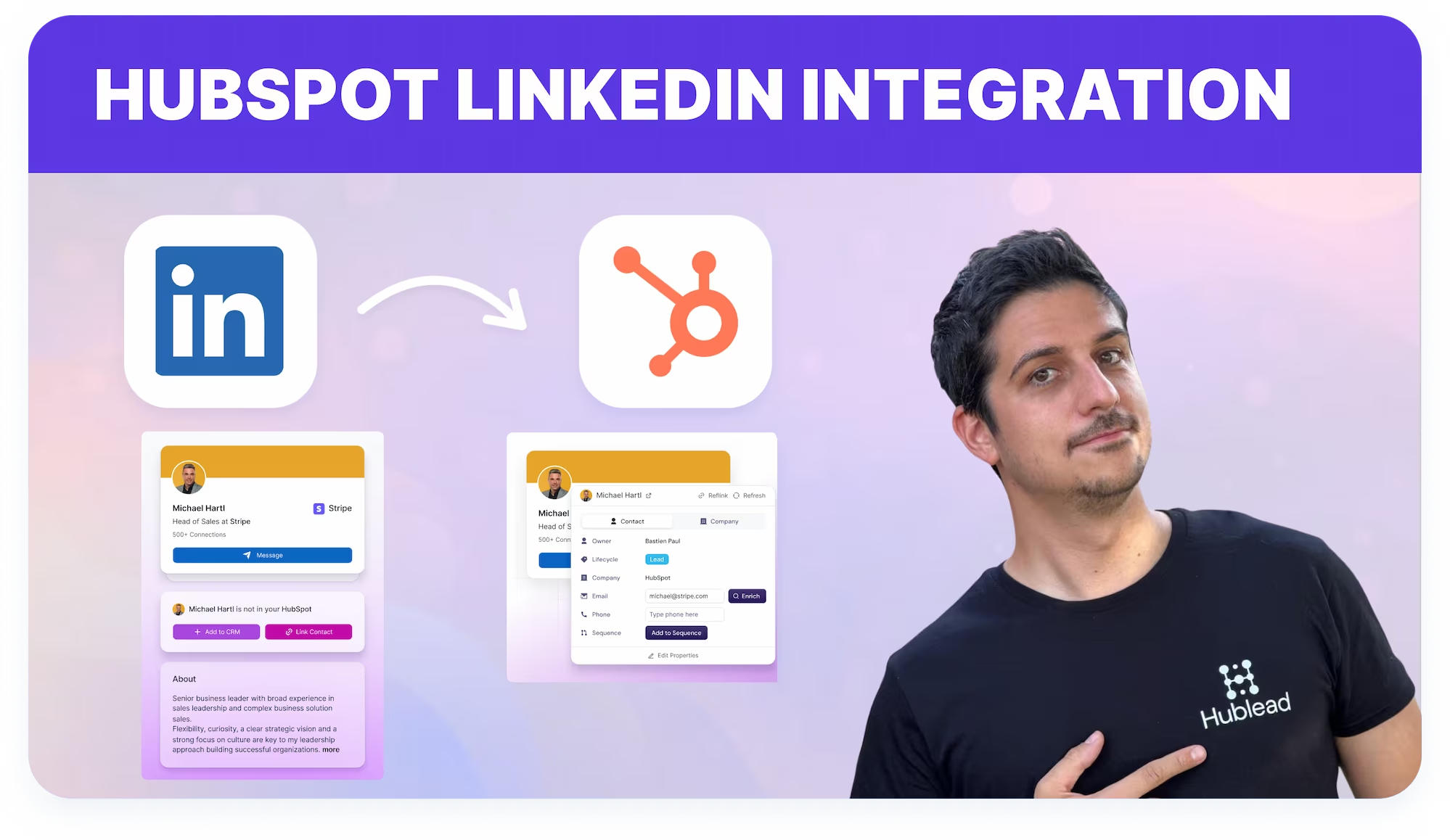
Trabaja en LinkedIn y envía contactos, mensajes y actividad directamente a HubSpot, reduciendo las tareas administrativas del CRM y los cambios de pestaña.
Integra LinkedIn con HubSpot
Lleva la actividad de Outreach de LinkedIn a los registros de contactos de HubSpot una vez que los perfiles estén vinculados.
Learn more
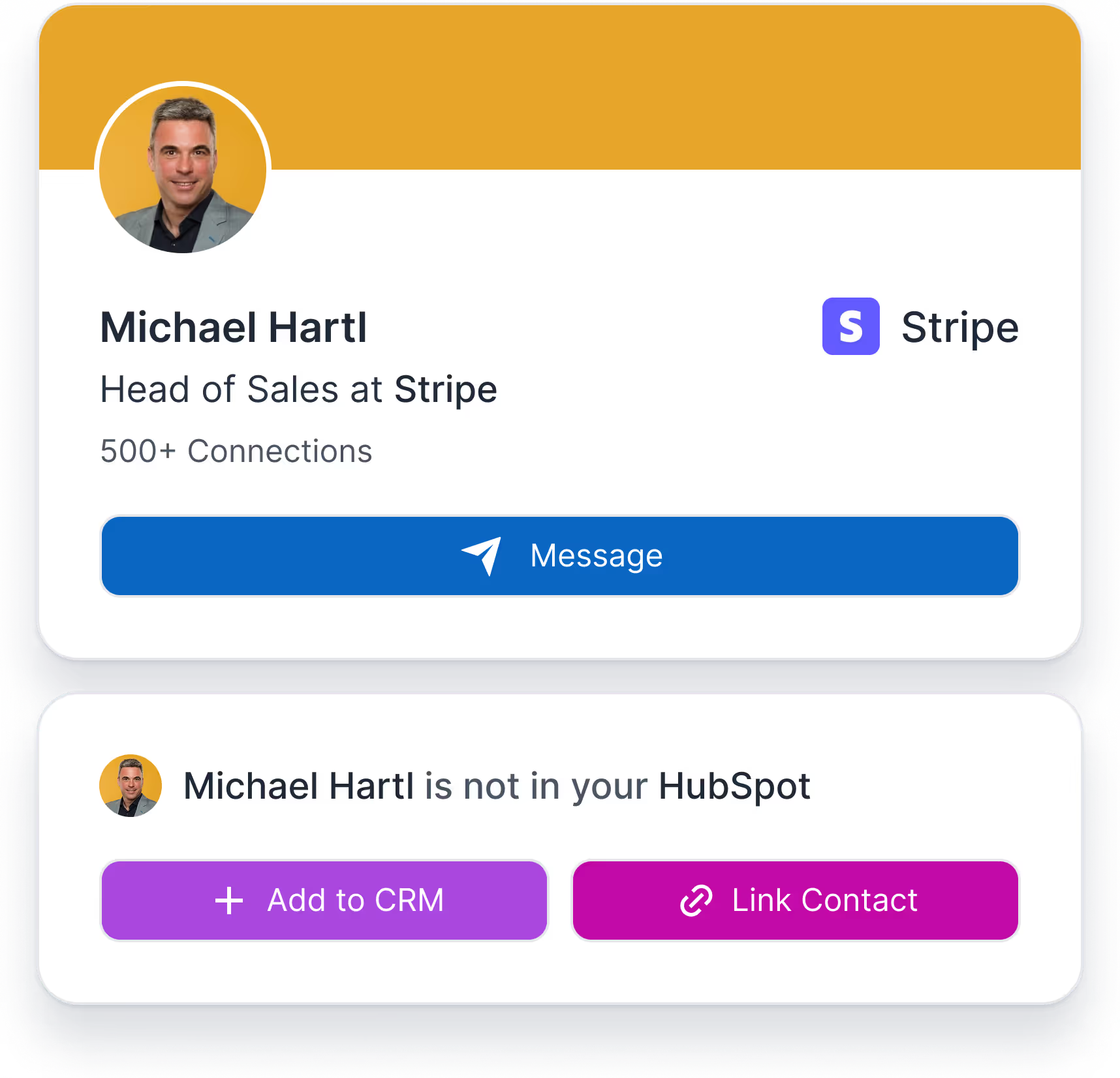

Elimina el registro manual
Reduce la dependencia de los Comerciales al actualizar manualmente la actividad del CRM.
Learn more

Apoya ventas y RevOps
Proporciona visibilidad compartida y automatización al registrar la interacción de LinkedIn en HubSpot después de vincular.
Learn more
What HubSpot userssay about Hublead
Descubre cómo los comerciales usan Hublead para reducir el trabajo manual, mantener el foco en LinkedIn y convertir más conversaciones en demos agendadas.
Integración LinkedIn–HubSpot
Hublead integra LinkedIn con HubSpot sincronizando datos de perfil y actividad Outbound directamente en los registros del CRM sin exportaciones manuales.
Prueba Hublead gratis
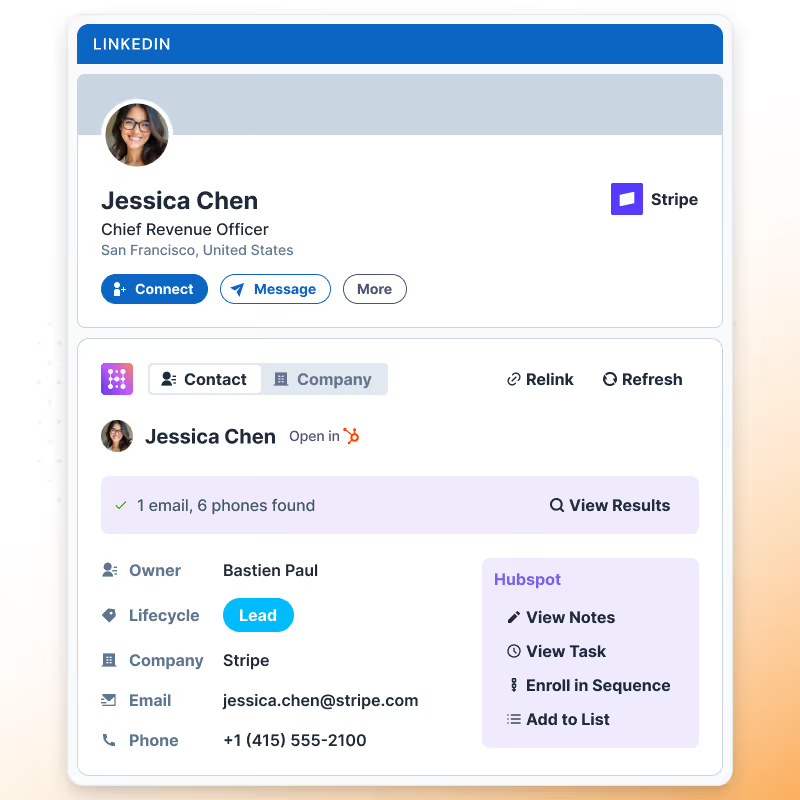
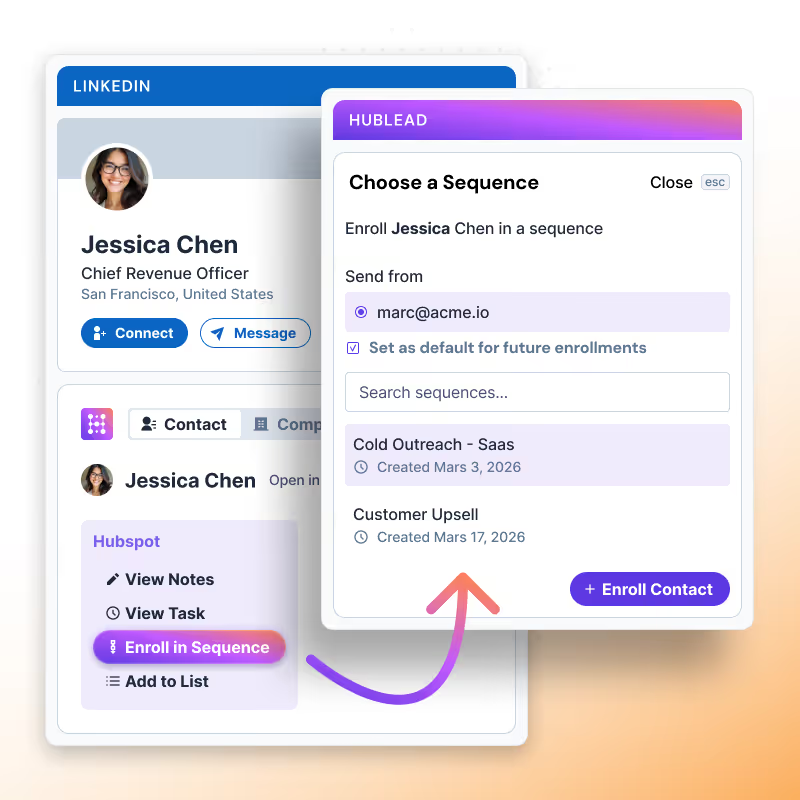
Línea de tiempo de interacciones en LinkedIn
Los eventos Outbound de LinkedIn (conexión enviada, aceptada, mensaje enviado, respondido) aparecen como actividades en la línea de tiempo de HubSpot para una visibilidad completa.
Prueba Hublead gratis
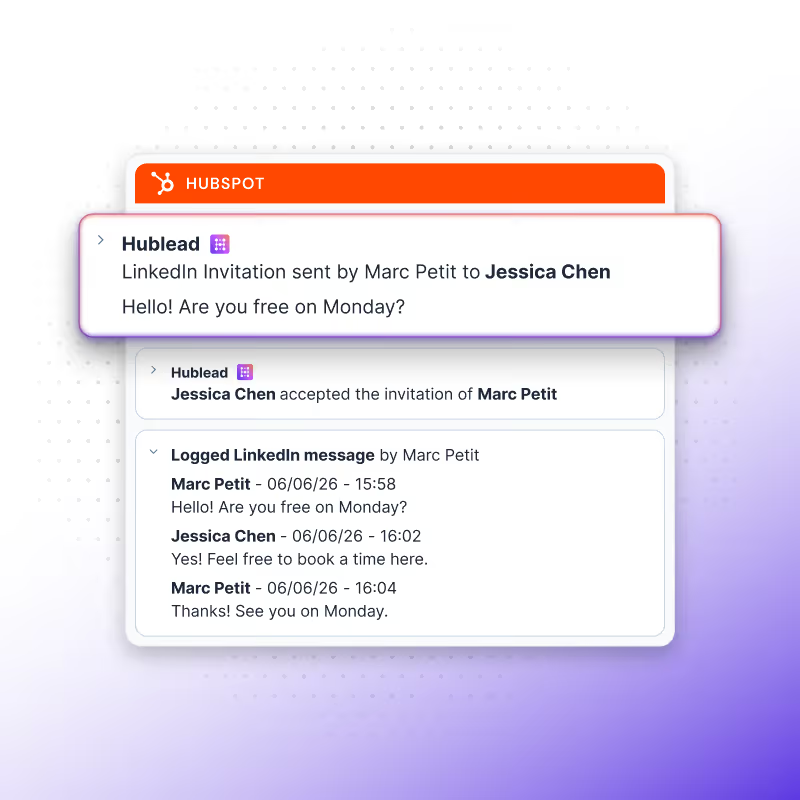
Visibilidad de LinkedIn para todo el equipo
Los datos de interacción de LinkedIn registrados por Hublead son visibles en HubSpot para Comerciales, gerentes y equipos de RevOps, facilitando los informes, la automatización y el coaching de ventas.
Prueba Hublead gratis
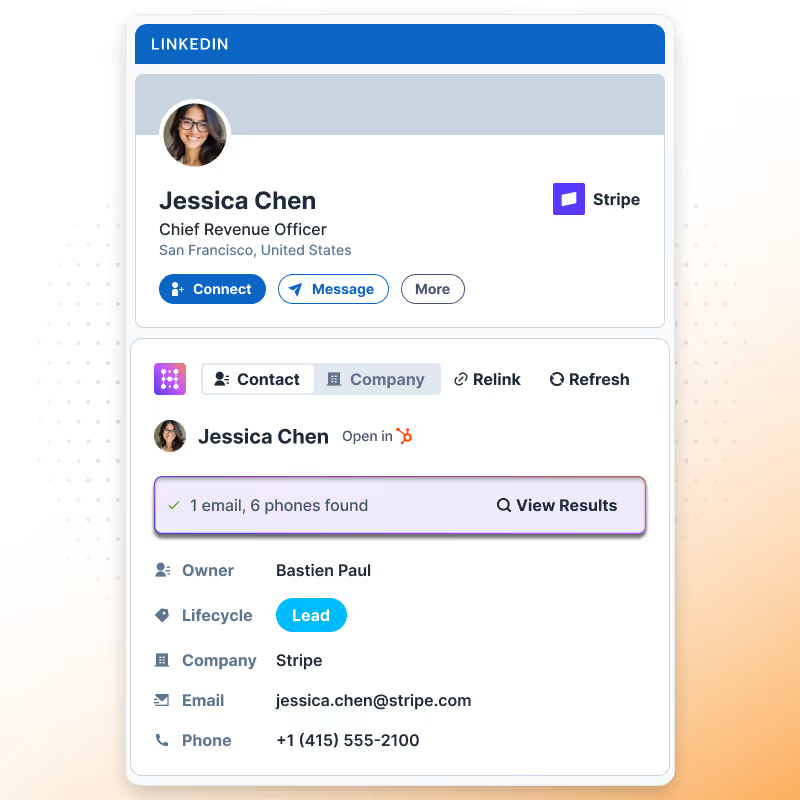
Visibilidad de LinkedIn para todo el equipo
Los datos de interacción de LinkedIn registrados por Hublead son visibles en HubSpot para Comerciales, gerentes y equipos de RevOps, facilitando los informes, la automatización y el coaching de ventas.
Prueba Hublead gratis


+9
Trusted by 7k+ users!
And what our users are saying
Hublead is a Chrome extension for adding prospects, logging conversations, and enriching LinkedIn contact data. No duplicates, just pure prospecting.
No items found.
Frequently Asked Questions
Cómo Integrar LinkedIn con HubSpot
No need to learn a new tool, Hublead is integrated right into your LinkedIn navigation, helping you stay organized and maximize your prospecting efforts.
What information Hublead imports when I add a new contact?
When clicking on our "Add to CRM" button, you directly import the LinkedIn contact to HubSpot and synchronise these information: First name, Last name, Linkedin Url, Job title, Website URL, City, Country/Region & Language.
Can I use our own LinkedIn URL Property?
Yes! We use by default the "LinkedIn URL" however, you can remap this field.
Does Hublead supports LinkedIn Recruiter?
No we do no support this plan of LinkedIn.
Is Hublead working with all LinkedIn Sales Navigator plans?
Yes Hublead supports all LinkedIn Sales Navigator plans (Core, Advanced and Advanced Plus)
Do I need LinkedIn Sales Navigator to use Hublead?
No you do not need LinkedIn Sales Navigator.
I have already a LinkedIn URL, does Hublead take this into account?
We can use your custom LinkedIn URL, you change that in the dashboard. By default we use a property named "LinkedIn URL".
Can Hublead sends LinkedIn Message from HubSpot?
No, at this moment it is not possible.
Does Hublead works on Safari?
Yes, however the portage is handled by Safari, Hublead guarantees support only on Chrome.
Can I use Hublead on iPad?
No you cannot use Hublead on iPad. Chrome app on iOS does not support chrome extensions.
Which plan should I choose?
Our pricing plans are built for different businesses and needs, Hublead plans adapt to all business sizes.
Is Hublead's data GDPR & CCPA compliant?
Yes, our data is fully committed and compliant to the GDPR & CCPA requirements.
Do you integrate with other CRMs than HubSpot?
We only integrate with HubSpot for now, and we prefer to stick to that!
Is it possible to synchronise LinkedIn conversations automatically on HubSpot?
Yes, we do import emal & phone number in HubSpot when we found it. We only show these information when we are 100% sure it's prospect's email & phone number.
Do you find Email & Phone number?
Yes, we do import emal & phone number in HubSpot when we found it. We only show these information when we are 100% sure it's prospect's email & phone number.
How do you prevent from deduplicate contacts?
Whenever you open a LinkedIn contact, we search in your HubSpot if the contact exists already. We search according to a mix of these variables: First name, Last name, Job title, Company name, Website URL, Email & Phone email.
If a contact have more than one current company, which company do you import?
In this case, after clicking on "Add to CRM", a popup will display and you will be invited to select the right company you want to import. After selecting the company, we then search in the CRM if it exists and create the company if it does not.
When creating a new company, what information do you import?
If we create a company we import all necessary information in HubSpot: Company name, Domain, Website URL, City, Country/Region, Description, Linkedin company url, Number of employees, Language, Industry.
Do you create a new company for every new contact imported?
It depends, when importing contacts, we search in HubSpot if the company already exists in your CRM thanks to website URL. If it does exist, we just import the contact and associates the contact to the company, otherwise we create the company.