














Únete a más de 8.000 usuarios de HubSpot que avanzan más rápido cada día

Con Hublead, puedes:

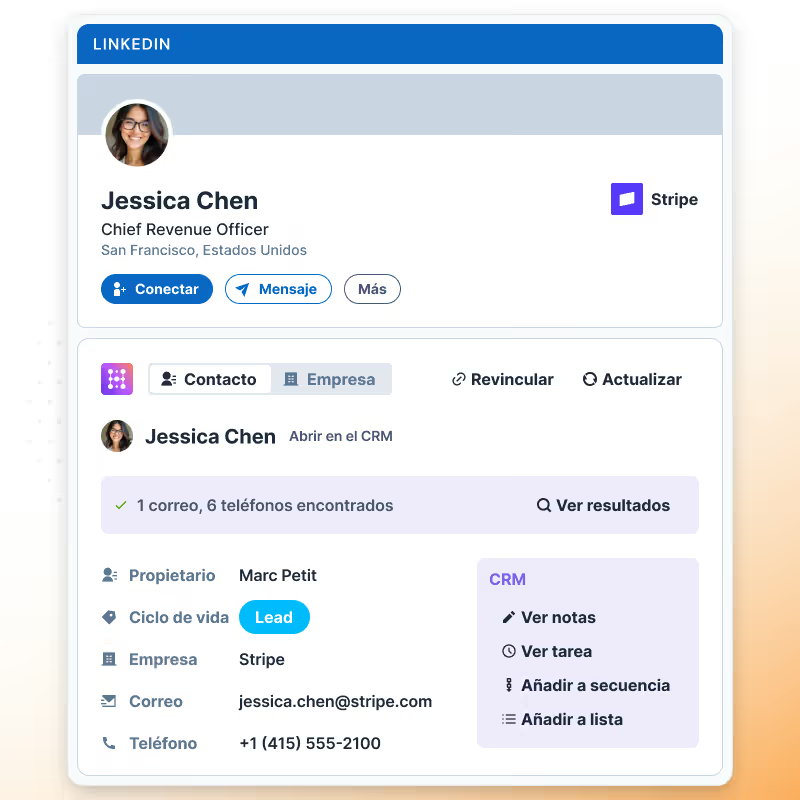
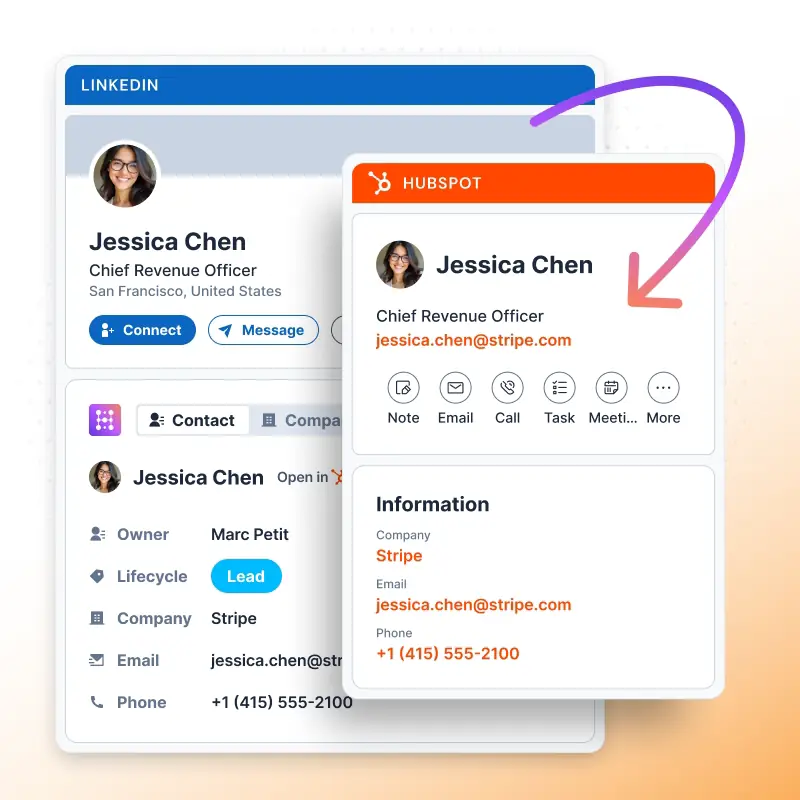
  • Ver datos de HubSpot instantáneamente mientras navegas en LinkedIn
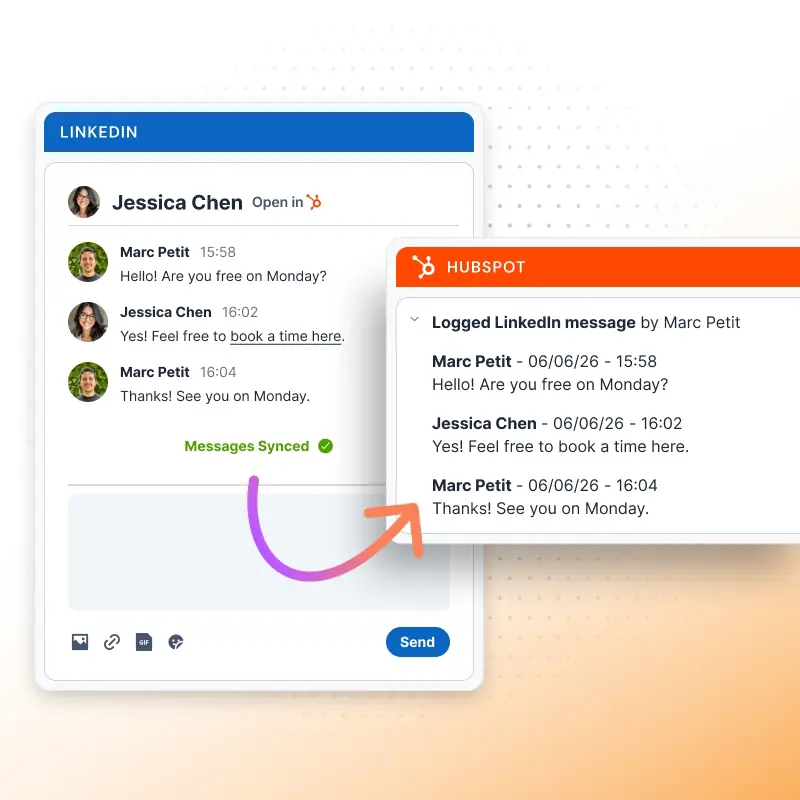
  • Sincronizar conversaciones de LinkedIn directamente en HubSpot
  • Enriquecer contactos con datos faltantes en un clic
  • Rastrear y reportar la actividad de tu equipo en LinkedIn
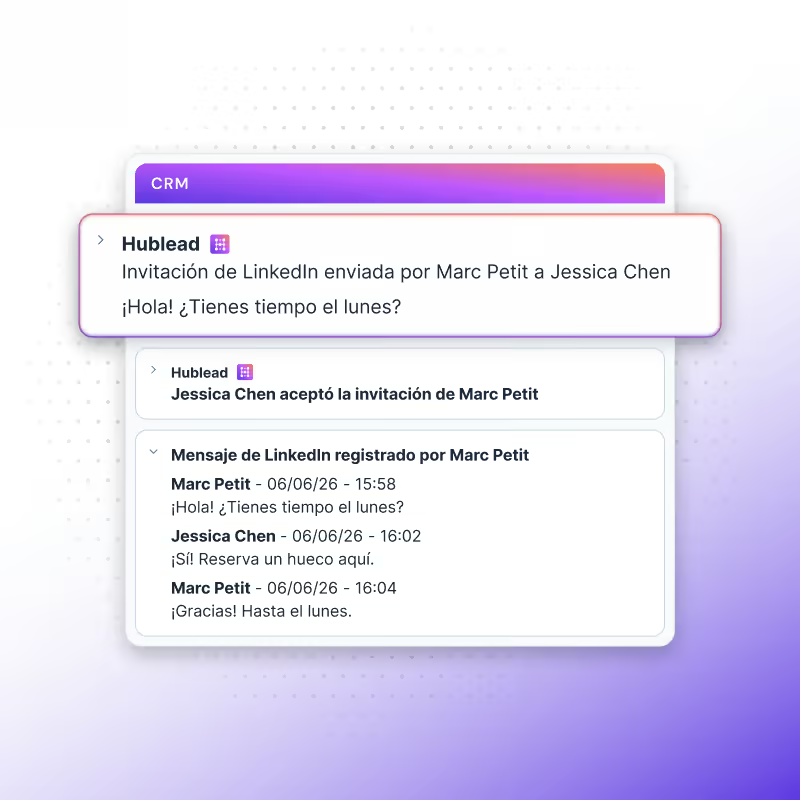
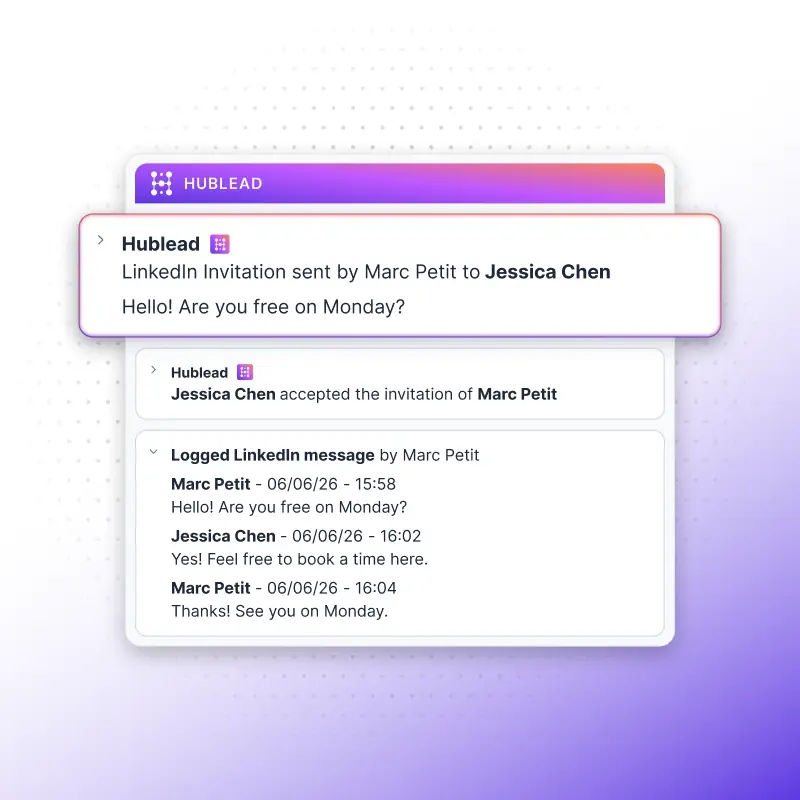
  • Monitorear invitaciones de LinkedIn enviadas y aceptadas dentro de HubSpot
hublead

Adorado por más de 8.000 usuarios

amptitude8
Simple Strat
Zeplin
Norman & Sons
Shoplift
wrapify
BBD Boom
Bison Group
Jampp
Iterable
Jasper Meurs
Generation C
amptitude8
Simple Strat
Zeplin
Norman & Sons
Shoplift
wrapify
BBD Boom
Bison Group
Jampp
Iterable
Jasper Meurs
Generation C

Import contact in 1-Click

Navigate to any LinkedIn or Sales Navigator profile.

Click on "Add to CRM" to import contacts directly into your HubSpot with:

  • Full name
  • Job Title
  • LinkedIn URL & Sales Navigator URL
  • Profile picture
  • City & Country/Region
  • Email & Phone number(free if on LinkedIn)
  • LinkedIn Invitation (Sent & Accepted) Date
  • LinkedIn Message (Sent & Replied) Date
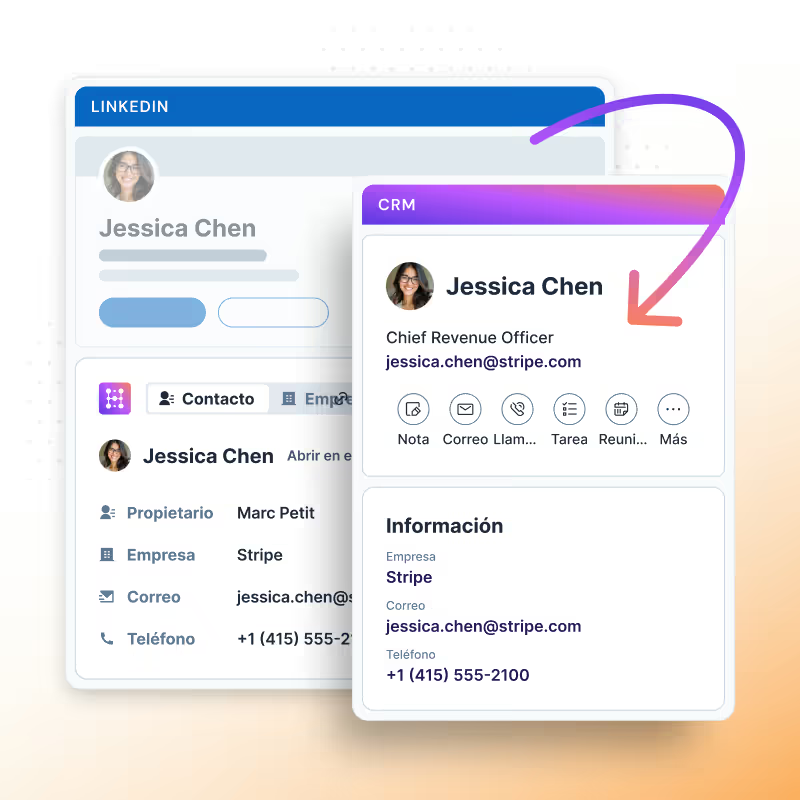
Importar contacto de LinkedIn a HubSpot

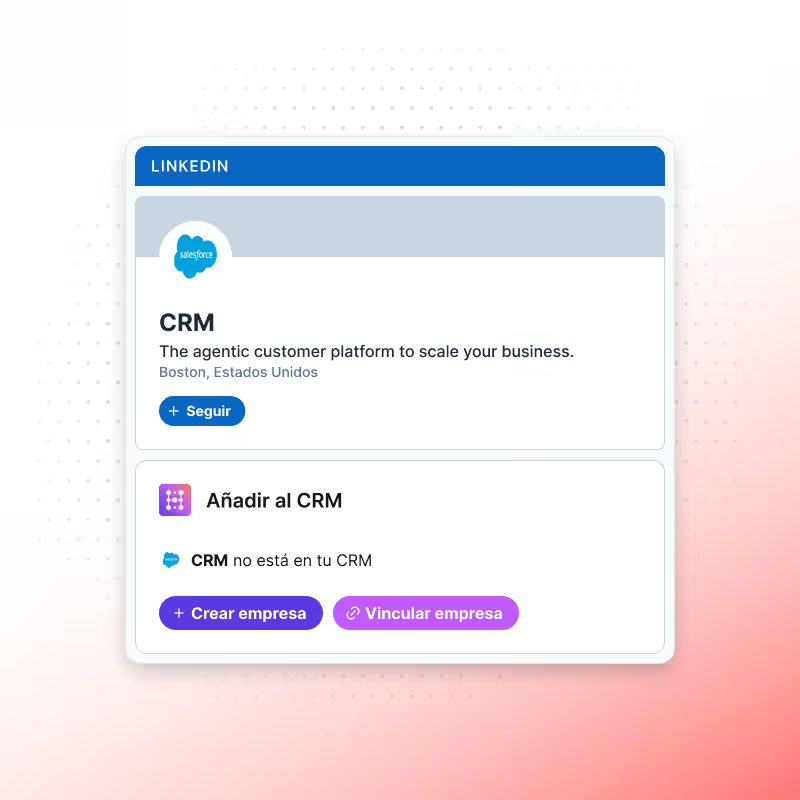
Import LinkedIn Company

Navigate to any LinkedIn or Sales Navigator company page.

Click on “Add to CRM” to import company data directly into your HubSpot with:

  • Company name
  • Description
  • Country/Region
  • Employee range
  • Street address, City, State/Region, and Postal Code
  • Number of employees
  • Web technologies used
Importar empresa de LinkedIn a HubSpot

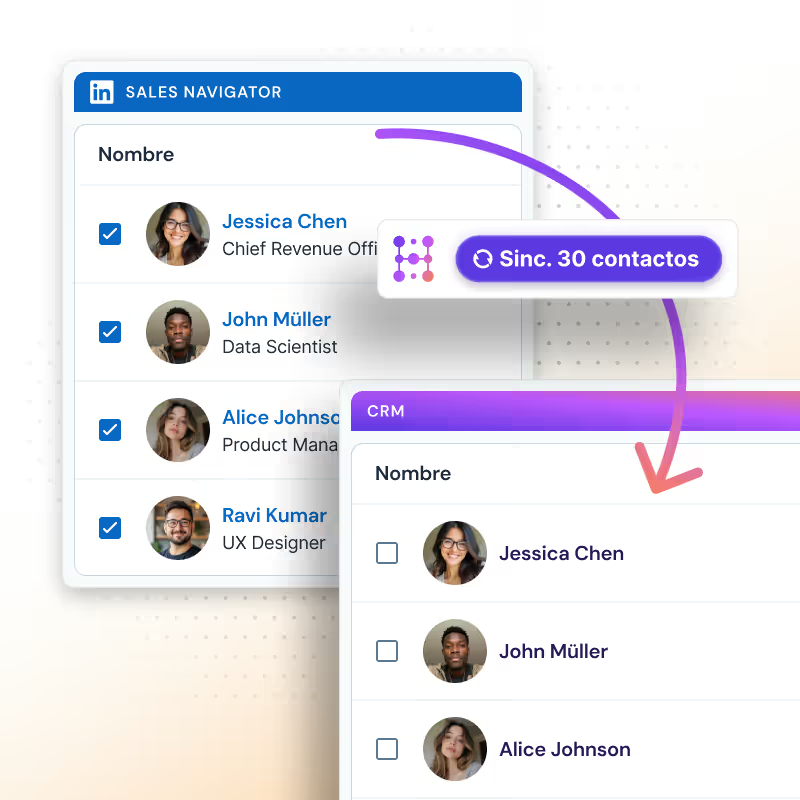
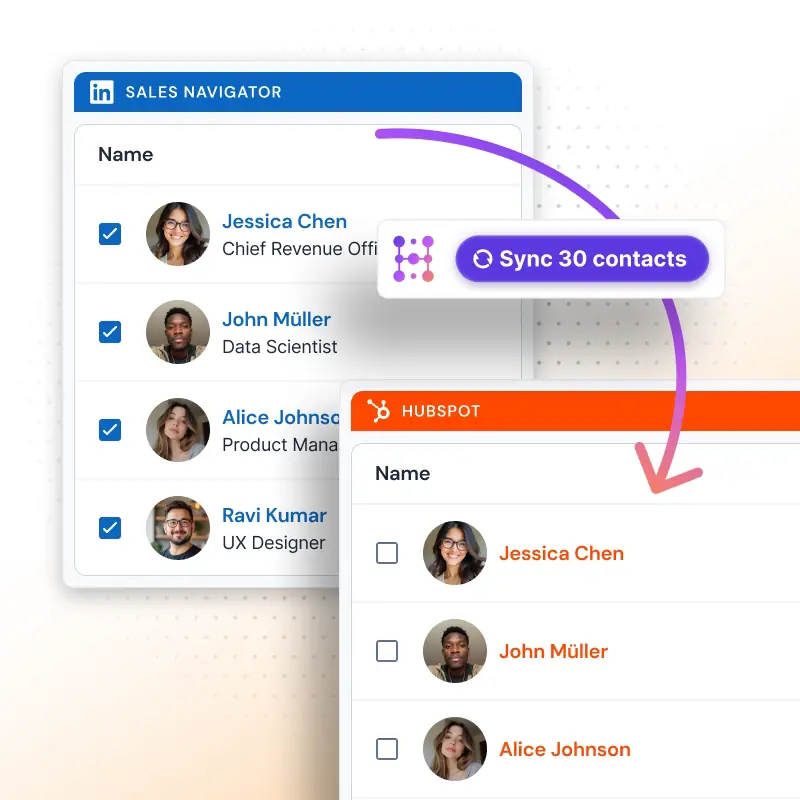
Export Contacts in Bulk

Go to any LinkedIn or Sales Navigator list or search.
Select up to 25 contacts and click on “Sync 25 Contacts” to import them into HubSpot.

With the Scale plan, you can:

  • Import up to 100 contacts per user per day
  • Automatically enrich every imported contact with an email address
  • Reduce duplicates thanks to the email match
  • Activate outreach instantly since the email is available
  • Get credits automatically refunded if the contact already exists in HubSpot
Exportar Sales Navigator en masa con Hublead

How Hublead match LinkedIn contact?

Hublead uses two methods to ensure accuracy:
- LinkedIn Profile URL
- Combination of their first name, last name, and company domain.

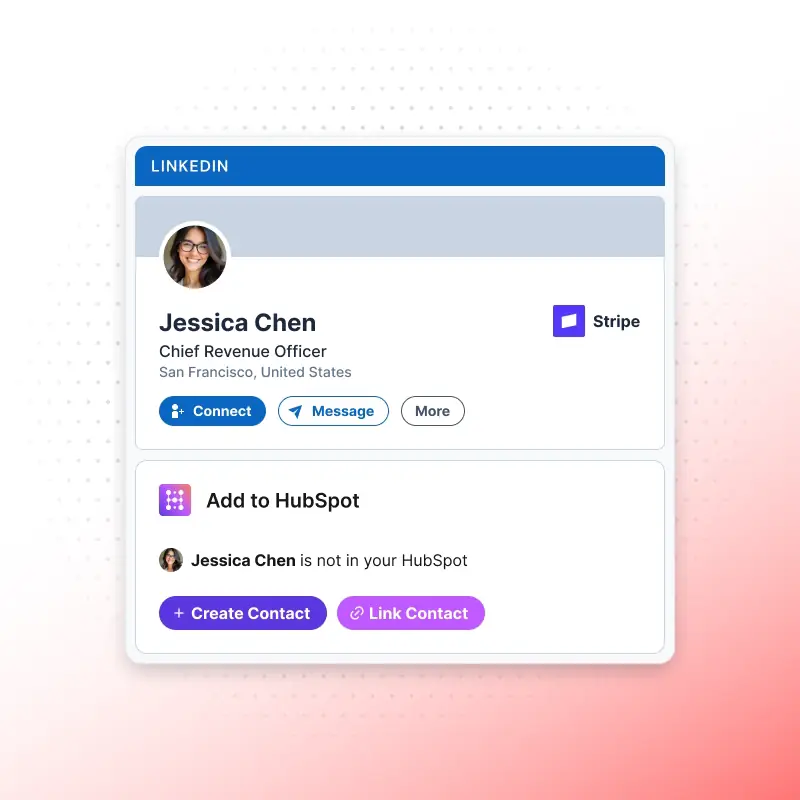
What if the Contact isn't found?
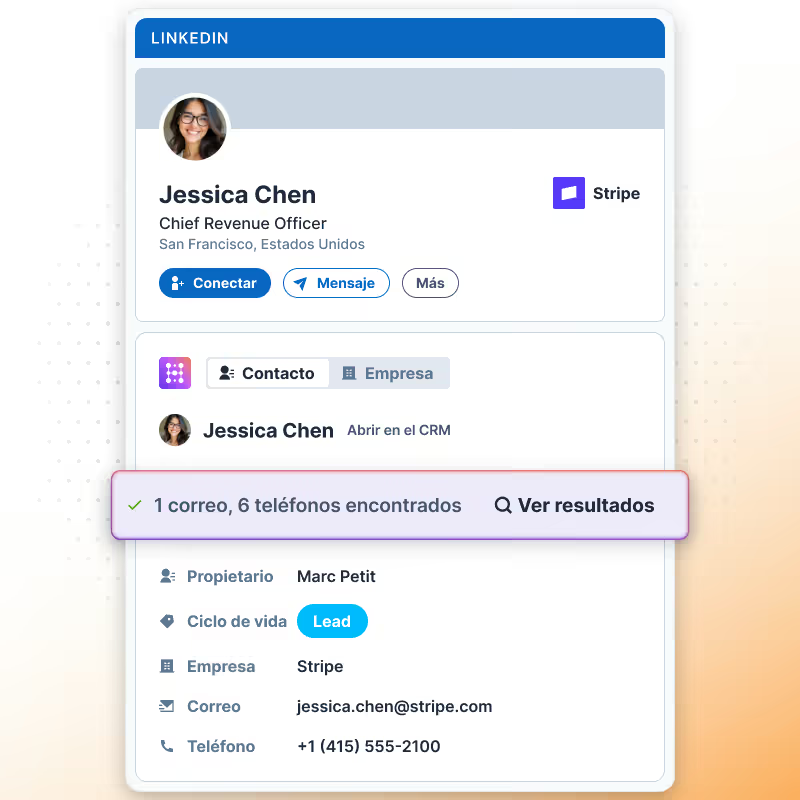
You can click on Link Contact and search directly in your HubSpot by:

  • Email
  • Full Name
  • Company Name
  • Domain
Vincular contacto de LinkedIn a HubSpot

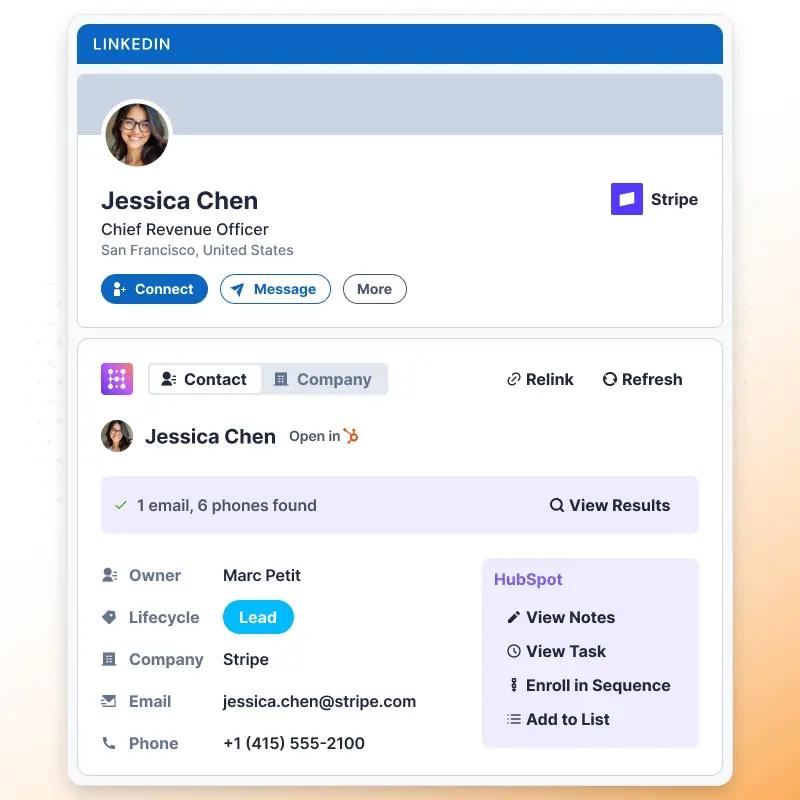
View & update your HubSpot

  • Update contact's information in HubSpot whenever you want by clicking on "Refresh".
  • Edit any HubSpot properties (default and custom).
  • Click on "Enrich" to find an email if there is no email on LinkedIn.

Note: If the email address is a personal email (like Gmail) or does not match the company domain, we will not display the email.

Widget LinkedIn Hublead

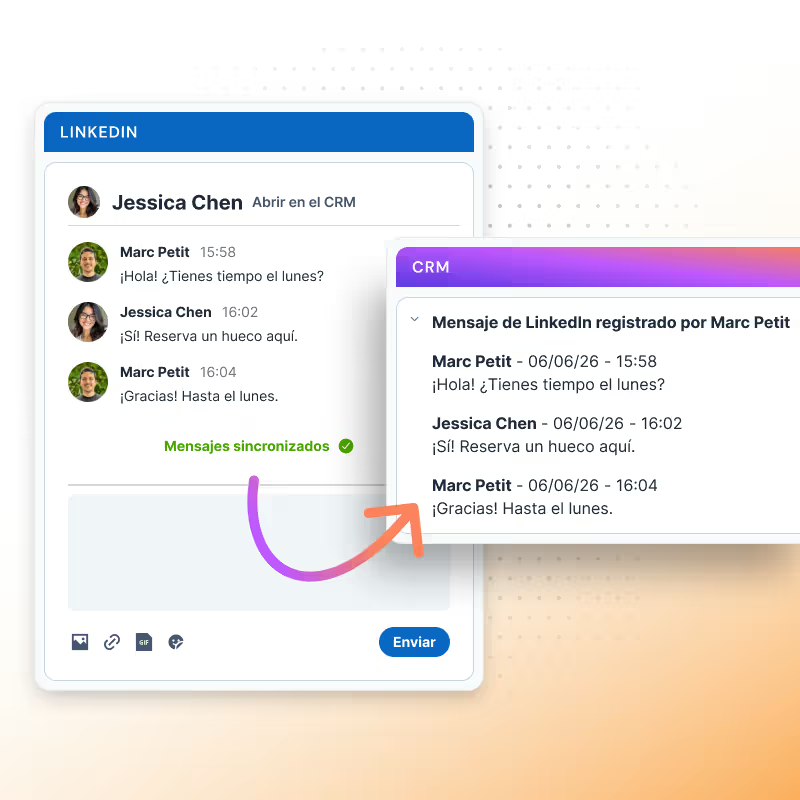
Sync Messages & InMails

  • Open any LinkedIn or Sales Navigator chat, and Hublead can sync the last 20 messages directly into HubSpot.
    • With the Business & Scale plan, syncing is fully automatic, no need to click “Sync messages.”
    • Messages and InMails are imported one by one (bulk import is not available).
    • Each conversation is logged in HubSpot as a LinkedIn activity, making it easier to use in reports and workflows.
    • Hublead creates one activity per day of conversation to keep your CRM clean and organized.
    • Two additional HubSpot properties are updated:
      • Last LinkedIn Message Sent Date
      • Last LinkedIn Message Replied Date
Sincronizar mensajes de LinkedIn a HubSpot en 1 clic

Import LinkedIn Invitations

  • With the Business and Scale plans, you can import your LinkedIn Invitations (Sent & Accepted) into HubSpot.
    • Every week, Hublead automatically checks your latest invitations (both Sent and Accepted) to ensure nothing is missed.
    • On first setup, you can sync past invitations into HubSpot.
    • Important: invitations are only synced if the LinkedIn URL already exists in HubSpot, new contacts are not created automatically.
    • As you prospect, any new invitations you send or that get accepted are synced into HubSpot.
    • Two properties are updated in HubSpot for each contact:
      • Last LinkedIn Invitation Sent Date
      • Last LinkedIn Invitation Accepted Date
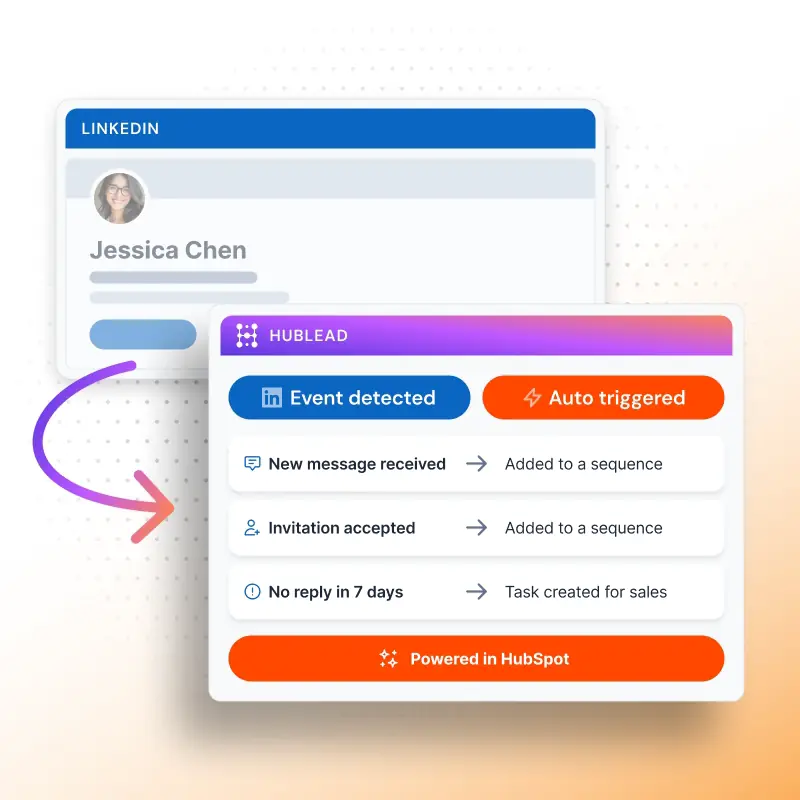
    These properties allow you to build workflows, create lists, and generate reports based on LinkedIn activity.
Sincronizar actividades de LinkedIn a HubSpot

Leverage LinkedIn data in HubSpot

  • Hublead brings your real LinkedIn activity into HubSpot with CRM Cards.
    These cards display LinkedIn information directly inside the contact record, so your sales team always has the context at hand.For example, the LinkedIn Invitations Card shows whether an invitation was sent and accepted. Alongside that, Hublead updates four key properties in HubSpot:
    • Last LinkedIn Message Sent Date
    • Last LinkedIn Message Replied Date
    • Last LinkedIn Invitation Sent Date
    • Last LinkedIn Invitation Accepted Date
    With these properties, you can:
    • Build reports to track outreach performance
    • Trigger workflows based on LinkedIn activity
    • Segment contacts into lists for smarter follow-ups
    On the right, you’ll find a short video demo of the CRM Card in action.
Actividad Outbound de LinkedIn en el funnel de HubSpot

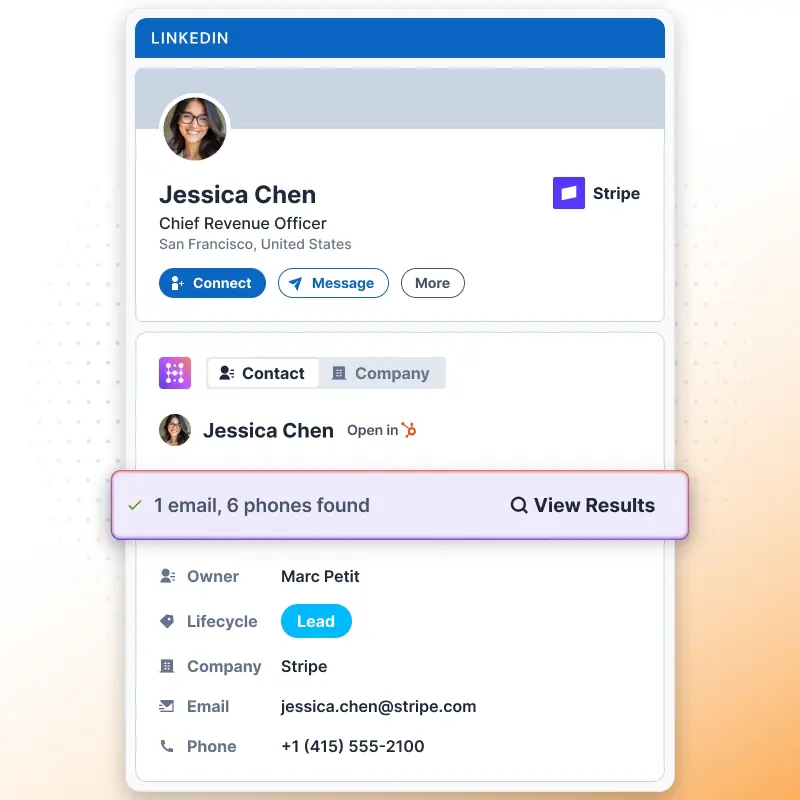
Find Emails & Phones

  • Hublead lets you enrich your CRM with emails and, on the Scale plan, also with funding information.
    • Emails: each time you click the Enrich button on a contact from LinkedIn or Sales Navigator, Hublead consumes 1 email credit.
    • Email enrichment is powered by multiple data providers managed directly by Hublead, ensuring high coverage and accuracy.
    • Phones (Scale only): on the Scale plan, you also get phone numbers from your prospects.
    • Integrations: customers can connect their own enrichment providers directly from the Hublead dashboard, giving you flexibility if you already work with other tools.
    To get email credits you have to subscribe one our plans.
Enriquecer contacto de LinkedIn para usuarios de HubSpot

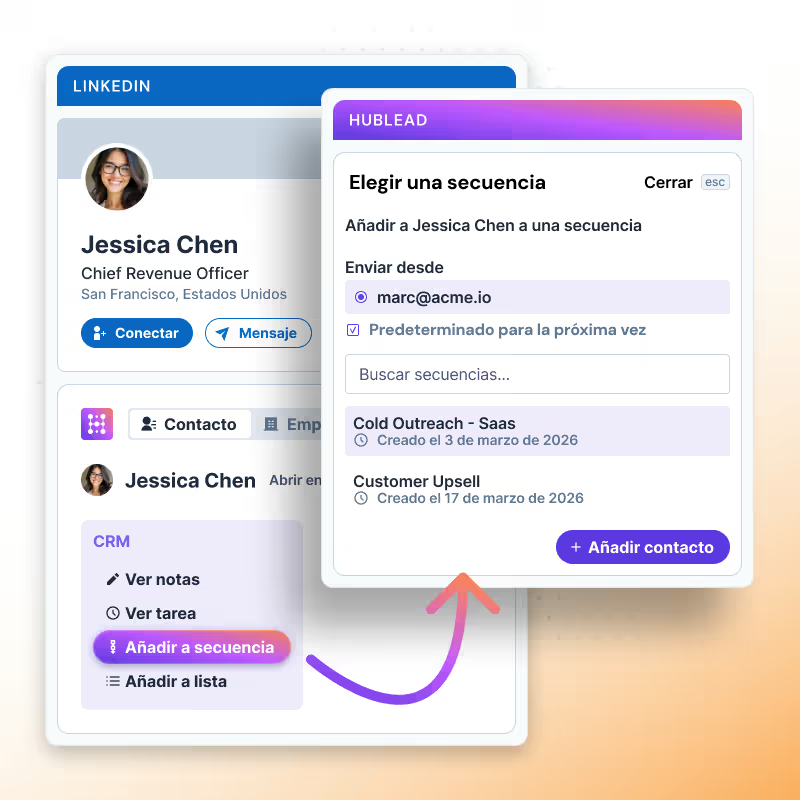
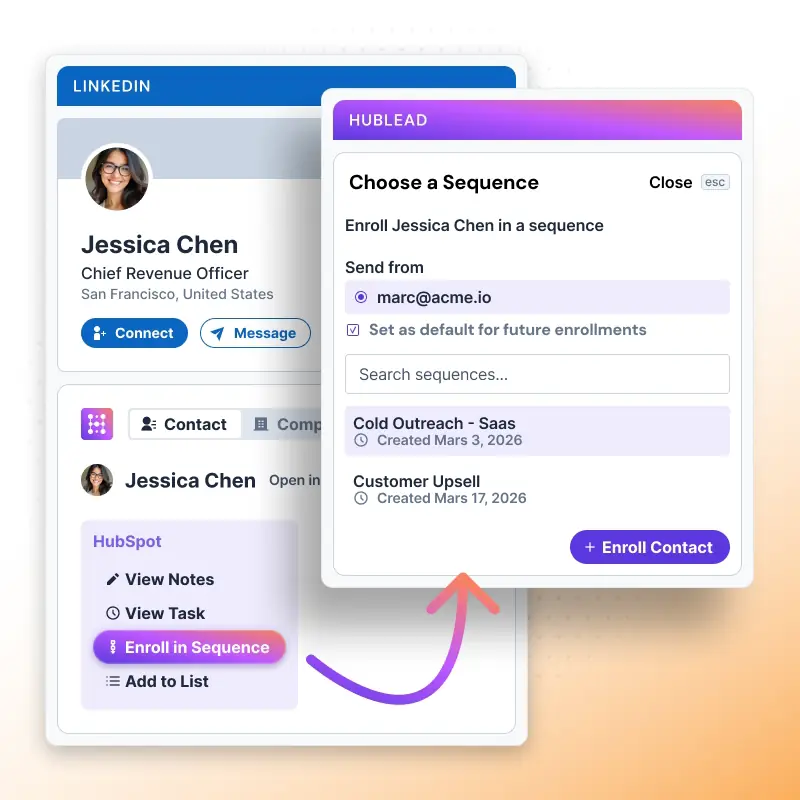
Add to HubSpot Sequences

  • From LinkedIn or Sales Navigator, you can add contacts directly to any HubSpot sequence without ever leaving LinkedIn.
    This means:
    • No switching between tabs
    • Faster activation of outreach
    • Perfect alignment between LinkedIn prospecting and HubSpot automation
Añadir un contacto de LinkedIn a una secuencia de HubSpot

¡Ya puedes empezar a usar Hublead!

Únete a más de 8.000 equipos de ventas que buscan, enriquecen y envían a HubSpot con un solo clic.