Intégration HubSpot LinkedIn

Outil de Prospecting HubSpot
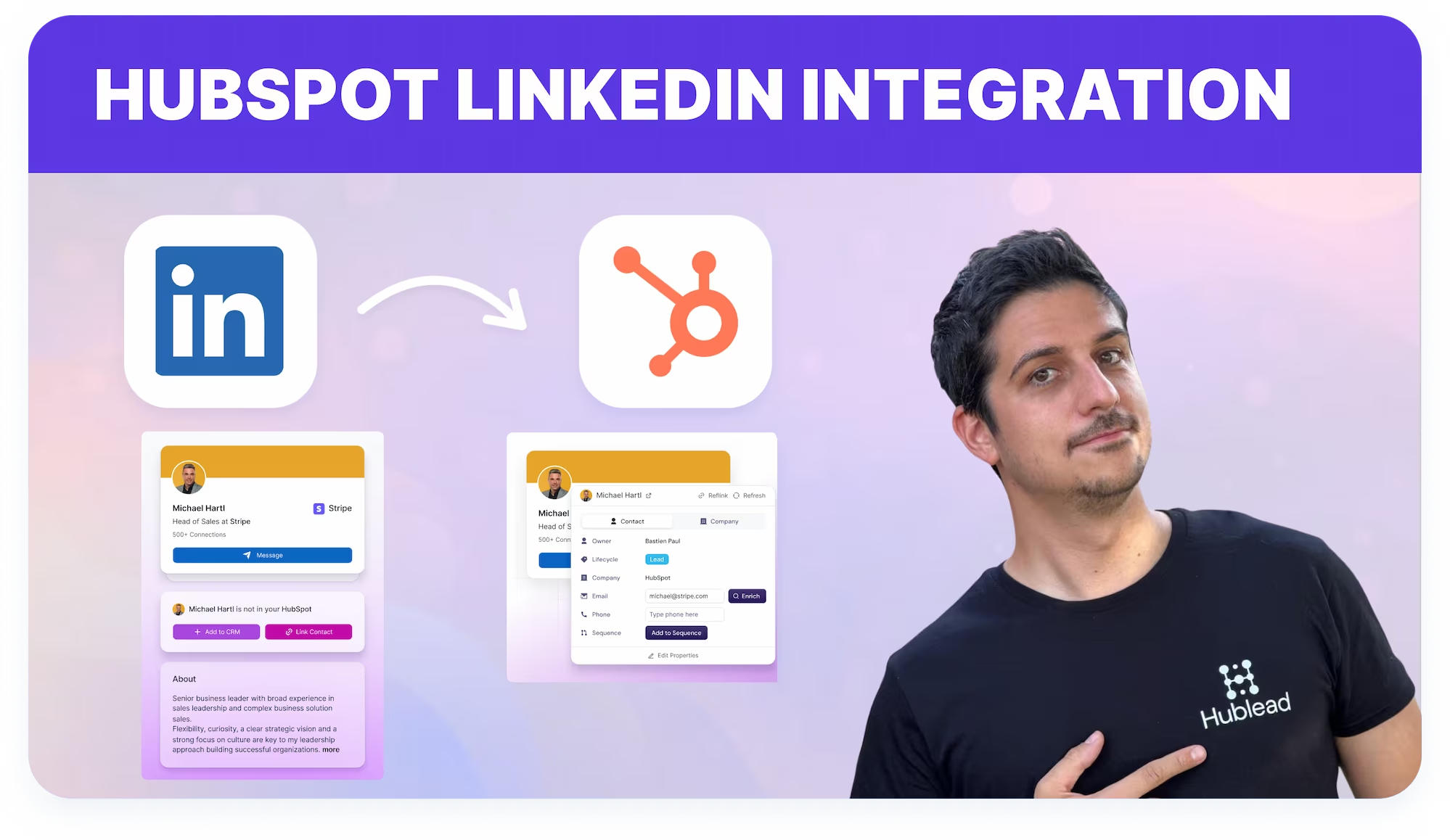
Hublead est le meilleur outil de Prospecting HubSpot pour LinkedIn. Ajoute tes leads, enregistre tes messages et gagne du temps sur chaque action.
Merci ! Ton message a bien été envoyé.
Oups ! Une erreur s’est produite lors de l’envoi du formulaire.
4,9 notes
141 avis
hublead
Russ Meinhardt avatar image
Russ Meinhardt
CEO de Shoplift

"Hublead a fait gagner des heures chaque semaine à notre équipe. C'est incroyablement facile à mettre en place, et l'impact a été immédiat. Nos commerciaux ne peuvent tout simplement plus s'en passer."

Loved by 8,000+ Users

amptitude8
Simple Strat
Zeplin
Norman & Sons
Shoplift
wrapify
BBD Boom
Bison Group
Jampp
Iterable
Jasper Meurs
Generation C
amptitude8
Simple Strat
Zeplin
Norman & Sons
Shoplift
wrapify
BBD Boom
Bison Group
Jampp
Iterable
Jasper Meurs
Generation C
Average sales rep saves 8+ hours/week

Configure ton outil de Prospecting HubSpot depuis LinkedIn en quelques clics

Travaille sur LinkedIn, ajoute contacts et activité dans HubSpot en évitant les mises à jour CRM manuelles.

Utilise HubSpot comme outil de Prospecting
Combine l'Outreach LinkedIn avec les timelines HubSpot pour gérer les prospects du premier contact au transfert.
Learn more
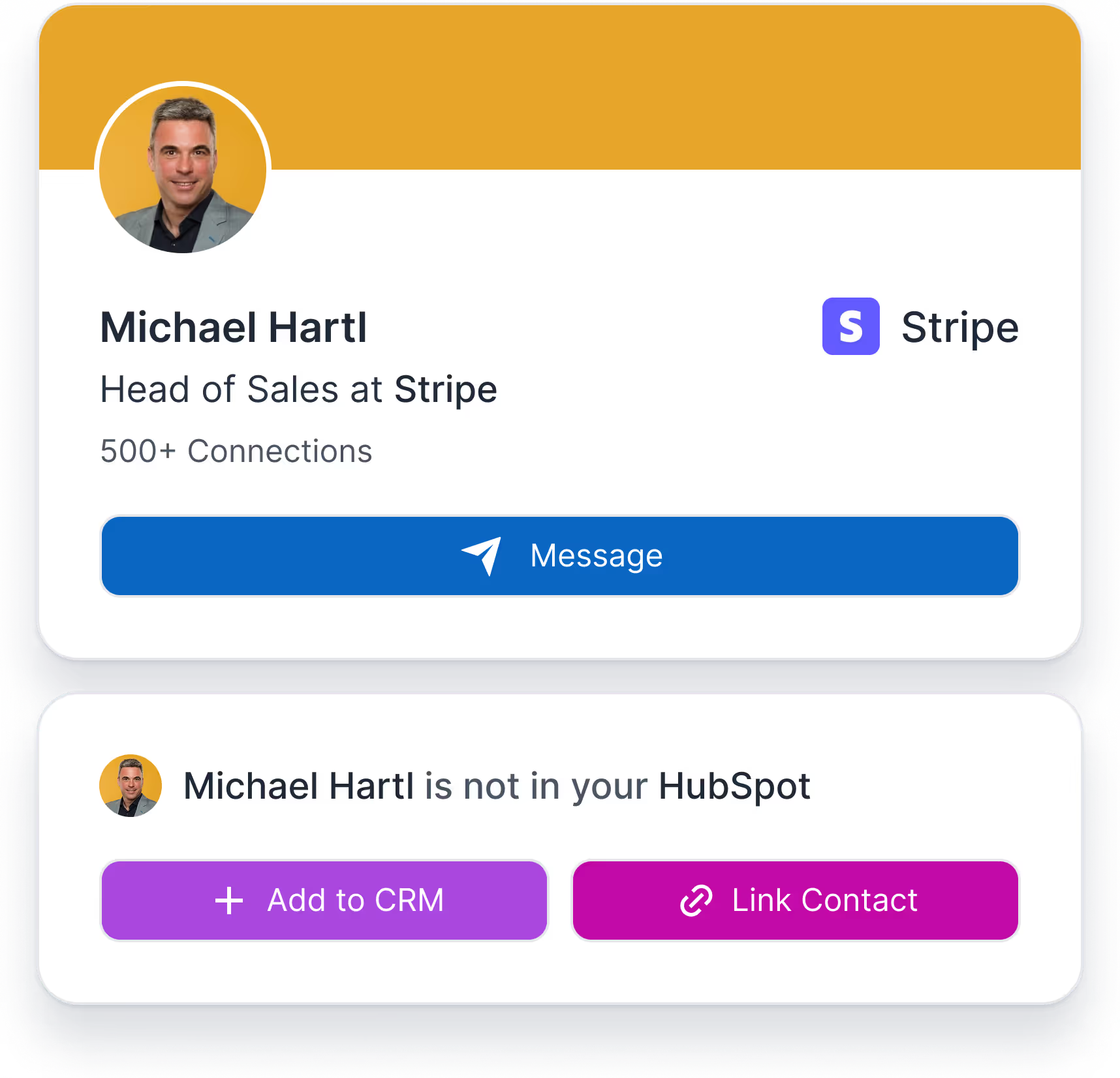
Widget Hublead Ajouter et Lier un contact
Carte CRM d'enrichissement dans HubSpot

Élimine les Workflows fragmentés

Travaille depuis LinkedIn pendant que HubSpot enregistre l'activité d'Outreach en arrière-plan.
Learn more
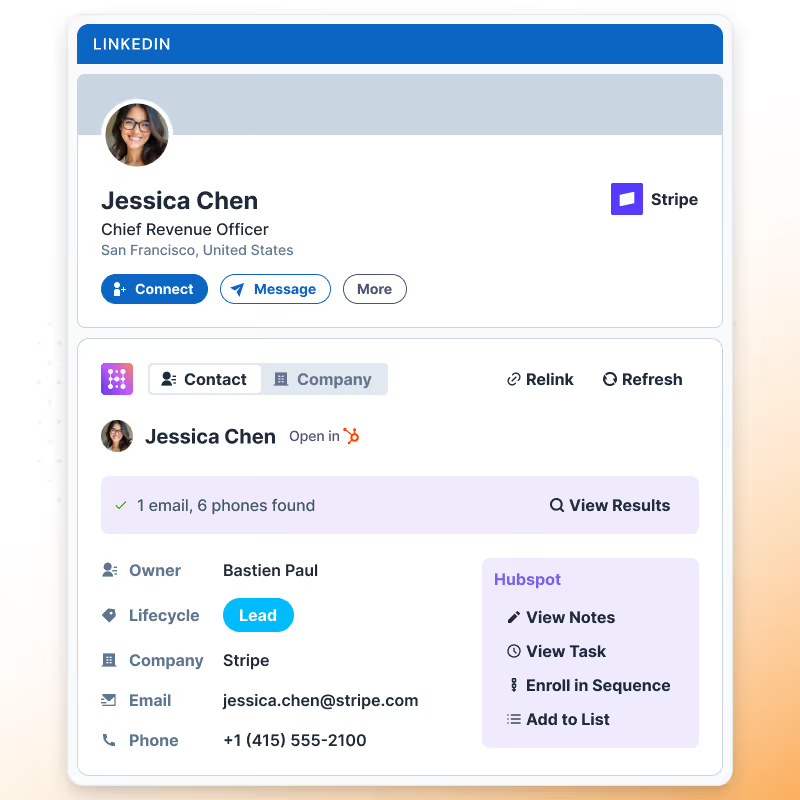
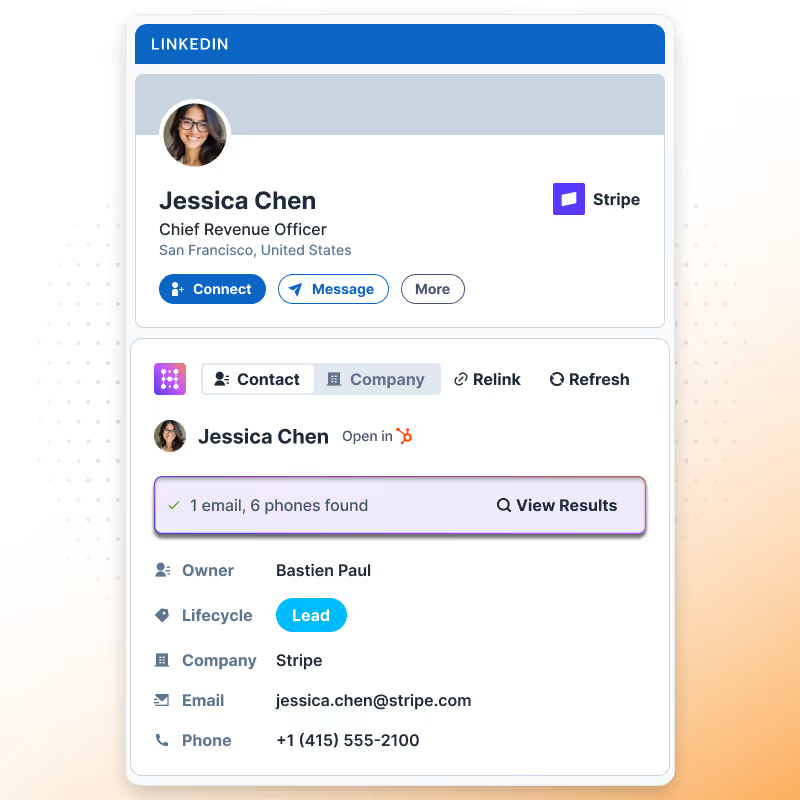
Enrichir un contact LinkedIn pour les utilisateurs HubSpot

Mesure l'efficacité du Prospecting

Mesure les résultats de l'Outreach LinkedIn dans HubSpot en utilisant les connexions et messages enregistrés après la liaison explicite des contacts.
Learn more

What
HubSpot users
say about Hublead

Découvrez comment les commerciaux utilisent Hublead pour réduire le travail manuel, rester concentrés sur LinkedIn et transformer plus de conversations en démos planifiées.

Prospecting dans HubSpot propulsé par LinkedIn

Hublead transforme le Prospecting LinkedIn en données structurées HubSpot en combinant la capture intentionnelle de contacts avec l'enregistrement automatique de l'engagement.
Essayer Hublead gratuitement
Widget LinkedIn Hublead

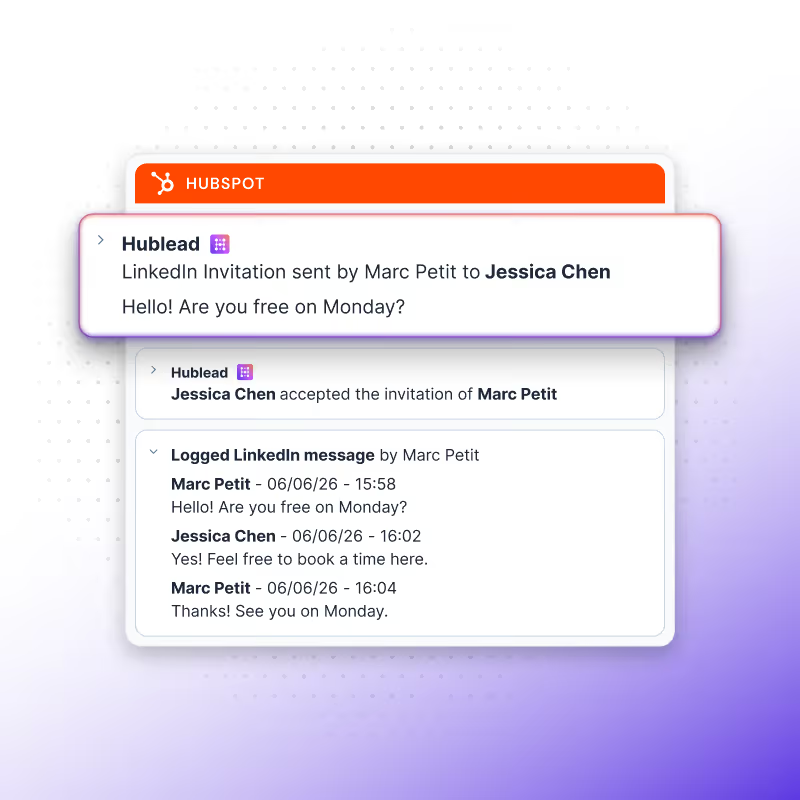
Workflow de Prospecting unifié

Les Commerciaux prospectent directement sur LinkedIn pendant que Hublead capture les événements d'engagement pris en charge et les données de contacts dans HubSpot, créant un Workflow fluide sans changement de contexte ni saisie manuelle dans le CRM.
Essayer Hublead gratuitement
Synchroniser les activités LinkedIn vers HubSpot

Reporting de l'activité LinkedIn

Parce que les événements Outbound LinkedIn sont enregistrés dans les timelines HubSpot, les équipes peuvent analyser les performances de l'Outreach LinkedIn directement depuis les rapports et tableaux de bord HubSpot.
Essayer Hublead gratuitement
Enrichir un contact LinkedIn pour les utilisateurs HubSpot

Reporting de l'activité LinkedIn

Parce que les événements Outbound LinkedIn sont enregistrés dans les timelines HubSpot, les équipes peuvent analyser les performances de l'Outreach LinkedIn directement depuis les rapports et tableaux de bord HubSpot.
Essayer Hublead gratuitement
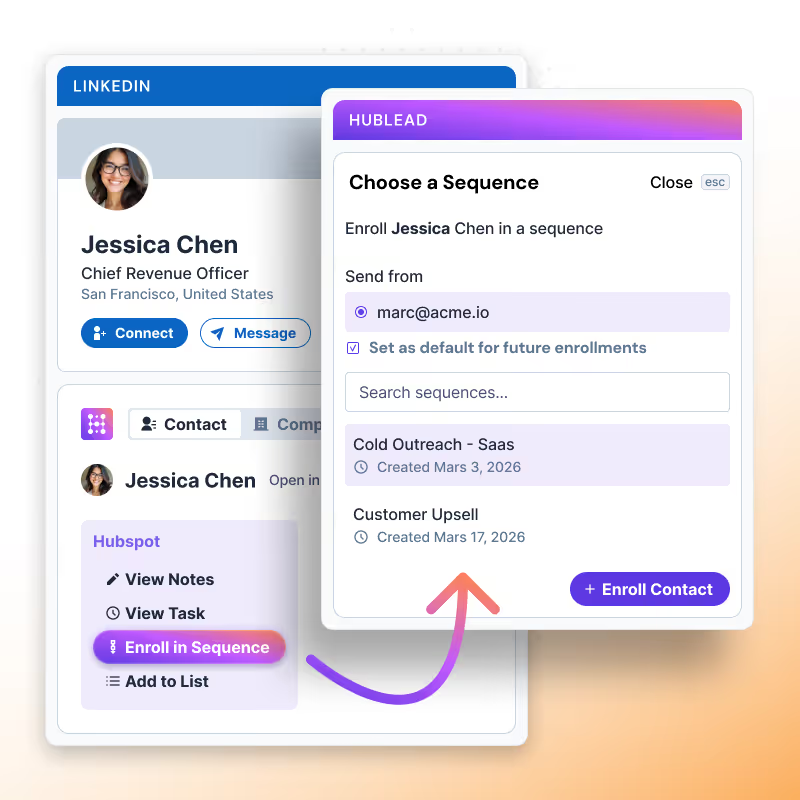
Ajouter un contact LinkedIn à une séquence HubSpot
+9
Trusted by 7k+ users!

And what our users are saying​

Hublead is a Chrome extension for adding prospects, logging conversations, and enriching LinkedIn contact data. No duplicates, just pure prospecting.
No items found.
Frequently Asked Questions

Outil de Prospecting HubSpot

No need to learn a new tool, Hublead is integrated right into your LinkedIn navigation, helping you stay organized and maximize your prospecting efforts.
What information Hublead imports when I add a new contact?
When clicking on our "Add to CRM" button, you directly import the LinkedIn contact to HubSpot and synchronise these information: First name, Last name, Linkedin Url, Job title, Website URL, City, Country/Region & Language.
Can I use our own LinkedIn URL Property?
Yes! We use by default the "LinkedIn URL" however, you can remap this field.
Does Hublead supports LinkedIn Recruiter?
No we do no support this plan of LinkedIn.
Is Hublead working with all LinkedIn Sales Navigator plans?
Yes Hublead supports all LinkedIn Sales Navigator plans (Core, Advanced and Advanced Plus)
Do I need LinkedIn Sales Navigator to use Hublead?
No you do not need LinkedIn Sales Navigator.
I have already a LinkedIn URL, does Hublead take this into account?
We can use your custom LinkedIn URL, you change that in the dashboard. By default we use a property named "LinkedIn URL".
Can Hublead sends LinkedIn Message from HubSpot?
No, at this moment it is not possible.
Does Hublead works on Safari?
Yes, however the portage is handled by Safari, Hublead guarantees support only on Chrome.
Can I use Hublead on iPad?
No you cannot use Hublead on iPad. Chrome app on iOS does not support chrome extensions.
Which plan should I choose?
Our pricing plans are built for different businesses and needs, Hublead plans adapt to all business sizes.
Is Hublead's data GDPR & CCPA compliant?
Yes, our data is fully committed and compliant to the GDPR & CCPA requirements.
Do you integrate with other CRMs than HubSpot?
We only integrate with HubSpot for now, and we prefer to stick to that!
Is it possible to synchronise LinkedIn conversations automatically on HubSpot?
Yes, we do import emal & phone number in HubSpot when we found it. We only show these information when we are 100% sure it's prospect's email & phone number.
Do you find Email & Phone number?
Yes, we do import emal & phone number in HubSpot when we found it. We only show these information when we are 100% sure it's prospect's email & phone number.
How do you prevent from deduplicate contacts?
Whenever you open a LinkedIn contact, we search in your HubSpot if the contact exists already. We search according to a mix of these variables: First name, Last name, Job title, Company name, Website URL, Email & Phone email.
If a contact have more than one current company, which company do you import?
In this case, after clicking on "Add to CRM", a popup will display and you will be invited to select the right company you want to import. After selecting the company, we then search in the CRM if it exists and create the company if it does not.
When creating a new company, what information do you import?
If we create a company we import all necessary information in HubSpot: Company name, Domain, Website URL, City, Country/Region, Description, Linkedin company url, Number of employees, Language, Industry.
Do you create a new company for every new contact imported?
It depends, when importing contacts, we search in HubSpot if the company already exists in your CRM thanks to website URL. If it does exist, we just import the contact and associates the contact to the company, otherwise we create the company.