Hublead for Sales Managers

For sales managers, visibility and predictability

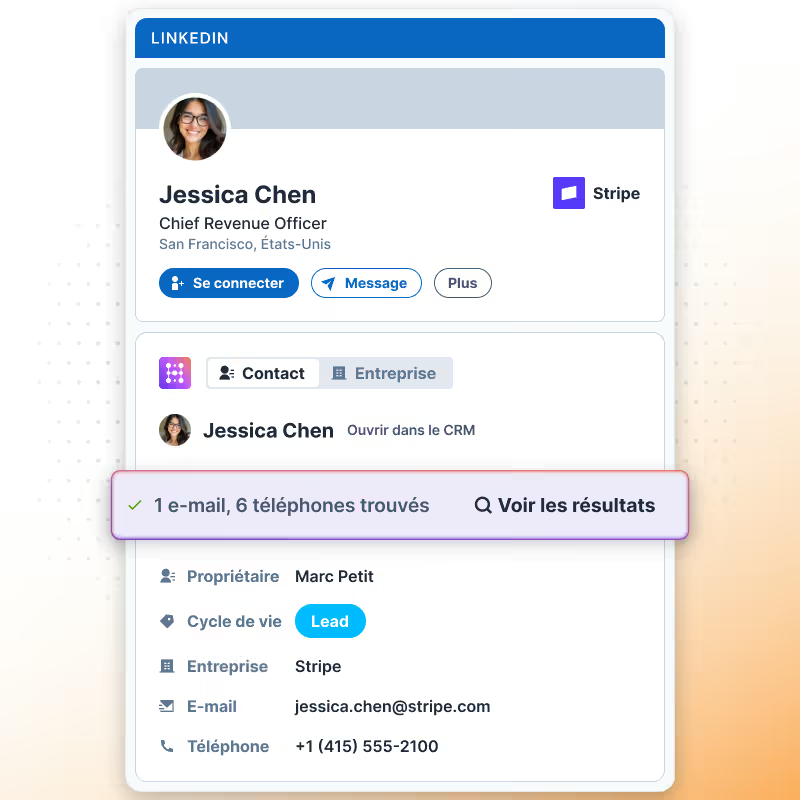
See HubSpot data on LinkedIn, no need to switch tabs every time you're landing on a prospect.
Essayer Hublead gratuitement
4,9 notes
141 avis
Ajouter ou lier un contact LinkedIn à HubSpot

Adopté par plus de 8 000 utilisateurs

amptitude8
Simple Strat
Zeplin
Norman & Sons
Shoplift
wrapify
BBD Boom
Bison Group
Jampp
Iterable
Jasper Meurs
Generation C
amptitude8
Simple Strat
Zeplin
Norman & Sons
Shoplift
wrapify
BBD Boom
Bison Group
Jampp
Iterable
Jasper Meurs
Generation C
Average sales rep saves 6+ hours/week

Make LinkedIn activity visible so you can coach effectively

See HubSpot data on LinkedIn, no need to switch tabs every time you're landing on a prospect.

Turn LinkedIn activity into measurable signals

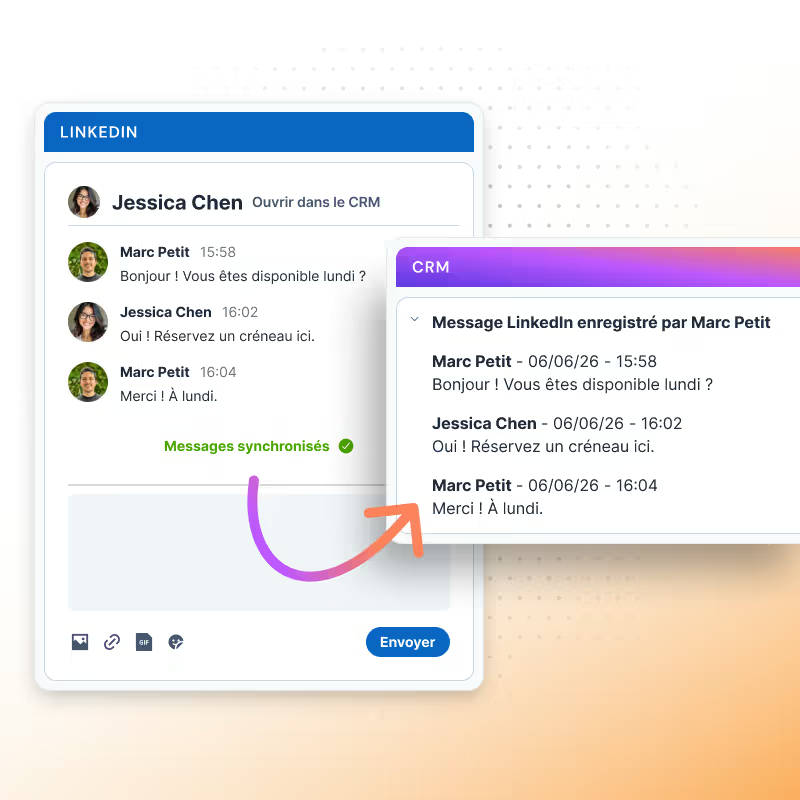
Every message, invite, and reply syncs to HubSpot so managers can see patterns, spot bottlenecks, and track outbound efforts without guesswork.
Learn more
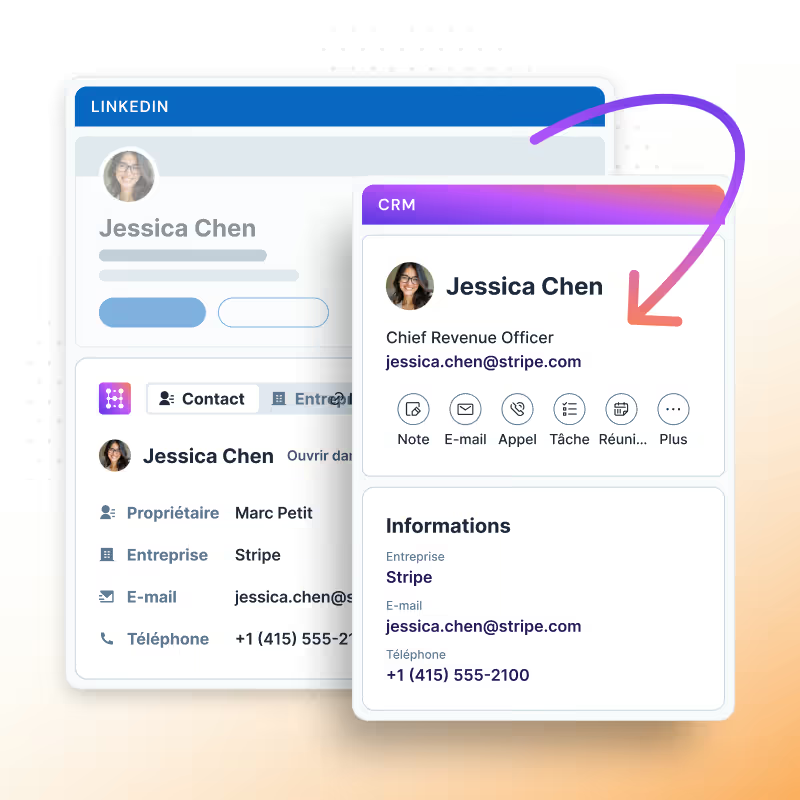
Importer un contact LinkedIn vers HubSpot
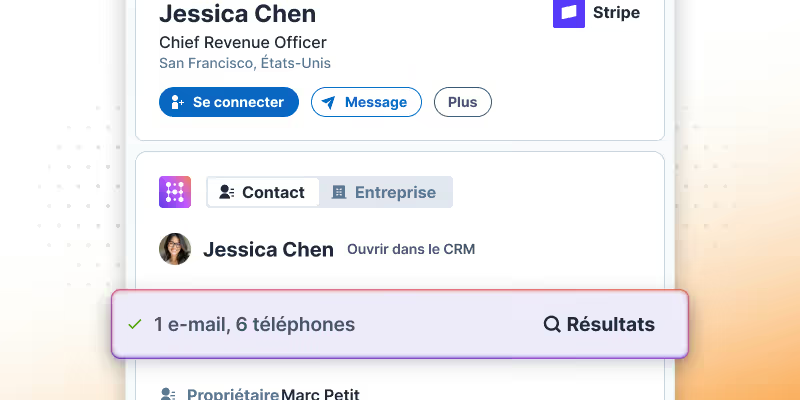
Enrichir un contact LinkedIn pour les utilisateurs HubSpot

Keep HubSpot clean and reliable

Contact, company, and enrichment data update automatically, reducing cleanup work and ensuring workflows run on reliable inputs.
Learn more
Synchroniser les activités LinkedIn vers HubSpot

Run powerful automation across the stack

Once LinkedIn signals land in HubSpot, RevOps can trigger scoring, routing, alerts, handoffs, and any connected app, without relying on reps or manual updates.
Learn more

Turn LinkedIn activity into measurable signals

Save hours weekly by importing LinkedIn contacts to HubSpot in seconds.

Create new records or link to existing ones, and choose the right company when needed.

Synchroniser les messages LinkedIn vers HubSpot en 1 clic

Find emails & phones for any contact

Enrich contacts straight from LinkedIn! Simply click the “Find email” button on a profile to retrieve the contact’s email and sync it to HubSpot.

Hublead’s precise email finder guarantees we’re providing the best data we can find, with 95% accuracy. Prospect with confidence and safeguard your domain from bounces with Hublead.

Enrichir un contact LinkedIn pour les utilisateurs HubSpot

Keep your CRM up-to-date without lifting a finger

Looking for accurate data before you press “send” on that email? Look no further.

Hublead syncs all relevant LinkedIn data back to HubSpot: Name, Job title, Company, Website, City, and Country.

All seamlessly transferred to your CRM. Hublead also captures DMs and inMails, allowing you to quickly review your conversations with every prospect and even respond directly from HubSpot.

Synchroniser les activités LinkedIn vers HubSpot

Goodbye tab-switching, hello prospecting

Hublead was built for sales reps who want to spend more time prospecting and less time managing different tools.

Keep your CRM clean

Keep all prospect in HubSpot for complete context
75%
more meetings booked

Enrich leads in seconds

Enrich individual contacts or an entire list in seconds
95%
accurate and up-to-date information

Track LinkedIn activities

Track message response times and follow-up effectiveness
2+
hours saved every week
HubSpot LinkedIn Chrome Extension

Frequently Asked Questions

See HubSpot data on LinkedIn, no need to switch tabs every time you're landing on a prospect.
Comment ajouter des profils LinkedIn à HubSpot ?
Un seul clic avec Hublead. Va sur n'importe quel profil LinkedIn ou Sales Navigator et clique sur "Ajouter au CRM". Les contacts LinkedIn se synchronisent directement dans une fiche contact HubSpot.
Puis-je importer des contacts LinkedIn dans HubSpot ?
Avec Hublead, il est possible d'importer les détails des contacts LinkedIn dans HubSpot. Hublead fait correspondre tous les champs LinkedIn aux propriétés HubSpot. Cliquer sur "Ajouter au CRM" et les données seront automatiquement importées.
Hublead fonctionne-t-il avec LinkedIn et LinkedIn Sales Navigator ?
Oui ! Hublead fonctionne avec LinkedIn et LinkedIn Sales Navigator. Contrairement aux intégrations natives de HubSpot, Hublead s'adapte parfaitement au workflow sur LinkedIn.
Si un commercial quitte l'entreprise, son activité restera-t-elle dans HubSpot ?
Oui ! Hublead capture automatiquement les conversations et données dans HubSpot, offrant un système de référence complet. Si un commercial décide de partir, tous ses messages et activités resteront enregistrés pour l'équipe.
Mes données sont-elles sécurisées avec Hublead ?
Oui ! Hublead gère les données de manière sécurisée lors de l'import dans le portail HubSpot.