Hublead for Sales Managers

For sales managers, visibility and predictability

See HubSpot data on LinkedIn, no need to switch tabs every time you're landing on a prospect.
4.9 Ratings
141 reviews

Loved by 8,000+ Users

wrapify
Zeplin
amptitude8
Simple Strat
Shoplift
Norman & Sons
Jampp
Jasper Meurs
Iterable
Bison Group
Generation C
BBD Boom
wrapify
Zeplin
amptitude8
Simple Strat
Shoplift
Norman & Sons
Jampp
Jasper Meurs
Iterable
Bison Group
Generation C
BBD Boom
Average sales rep saves 6+ hours/week

Make LinkedIn activity visible so you can coach effectively

See HubSpot data on LinkedIn, no need to switch tabs every time you're landing on a prospect.

Turn LinkedIn activity into measurable signals

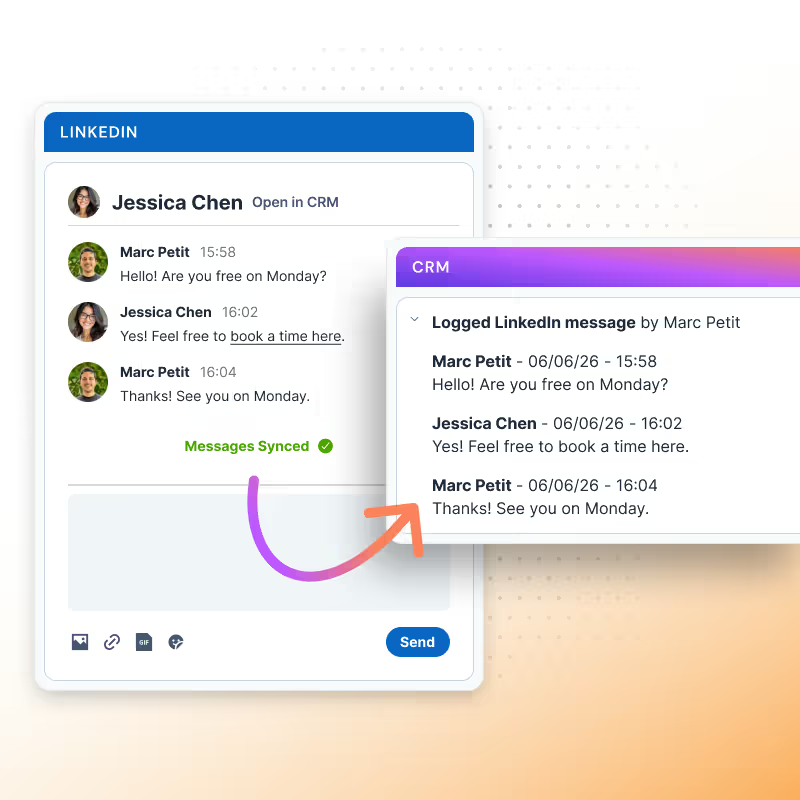
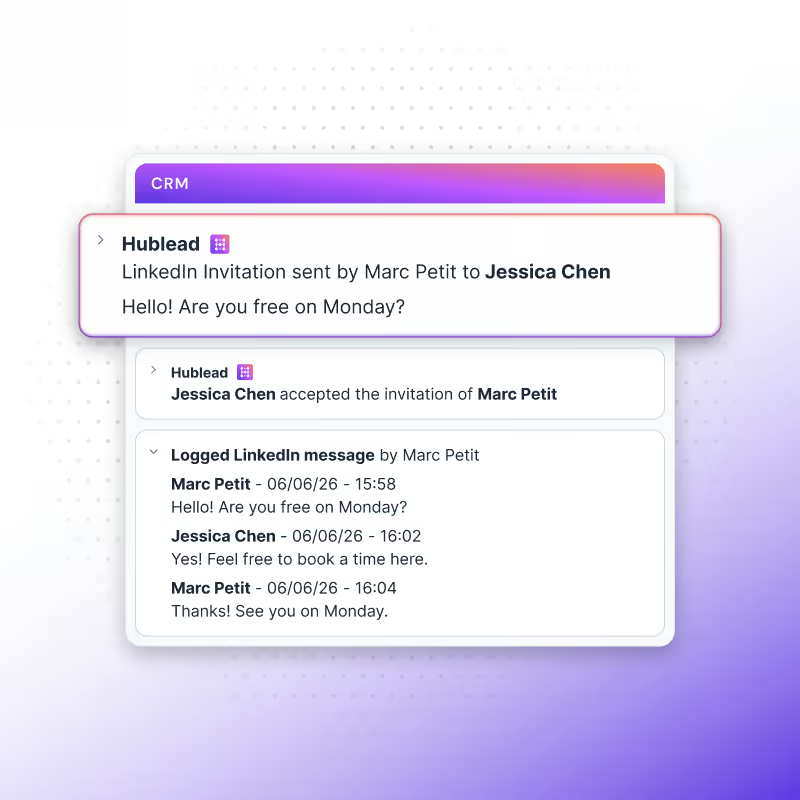
Every message, invite, and reply syncs to HubSpot so managers can see patterns, spot bottlenecks, and track outbound efforts without guesswork.
Learn more
enrich linkedin contact for hubspot users

Keep HubSpot clean and reliable

Contact, company, and enrichment data update automatically, reducing cleanup work and ensuring workflows run on reliable inputs.
Learn more
Sync LinkedIn activities to HubSpot

Run powerful automation across the stack

Once LinkedIn signals land in HubSpot, RevOps can trigger scoring, routing, alerts, handoffs, and any connected app, without relying on reps or manual updates.
Learn more

Turn LinkedIn activity into measurable signals

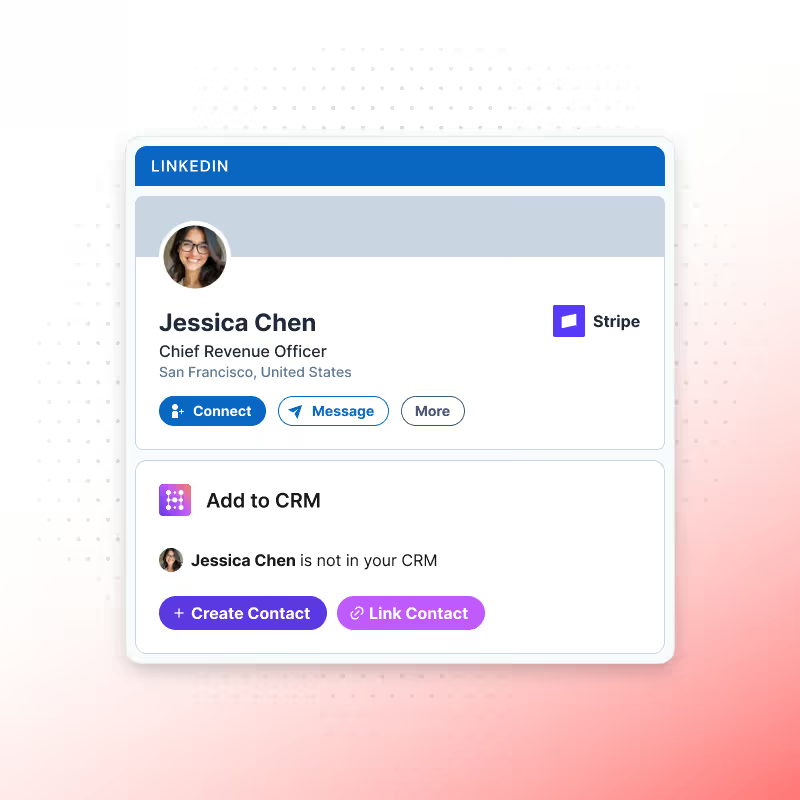
Save hours weekly by importing LinkedIn contacts to HubSpot in seconds.

Create new records or link to existing ones, and choose the right company when needed.

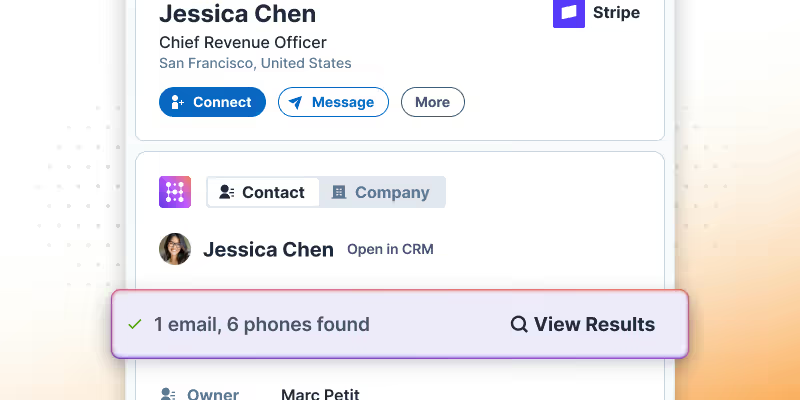
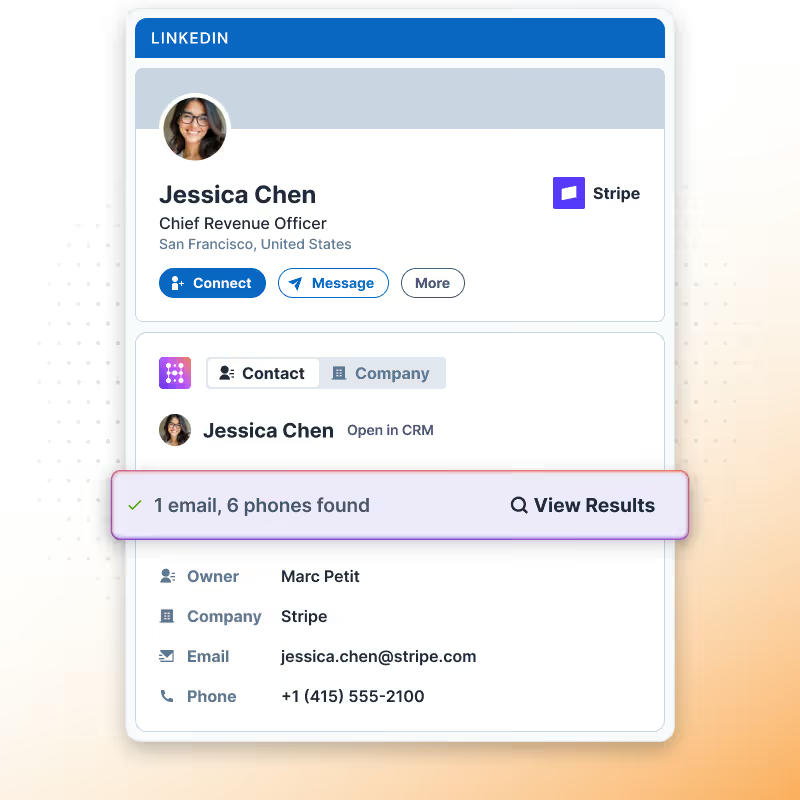
Find emails & phones for any contact

Enrich contacts straight from LinkedIn! Simply click the “Find email” button on a profile to retrieve the contact’s email and sync it to HubSpot.

Hublead’s precise email finder guarantees we’re providing the best data we can find, with 95% accuracy. Prospect with confidence and safeguard your domain from bounces with Hublead.
Keep your CRM up-to-date without lifting a finger

Looking for accurate data before you press “send” on that email? Look no further.

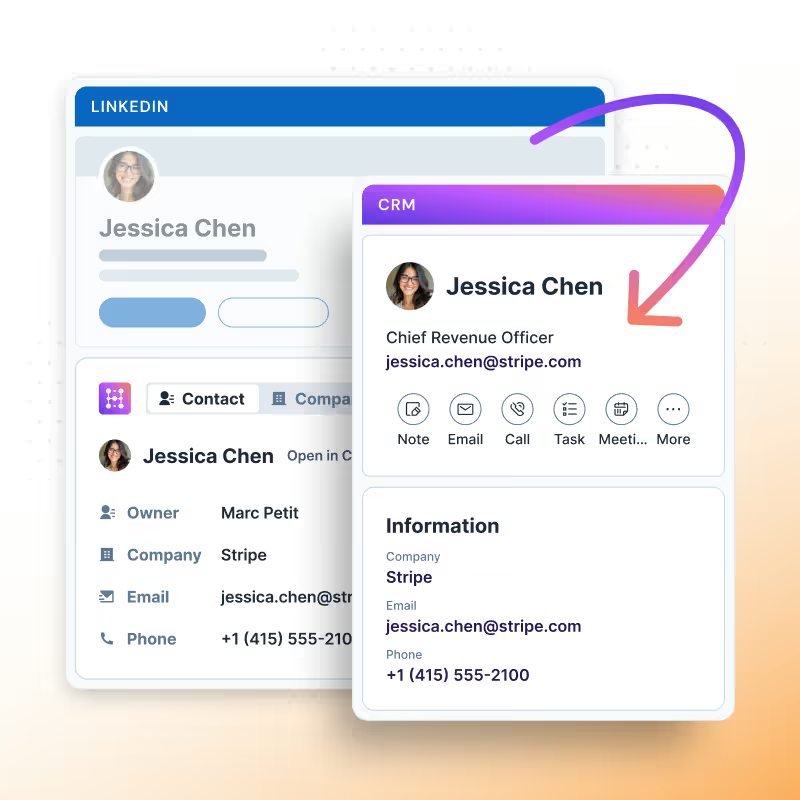
Hublead syncs all relevant LinkedIn data back to HubSpot: Name, Job title, Company, Website, City, and Country.

All seamlessly transferred to your CRM. Hublead also captures DMs and inMails, allowing you to quickly review your conversations with every prospect and even respond directly from HubSpot.

LinkedIn Activity in HubSpot

Hublead gives sales managers complete visibility into LinkedIn prospecting performance:

Performance Overview

Monitor your team’s performance and efforts without micromanaging

360 CRM

Get complete visibility into team LinkedIn prospecting activity

Admin Tasks

Eliminate manual data entry that slows down your reps

Data Quality

Ensure consistent data quality across all team members

Forecasting

Improve forecasting accuracy with complete activity records
HubSpot LinkedIn Chrome Extension

Frequently Asked Questions

See HubSpot data on LinkedIn, no need to switch tabs every time you're landing on a prospect.
How do I add LinkedIn profiles to HubSpot?
It just takes one click with Hublead. Go to any LinkedIn or Sales Navigator profile and click on "Add to CRM." This will sync LinkedIn contacts directly to a HubSpot contact record.
Can I import LinkedIn contacts into HubSpot?
With Hublead, you can import LinkedIn contact details to HubSpot contacts. Hublead matches all LinkedIn fields to HubSpot properties. Just click on "Add to CRM" and the data will automatically be imported to your HubSpot account.
Does Hublead work with LinkedIn and LinkedIn Sales Navigator?
Yes! Hublead works with both LinkedIn and LinkedIn Sales Navigator. Unlike HubSpot’s native integrations, Hublead adapts perfectly to your workflow on LinkedIn.
If a sales rep leaves the company, will their activity still be in HubSpot?
Yes! Hublead automatically captures conversations and data to HubSpot, giving you a complete system of record. If a rep chooses to leave, all of their messages and activities will still be recorded for your team.
Is my data secure with Hublead?
Yep! You can trust us to handle your data securely while we import it to your HubSpot portal.