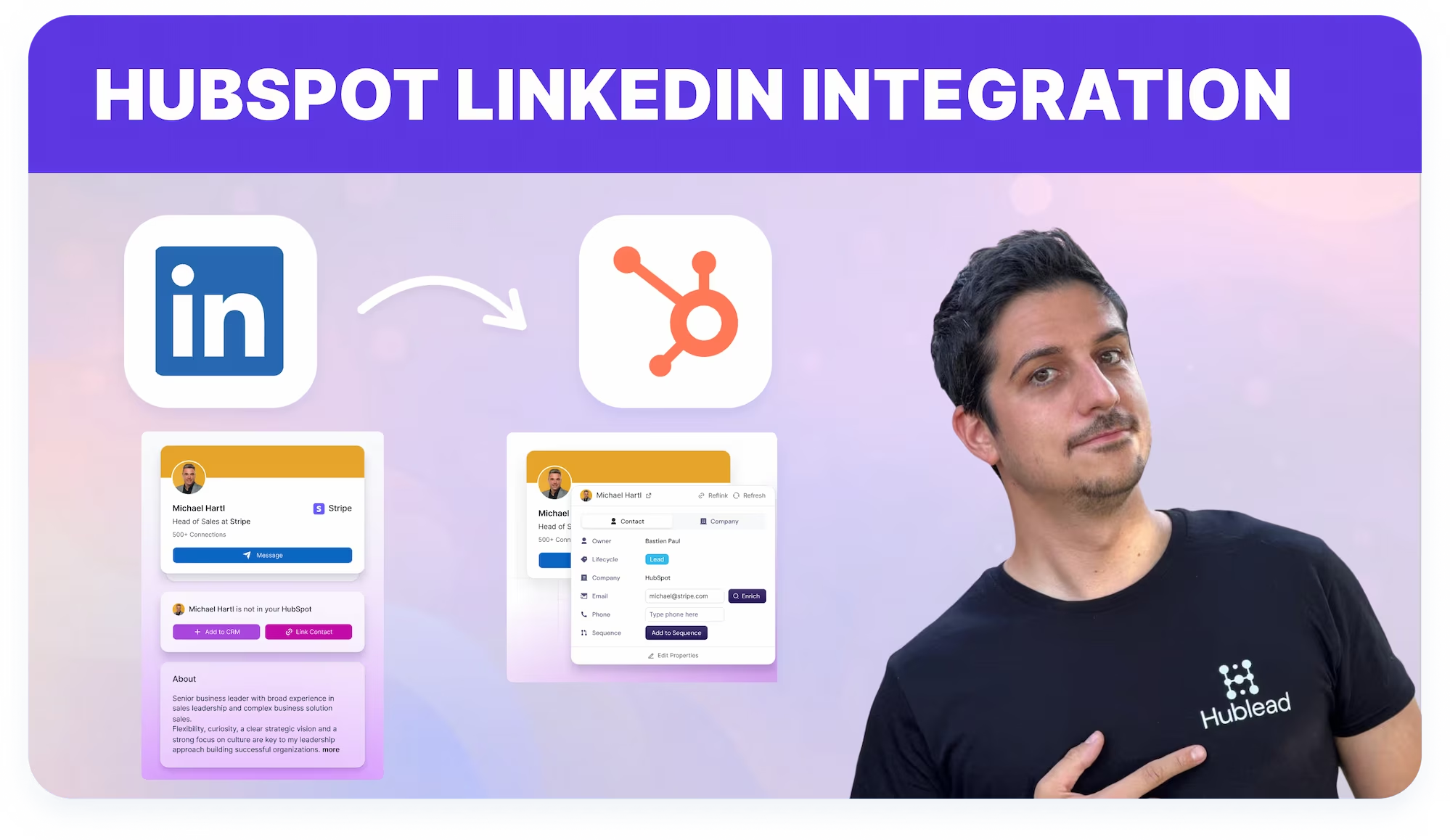














Schließ dich 8.000+ HubSpot-Nutzern an, die täglich schneller arbeiten

Mit Hublead kannst du:

  • HubSpot-Daten sofort sehen, während du auf LinkedIn surfst
  • LinkedIn-Gespräche direkt in HubSpot synchronisieren
  • Kontakte mit fehlenden Details in einem Klick anreichern
  • LinkedIn-Aktivitäten deines Teams tracken und auswerten
  • Gesendete und akzeptierte LinkedIn-Einladungen in HubSpot überwachen

Geliebt von 8.000+ Nutzern

amptitude8
Simple Strat
Zeplin
Norman & Sons
Shoplift
wrapify
BBD Boom
Bison Group
Jampp
Iterable
Jasper Meurs
Generation C
amptitude8
Simple Strat
Zeplin
Norman & Sons
Shoplift
wrapify
BBD Boom
Bison Group
Jampp
Iterable
Jasper Meurs
Generation C

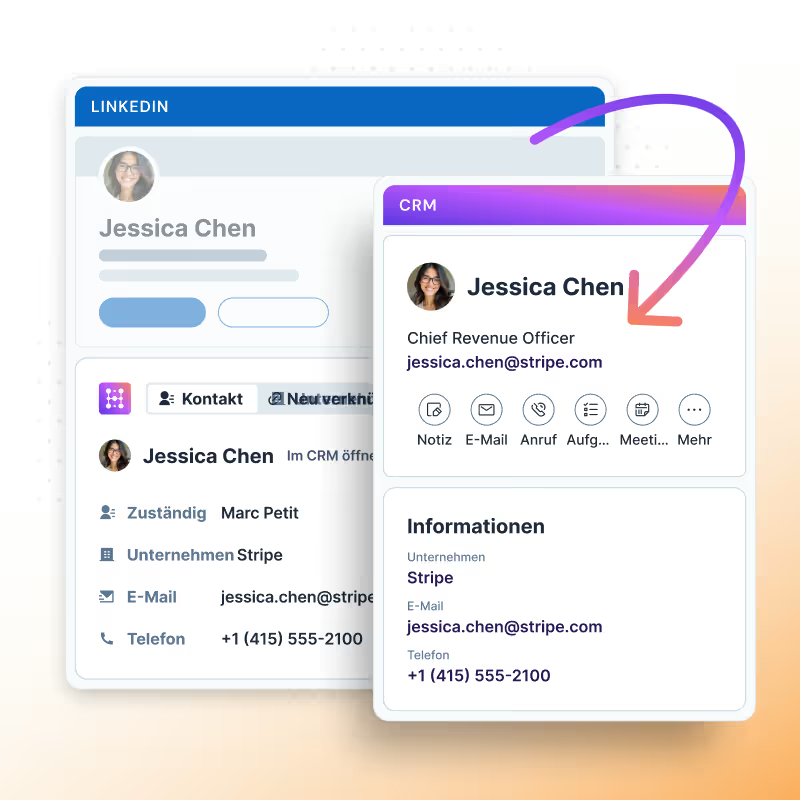
Kontakt mit 1 Klick importieren

Navigiere zu einem beliebigen LinkedIn- oder Sales Navigator-Profil.

Klicke auf "Zum CRM hinzufügen", um Kontakte direkt in dein HubSpot zu importieren mit:

  • Vollständiger Name
  • Jobtitel
  • LinkedIn URL & Sales Navigator URL
  • Profilbild
  • Stadt & Land/Region
  • E-Mail & Telefonnummer (kostenlos, wenn auf LinkedIn verfügbar)
  • LinkedIn-Einladung (Gesendet & Akzeptiert) Datum
  • LinkedIn-Nachricht (Gesendet & Beantwortet) Datum
TUTORIAL ÜBERSPRINGEN UND HUBLEAD NUTZEN

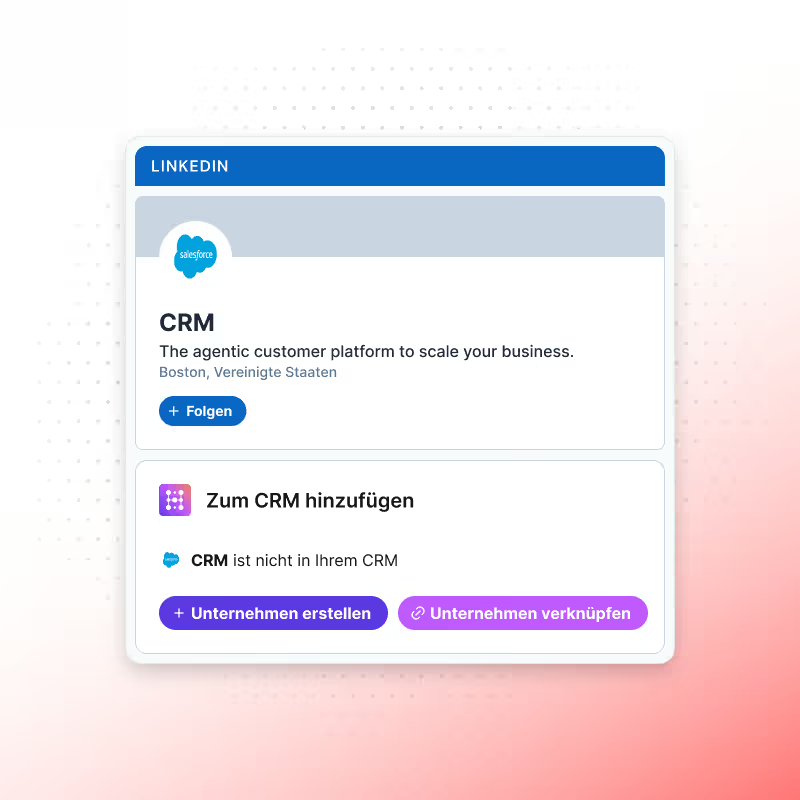
LinkedIn-Unternehmen importieren

Navigiere zu einer beliebigen LinkedIn- oder Sales Navigator-Unternehmensseite.

Klicke auf "Zum CRM hinzufügen", um Unternehmensdaten direkt in dein HubSpot zu importieren mit:

  • Unternehmensname
  • Beschreibung
  • Land/Region
  • Mitarbeiterspanne
  • Straße, Stadt, Bundesland/Region und Postleitzahl
  • Anzahl der Mitarbeiter
  • Verwendete Web-Technologien
TUTORIAL ÜBERSPRINGEN UND HUBLEAD NUTZEN

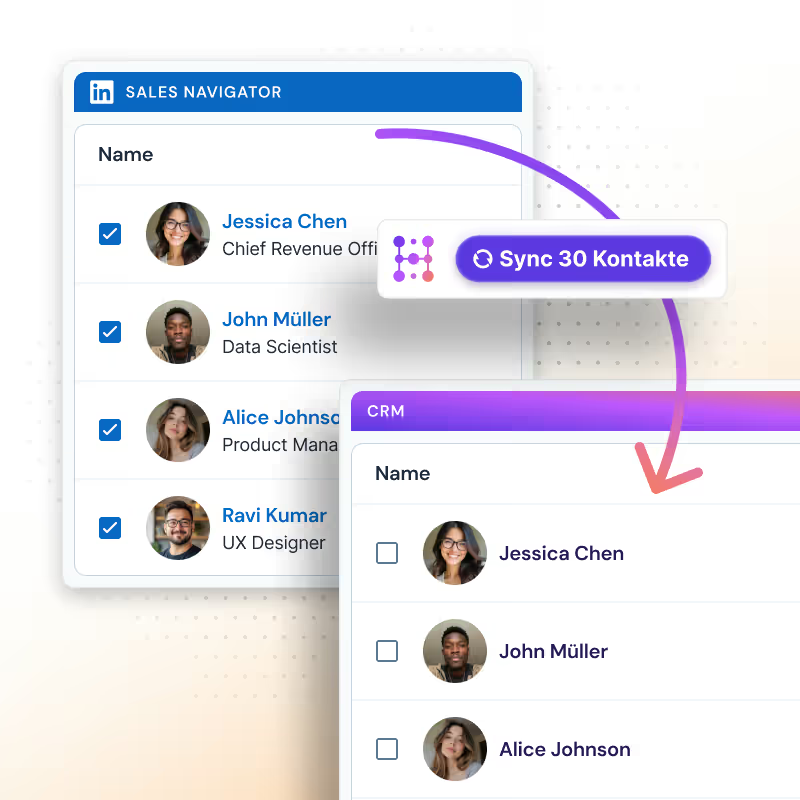
Kontakte in Masse exportieren

Gehe zu einer beliebigen LinkedIn- oder Sales Navigator-Liste oder -Suche.
Wähle bis zu 25 Kontakte aus und klicke auf "25 Kontakte synchronisieren", um sie in HubSpot zu importieren.

Mit dem Scale-Tarif kannst du:

  • Bis zu 100 Kontakte pro Nutzer pro Tag importieren
  • Jeden importierten Kontakt automatisch mit einer E-Mail-Adresse anreichern
  • Duplikate dank E-Mail-Abgleich reduzieren
  • Outreach sofort aktivieren, da die E-Mail verfügbar ist
  • Credits werden automatisch erstattet, wenn der Kontakt bereits in HubSpot existiert
TUTORIAL ÜBERSPRINGEN UND HUBLEAD NUTZEN

Wie gleicht Hublead LinkedIn-Kontakte ab?

Hublead verwendet zwei Methoden, um Genauigkeit zu gewährleisten:
- LinkedIn-Profil-URL
- Kombination aus Vorname, Nachname und Unternehmens-Domain.

Was, wenn der Kontakt nicht gefunden wird?
Klicke auf "Kontakt verknüpfen" und suche direkt in deinem HubSpot nach:

  • E-Mail
  • Vollständiger Name
  • Unternehmensname
  • Domain
TUTORIAL ÜBERSPRINGEN UND HUBLEAD NUTZEN

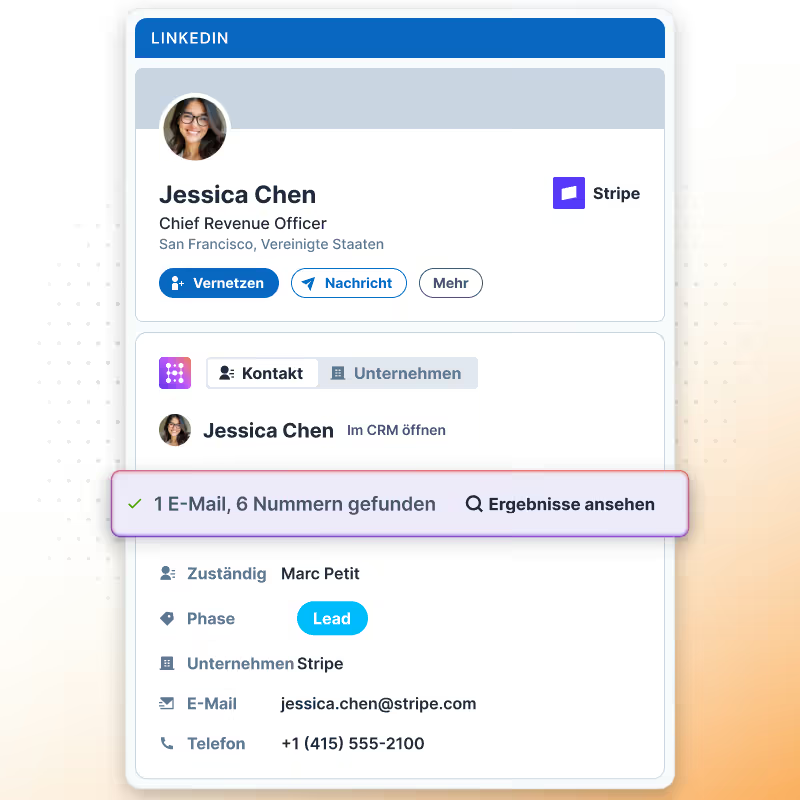
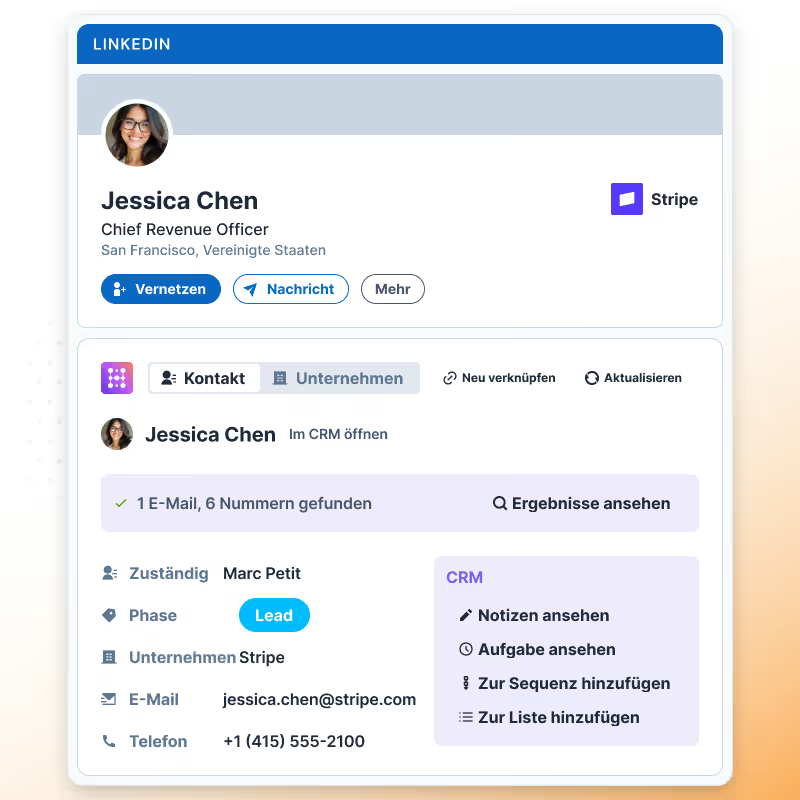
HubSpot anzeigen & aktualisieren

  • Aktualisiere Kontaktinformationen in HubSpot jederzeit per Klick auf "Aktualisieren".
  • Bearbeite beliebige HubSpot-Eigenschaften (Standard und benutzerdefiniert).
  • Klicke auf "Anreichern", um eine E-Mail zu finden, wenn keine auf LinkedIn verfügbar ist.

Hinweis: Wenn die E-Mail eine persönliche Adresse ist (wie Gmail) oder nicht zur Unternehmens-Domain passt, wird sie nicht angezeigt.

TUTORIAL ÜBERSPRINGEN UND HUBLEAD NUTZEN

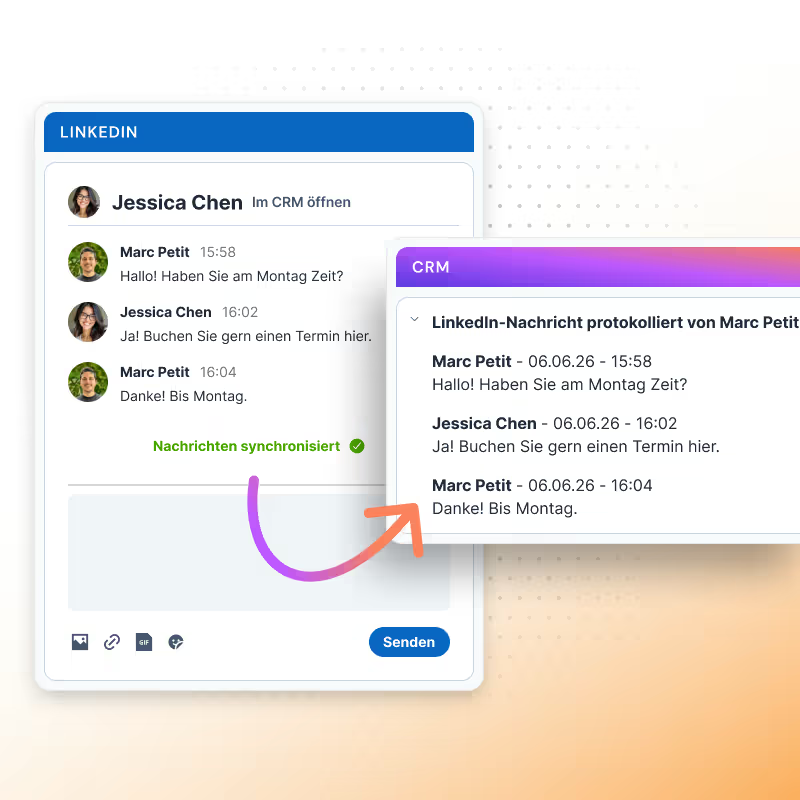
Nachrichten & InMails synchronisieren

  • Open any LinkedIn or Sales Navigator chat, and Hublead can sync the last 20 messages directly into HubSpot.
    • With the Business & Scale plan, syncing is fully automatic, no need to click “Sync messages.”
    • Messages and InMails are imported one by one (bulk import is not available).
    • Each conversation is logged in HubSpot as a LinkedIn activity, making it easier to use in reports and workflows.
    • Hublead creates one activity per day of conversation to keep your CRM clean and organized.
    • Two additional HubSpot properties are updated:
      • Last LinkedIn Message Sent Date
      • Last LinkedIn Message Replied Date
TUTORIAL ÜBERSPRINGEN UND HUBLEAD NUTZEN

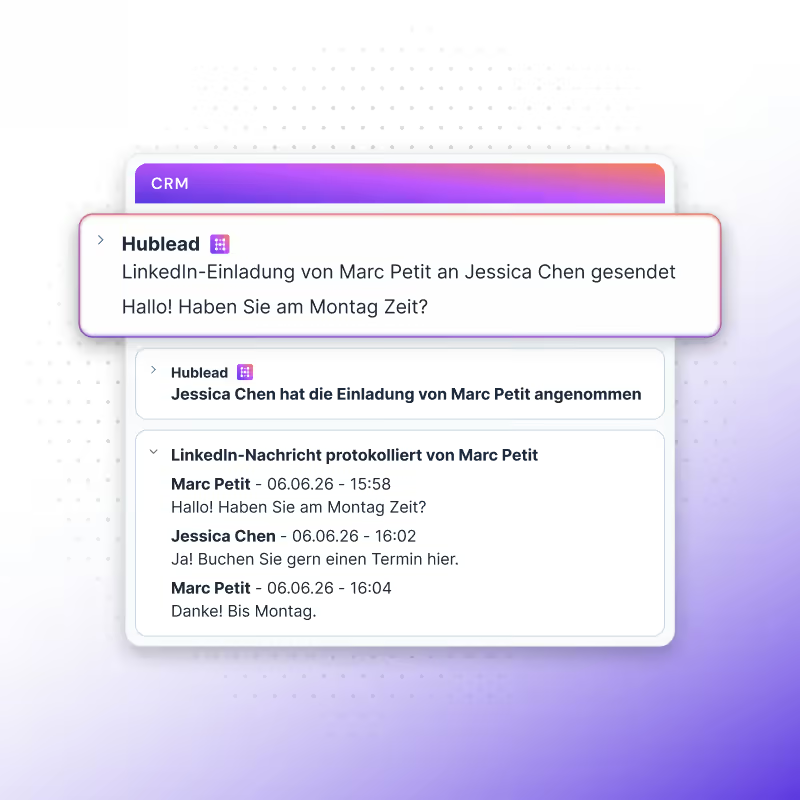
LinkedIn-Einladungen importieren

  • With the Business and Scale plans, you can import your LinkedIn Invitations (Sent & Accepted) into HubSpot.
    • Every week, Hublead automatically checks your latest invitations (both Sent and Accepted) to ensure nothing is missed.
    • On first setup, you can sync past invitations into HubSpot.
    • Important: invitations are only synced if the LinkedIn URL already exists in HubSpot, new contacts are not created automatically.
    • As you prospect, any new invitations you send or that get accepted are synced into HubSpot.
    • Two properties are updated in HubSpot for each contact:
      • Last LinkedIn Invitation Sent Date
      • Last LinkedIn Invitation Accepted Date
    These properties allow you to build workflows, create lists, and generate reports based on LinkedIn activity.
TUTORIAL ÜBERSPRINGEN UND HUBLEAD NUTZEN

LinkedIn-Daten in HubSpot nutzen

  • Hublead brings your real LinkedIn activity into HubSpot with CRM Cards.
    These cards display LinkedIn information directly inside the contact record, so your sales team always has the context at hand.For example, the LinkedIn Invitations Card shows whether an invitation was sent and accepted. Alongside that, Hublead updates four key properties in HubSpot:
    • Last LinkedIn Message Sent Date
    • Last LinkedIn Message Replied Date
    • Last LinkedIn Invitation Sent Date
    • Last LinkedIn Invitation Accepted Date
    With these properties, you can:
    • Build reports to track outreach performance
    • Trigger workflows based on LinkedIn activity
    • Segment contacts into lists for smarter follow-ups
    On the right, you’ll find a short video demo of the CRM Card in action.
TUTORIAL ÜBERSPRINGEN UND HUBLEAD NUTZEN

E-Mails & Telefonnummern finden

  • Hublead lets you enrich your CRM with emails and, on the Scale plan, also with funding information.
    • Emails: each time you click the Enrich button on a contact from LinkedIn or Sales Navigator, Hublead consumes 1 email credit.
    • Email enrichment is powered by multiple data providers managed directly by Hublead, ensuring high coverage and accuracy.
    • Phones (Scale only): on the Scale plan, you also get phone numbers from your prospects.
    • Integrations: customers can connect their own enrichment providers directly from the Hublead dashboard, giving you flexibility if you already work with other tools.
    To get email credits you have to subscribe one our plans.
TUTORIAL ÜBERSPRINGEN UND HUBLEAD NUTZEN

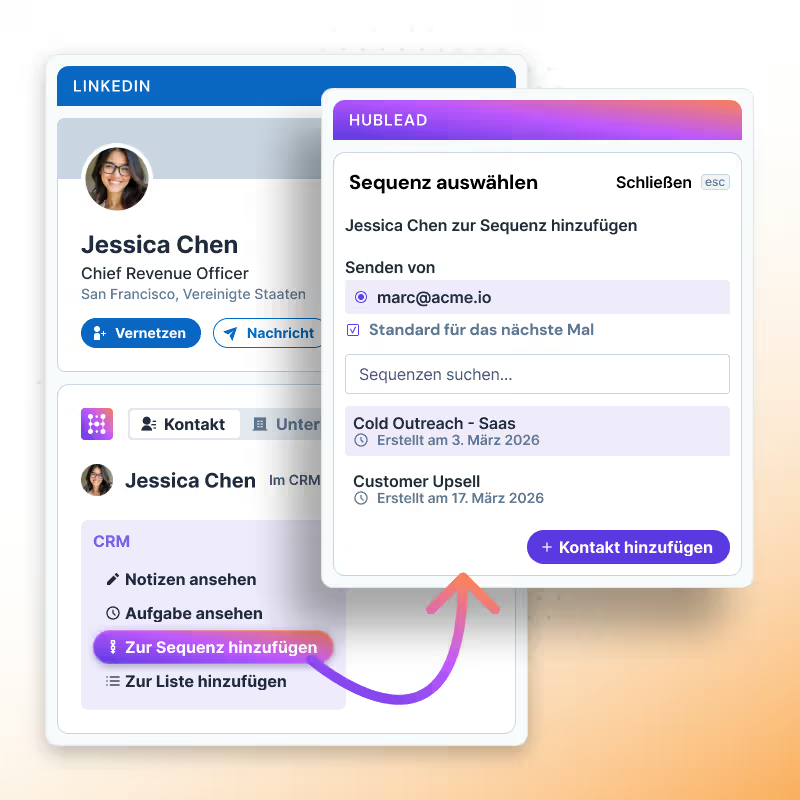
Zu HubSpot-Sequenzen hinzufügen

  • From LinkedIn or Sales Navigator, you can add contacts directly to any HubSpot sequence without ever leaving LinkedIn.
    This means:
    • No switching between tabs
    • Faster activation of outreach
    • Perfect alignment between LinkedIn prospecting and HubSpot automation
TUTORIAL ÜBERSPRINGEN UND HUBLEAD NUTZEN

Du kannst jetzt Hublead verwenden!

With one click, LinkedIn actions sync into HubSpot so your reps stay selling, your managers see what matters, and your data drives automation.

TUTORIAL ÜBERSPRINGEN UND HUBLEAD NUTZEN