
Erstelle gezielte Interessentenlisten und synchronisiere sie mit einem Klick zu HubSpot
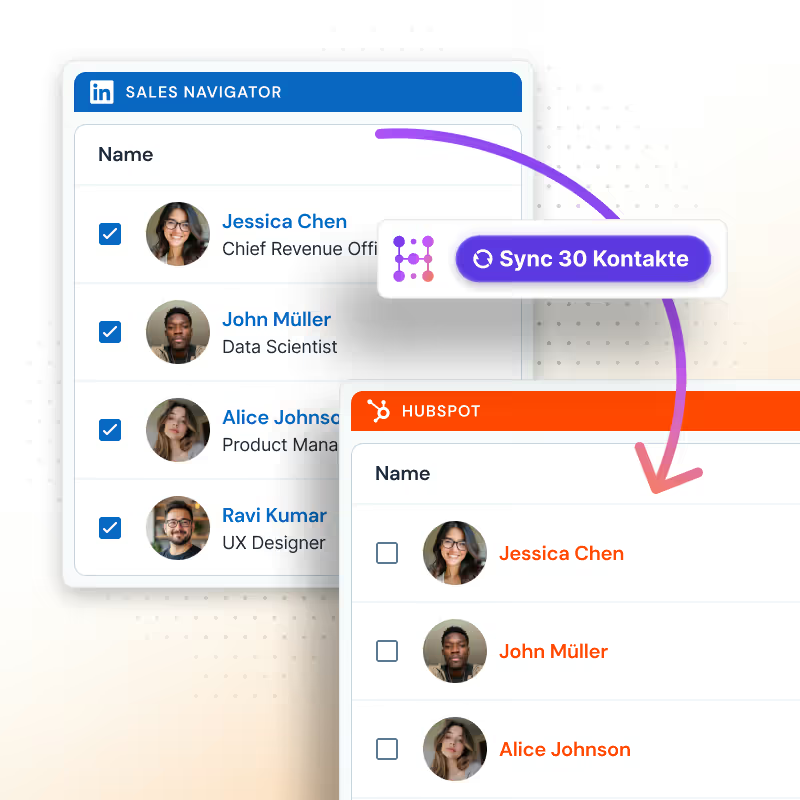
Durchsuche eine Datenbank mit über 200 Mio. verifizierten B2B-Kontakten, filtere nach deinem ICP und übertrage sie mit einem Klick zu HubSpot. Keine CSV-Exporte oder zusätzlichen Tools nötig.
Von über 8.000 Nutzern geliebt













HubSpot LinkedIn Chrome Extension
Filtere, reichere an und speichere Leads in Sekunden in HubSpot
Finde verifizierte Interessenten und speichere sie mit einem Klick in HubSpot. Das bedeutet viel weniger Zeit für das Wechseln zwischen Tools und viel mehr Zeit, um deine Pipeline zu füllen.
Eine B2B-Datenbank, gebaut für HubSpot
Filtere Interessenten nach Name, Rolle, Standort, Branche und mehr, um deine Pipeline zu füllen, ohne ein weiteres Tool zu brauchen.
Hublead kostenlos testen

Genaue und aktuelle Daten für über 200 Mio. Kontakte
Jeder Lead kommt mit aktuellen Informationen, einschließlich Kontaktdaten, LinkedIn-Profilen und mehr.
Hublead kostenlos testen
Reichere Leads in großen Mengen an und exportiere sie zu HubSpot
Reichere die gespeicherten Leads an und synchronisiere sie mit jeder HubSpot-Liste. Keine CSV-Exporte oder anderen Tools nötig.
Hublead kostenlos testen
Alles an einem Ort, statt überall verstreut
Es ist, als wäre die Sales-Navigator-Suche für HubSpot gebaut. Finde Leads, reichere sie an und speichere sie in einem Tool in deinem CRM.
Hublead kostenlos testen
Hublead kann mehr, als dich nur nach Leads suchen lassen
Sync every touchpoint on LinkedIn back to HubSpot
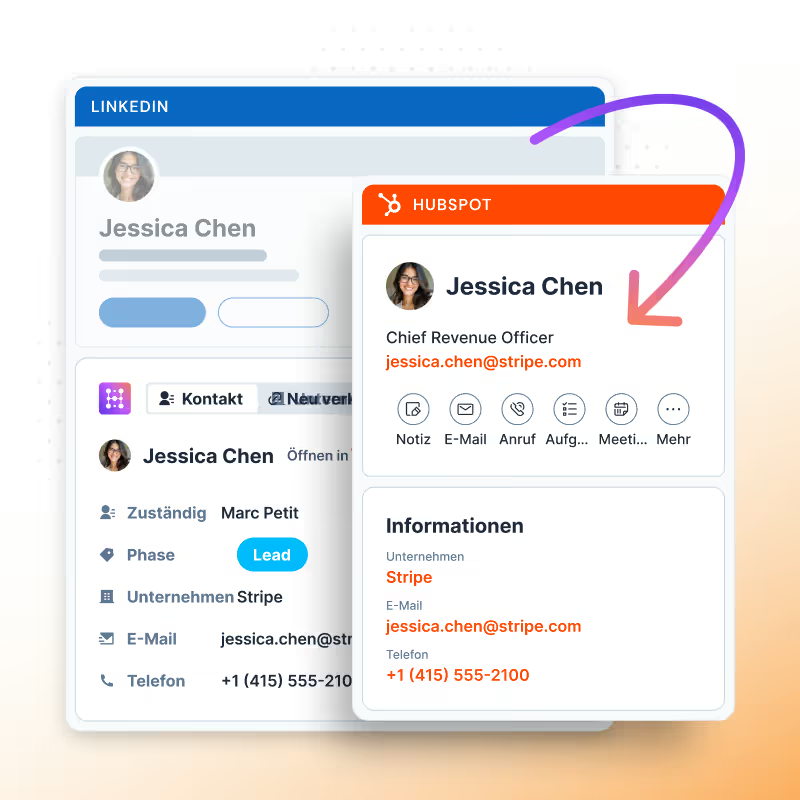
Import contacts with one click, sync every DM and InMail, and automatically track connection requests between HubSpot and LinkedIn.
Learn more
Import and enrich contacts from LinkedIn
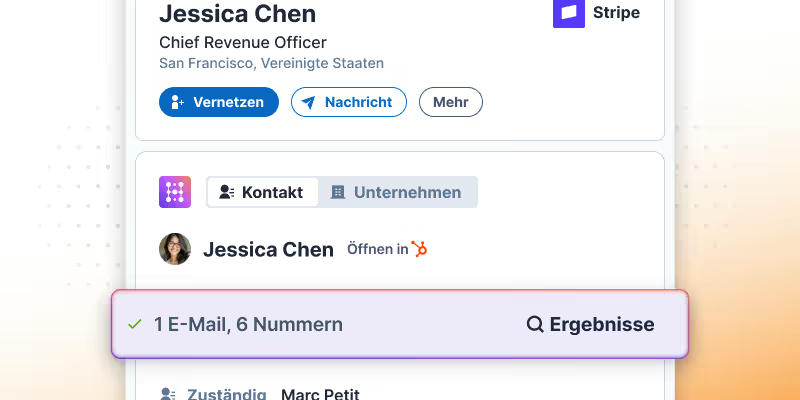
Import leads from LinkedIn and Sales Navigator with one click, and enrich them with accurate contact information.
Learn more

View and edit HubSpot properties from LinkedIn
No more tab switching. You can edit HubSpot contacts directly in LinkedIn so you can focus more on prospecting and less on data entry.
Learn more
Lead-Suche, gebaut für HubSpot
Hublead wurde für Vertriebler gebaut, die mehr Zeit mit Prospecting und weniger Zeit mit der Verwaltung verschiedener Tools verbringen wollen.
Datenqualität
Alle Interessenten in HubSpot für vollständigen Kontext speichern
75%
more meetings booked
Enrich leads in seconds
Enrich individual contacts or an entire list in seconds
95%
accurate and up-to-date information
Track LinkedIn activities
Track message response times and follow-up effectiveness
2+
hours saved every week

Wie viel Zeit wird Hublead dir diese Woche sparen?
Schließe dich über 8.000 Vertriebsteams an, die mit einem Klick suchen, anreichern und an HubSpot übergeben.
HubSpot LinkedIn Chrome Extension
Häufig gestellte Fragen
Sieh HubSpot-Daten direkt auf LinkedIn – kein Tab-Wechsel nötig, wenn du auf einem Interessentenprofil landest.
Was ist Lead Search?
Eine B2B-Kontaktdatenbank mit über 200 Mio. Kontakten, direkt in Hublead integriert. Suche, filtere und übertrage Kontakte in deine HubSpot-Listen, ohne HubSpot zu verlassen.
Wie viele Kontakte kann ich exportieren?
Jeder Plan enthält Export-Credits, und du siehst dein Guthaben in der App vor jedem Export. Lade jederzeit auf oder upgrade.
Kann ich meine Suche filtern?
Ja. Filtere nach Branche, Unternehmensgröße, Tech-Stack, Rolle, Standort und Keywords, um genau deine Liste zu erstellen.
Wie gelangen Kontakte in HubSpot?
Wähle Kontakte aus und übertrage sie mit einem Klick in eine HubSpot-Liste. Keine CSV-Exporte, keine manuellen Importe, keine Duplikate.
Werden exportierte Kontakte angereichert?
Ja. Lead Search führt beim Import einen Premium-Waterfall aus, sodass Kontakte mit verifizierten E-Mail-Adressen und Telefonnummern bei 95 % Genauigkeit ankommen.
Welcher Plan enthält Lead Search?
Lead Search ist im Scale-Plan verfügbar – keine zusätzlichen Seats oder Add-ons nötig.
Erzeugt Lead Search Duplikate?
Nein. Hublead prüft HubSpot, bevor ein Kontakt hinzugefügt wird, sodass du nie Duplikate erstellst.