Salesforce LinkedIn-Integration

LinkedIn-Kontakte in Salesforce importieren
Hublead hilft dir, LinkedIn-Kontakte automatisch in Salesforce zu importieren. Halte dein CRM aktuell und vollständig angereichert.
Danke! Deine Übermittlung wurde empfangen!
Hoppla! Beim Absenden des Formulars ist etwas schiefgelaufen.
4,9 Bewertungen
141 Rezensionen
hublead
Russ Meinhardt avatar image
Russ Meinhardt
CEO bei Shoplift

„Hublead spart unserem Team jede Woche Stunden. Es ist extrem einfach einzurichten, und die Wirkung war sofort spürbar. Unsere Vertriebler wollen ohne Hublead einfach nicht mehr arbeiten.“

Loved by 8,000+ Users

amptitude8
Simple Strat
Zeplin
Norman & Sons
Shoplift
wrapify
BBD Boom
Bison Group
Jampp
Iterable
Jasper Meurs
Generation C
amptitude8
Simple Strat
Zeplin
Norman & Sons
Shoplift
wrapify
BBD Boom
Bison Group
Jampp
Iterable
Jasper Meurs
Generation C
Average sales rep saves 8+ hours/week

LinkedIn-Kontakte schnell mit Salesforce verbinden und importieren

Arbeite auf LinkedIn, füge Kontakte mit ein paar Klicks zu Salesforce hinzu und spare dir die Copy-Paste-CRM-Verwaltung.

LinkedIn Leads in Salesforce erfassen

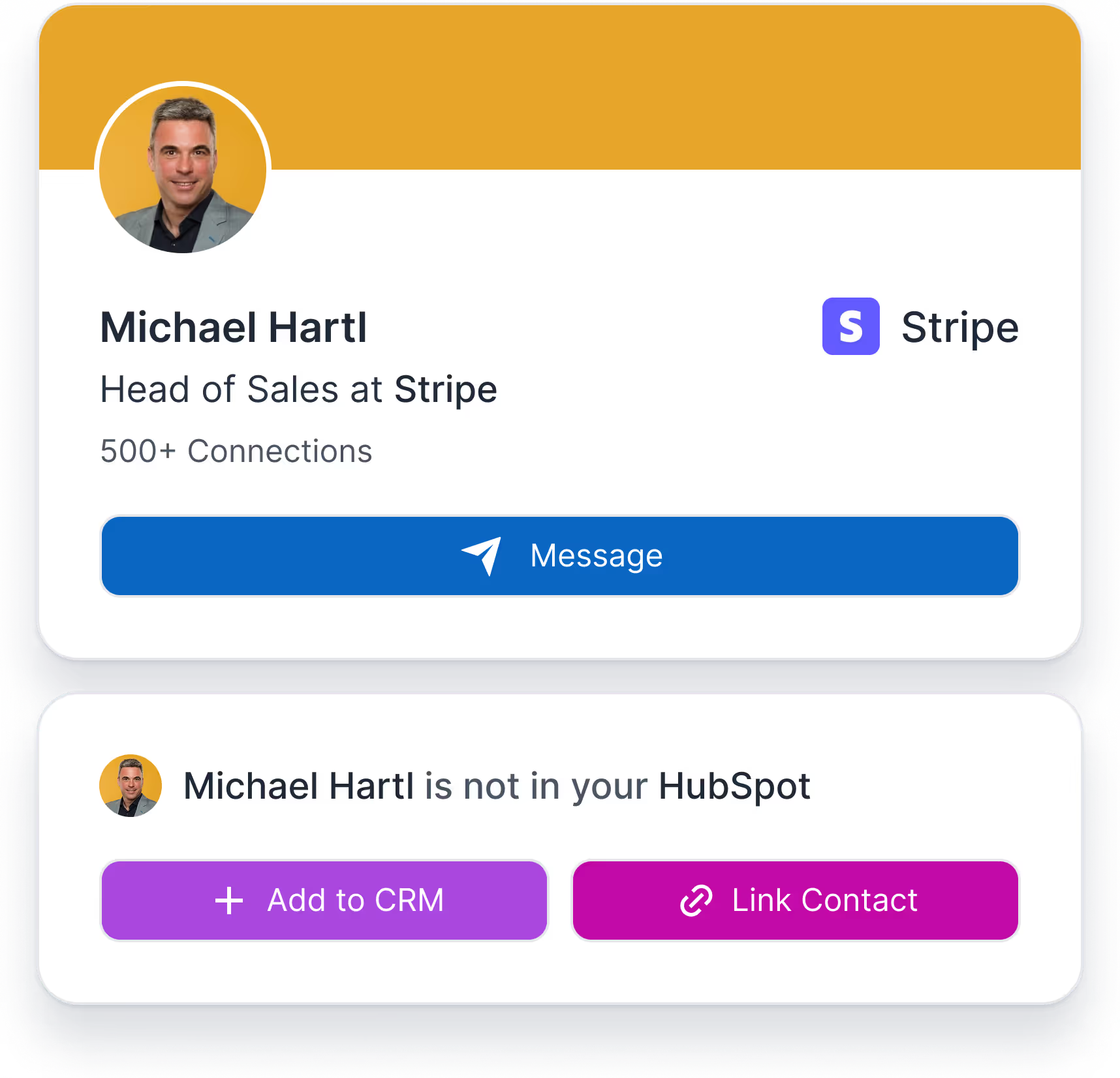
Wandle LinkedIn-Prospects mit einem Klick in Salesforce-Kontakte um – inklusive strukturierter CRM-Anreicherung.
Learn more
Hublead-Widget Kontakt hinzufügen und verknüpfen
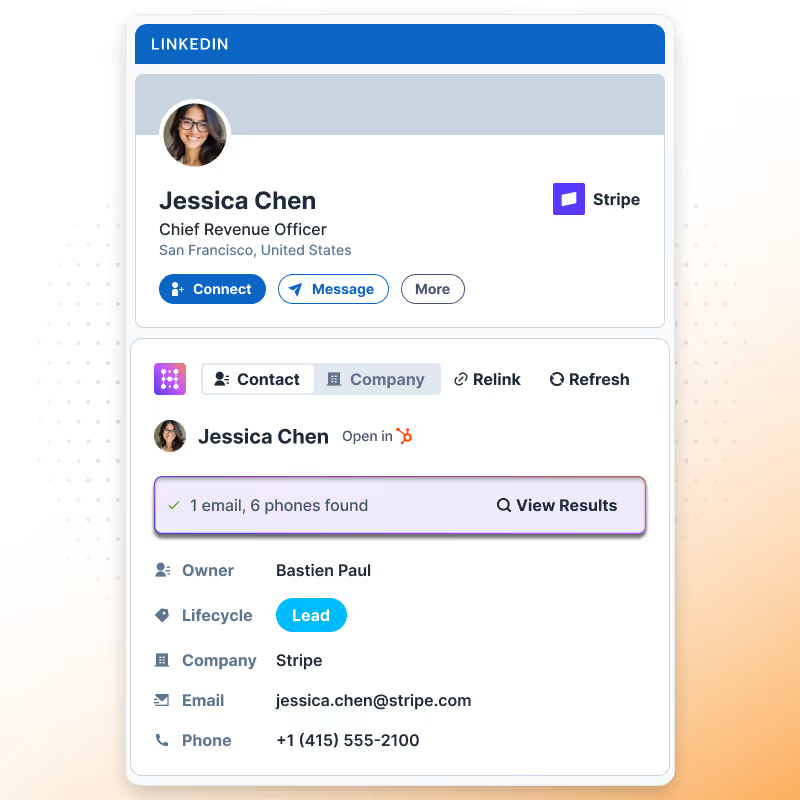
Anreicherungs-CRM-Karte in HubSpot

Leads automatisch anreichern

Füge LinkedIn-Kontext zu Kontakten beim Verknüpfen hinzu, um eine bessere Qualifizierung zu unterstützen.
Learn more
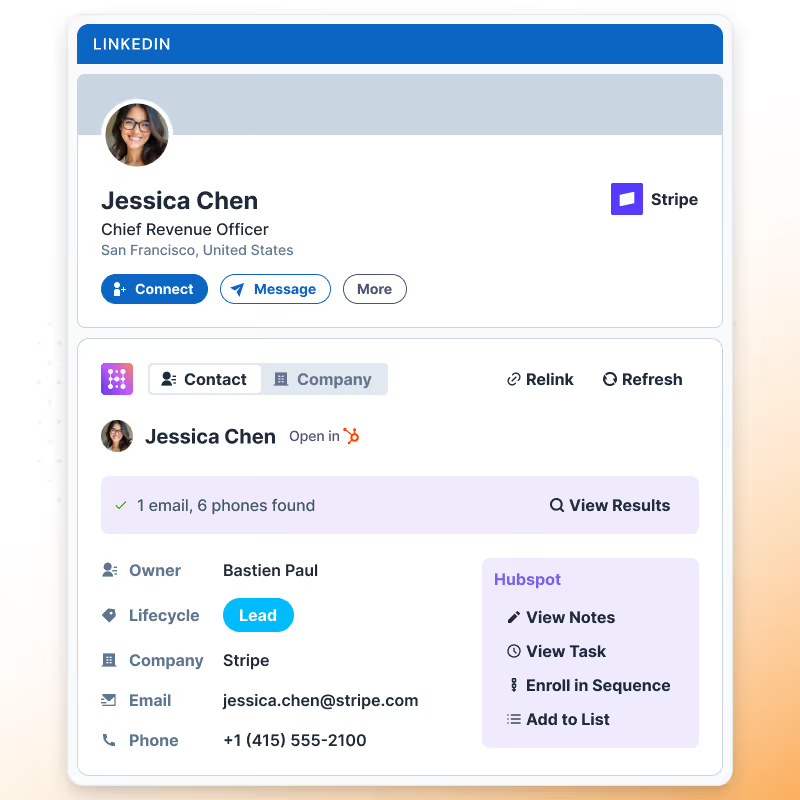
LinkedIn-Kontakt für HubSpot-Nutzer anreichern

Aktivitäten für das Reporting protokollieren

Bewahre eine vollständige LinkedIn-Engagement-Historie in Salesforce-Datensätzen für Reporting und Analysen.
Learn more

What
HubSpot users
say about Hublead

Entdecke, wie Vertriebsprofis Hublead nutzen, um manuelle Arbeit zu reduzieren, auf LinkedIn fokussiert zu bleiben und mehr Gespräche in gebuchte Demos zu verwandeln.

Präzise LinkedIn-Kontakterstellung

Hublead erstellt oder aktualisiert Salesforce-Kontakte auf Basis von LinkedIn-Profildaten zum Zeitpunkt des Hinzufügens oder Verknüpfens – das reduziert Duplikate und Datenfehler.

Hublead kostenlos testen
LinkedIn Hublead-Widget

Datenanreicherung beim Import

Sobald ein LinkedIn-Kontakt hinzugefügt oder verknüpft wird, reichert Hublead den Salesforce-Datensatz mit Profil-, Unternehmens-, E-Mail- und Telefondaten an, um den Lead handlungsbereit zu machen.

Hublead kostenlos testen
LinkedIn-Aktivitäten nach HubSpot synchronisieren

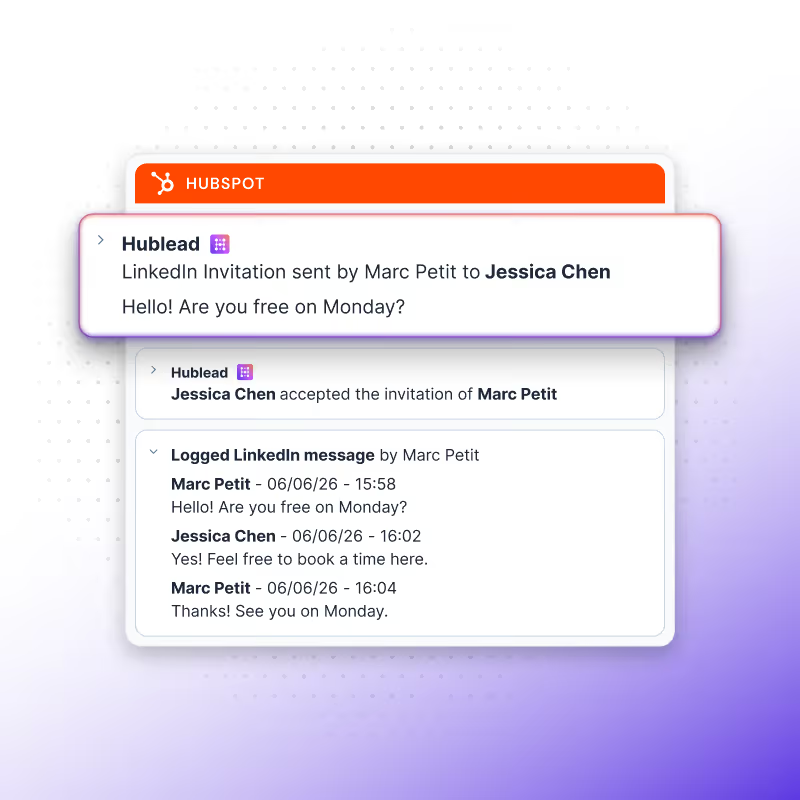
LinkedIn-Aktivitäts-Logging

Alle mit einem Kontakt verknüpften LinkedIn-Outreach-Aktivitäten – einschließlich Kontaktanfragen und Nachrichten – werden automatisch in Salesforce protokolliert. Das macht LinkedIn-Aktivitäten reportfähig, DSGVO-konform nachvollziehbar und nutzbar für Follow-ups, Pipeline-Reviews und Sales-Coaching.

Hublead kostenlos testen
LinkedIn-Kontakt für HubSpot-Nutzer anreichern

LinkedIn-Aktivitäts-Logging

Alle mit einem Kontakt verknüpften LinkedIn-Outreach-Aktivitäten – einschließlich Kontaktanfragen und Nachrichten – werden automatisch in Salesforce protokolliert. Das macht LinkedIn-Aktivitäten reportfähig, DSGVO-konform nachvollziehbar und nutzbar für Follow-ups, Pipeline-Reviews und Sales-Coaching.

Hublead kostenlos testen
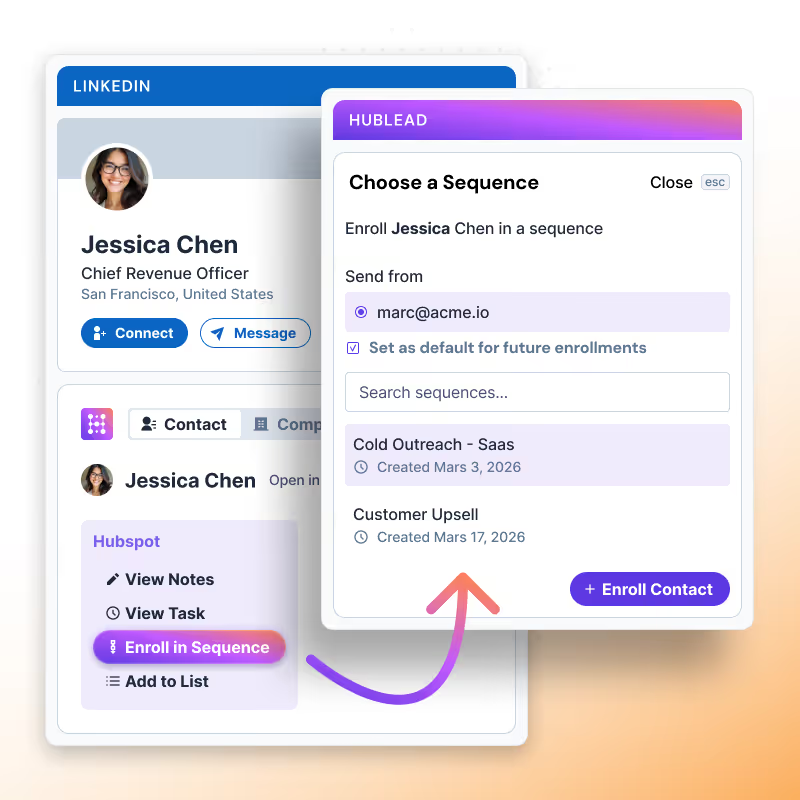
Einen LinkedIn-Kontakt zu einer HubSpot-Sequenz hinzufügen
+9
Trusted by 7k+ users!

And what our users are saying​

Hublead is a Chrome extension for adding prospects, logging conversations, and enriching LinkedIn contact data. No duplicates, just pure prospecting.
Hublead kostenlos testen
4,9 Bewertungen
141 Rezensionen
No items found.
Frequently Asked Questions

LinkedIn-Kontakte in Salesforce importieren

No need to learn a new tool, Hublead is integrated right into your LinkedIn navigation, helping you stay organized and maximize your prospecting efforts.
What information Hublead imports when I add a new contact?
When clicking on our "Add to CRM" button, you directly import the LinkedIn contact to HubSpot and synchronise these information: First name, Last name, Linkedin Url, Job title, Website URL, City, Country/Region & Language.
Can I use our own LinkedIn URL Property?
Yes! We use by default the "LinkedIn URL" however, you can remap this field.
Does Hublead supports LinkedIn Recruiter?
No we do no support this plan of LinkedIn.
Is Hublead working with all LinkedIn Sales Navigator plans?
Yes Hublead supports all LinkedIn Sales Navigator plans (Core, Advanced and Advanced Plus)
Do I need LinkedIn Sales Navigator to use Hublead?
No you do not need LinkedIn Sales Navigator.
I have already a LinkedIn URL, does Hublead take this into account?
We can use your custom LinkedIn URL, you change that in the dashboard. By default we use a property named "LinkedIn URL".
Can Hublead sends LinkedIn Message from HubSpot?
No, at this moment it is not possible.
Does Hublead works on Safari?
Yes, however the portage is handled by Safari, Hublead guarantees support only on Chrome.
Can I use Hublead on iPad?
No you cannot use Hublead on iPad. Chrome app on iOS does not support chrome extensions.
Which plan should I choose?
Our pricing plans are built for different businesses and needs, Hublead plans adapt to all business sizes.
Is Hublead's data GDPR & CCPA compliant?
Yes, our data is fully committed and compliant to the GDPR & CCPA requirements.
Do you integrate with other CRMs than HubSpot?
We only integrate with HubSpot for now, and we prefer to stick to that!
Is it possible to synchronise LinkedIn conversations automatically on HubSpot?
Yes, we do import emal & phone number in HubSpot when we found it. We only show these information when we are 100% sure it's prospect's email & phone number.
Do you find Email & Phone number?
Yes, we do import emal & phone number in HubSpot when we found it. We only show these information when we are 100% sure it's prospect's email & phone number.
How do you prevent from deduplicate contacts?
Whenever you open a LinkedIn contact, we search in your HubSpot if the contact exists already. We search according to a mix of these variables: First name, Last name, Job title, Company name, Website URL, Email & Phone email.
If a contact have more than one current company, which company do you import?
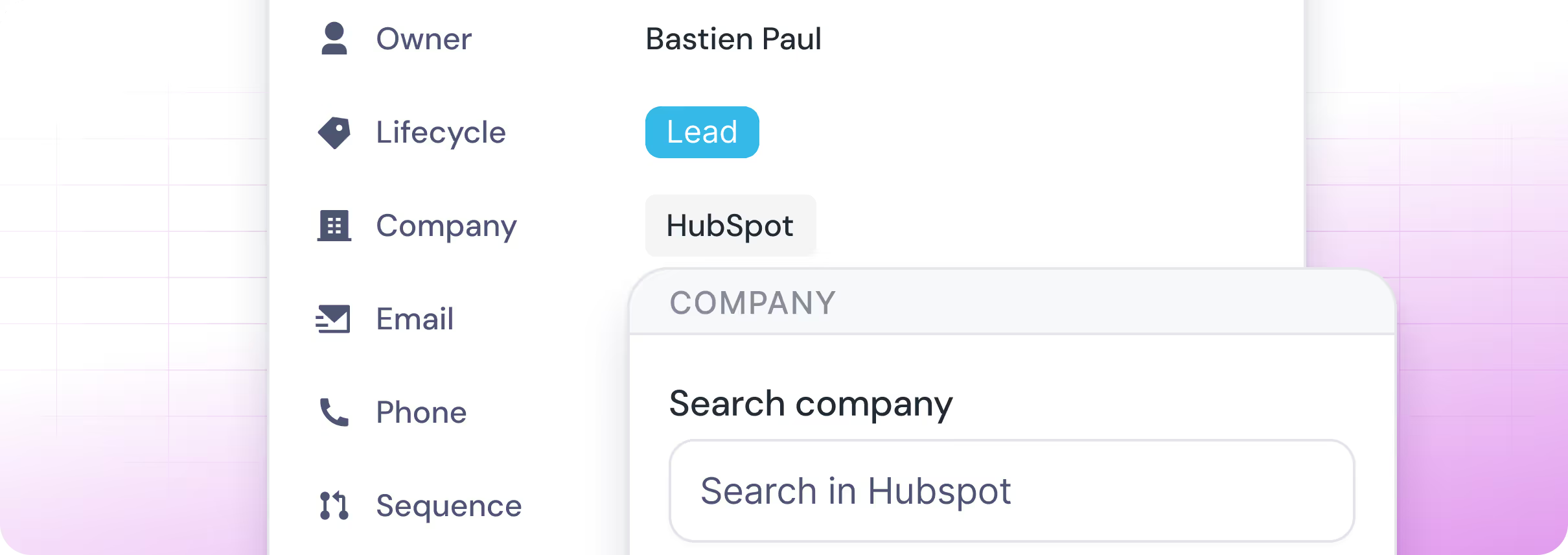
In this case, after clicking on "Add to CRM", a popup will display and you will be invited to select the right company you want to import. After selecting the company, we then search in the CRM if it exists and create the company if it does not.
When creating a new company, what information do you import?
If we create a company we import all necessary information in HubSpot: Company name, Domain, Website URL, City, Country/Region, Description, Linkedin company url, Number of employees, Language, Industry.
Do you create a new company for every new contact imported?
It depends, when importing contacts, we search in HubSpot if the company already exists in your CRM thanks to website URL. If it does exist, we just import the contact and associates the contact to the company, otherwise we create the company.