
See the full picture across your whole team, not just one rep at a time
Stop guessing what your team's actually doing on LinkedIn. See the activity, see the funnel, see what's working, all in one place

Loved by 8,000+ Users













Hublead Platform
The LinkedIn visibility your CRM has been missing
Hublead was built for managers and RevOps who want to see what's working on LinkedIn, not guess.
You can't coach an activity you can't see
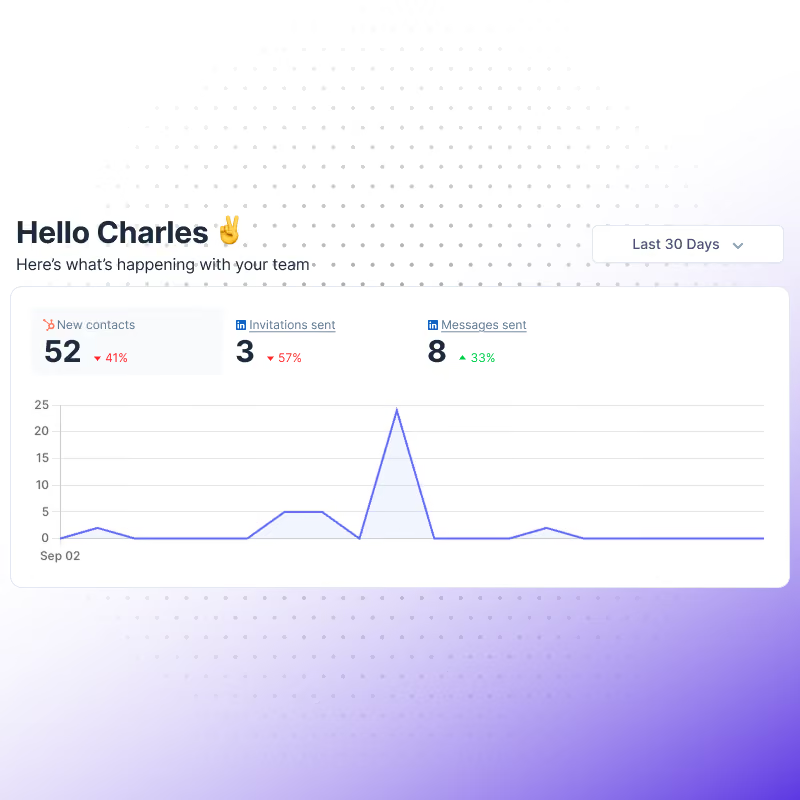
See your team's LinkedIn numbers in one dashboard: contacts, invitations sent, and messages sent, broken down by rep.
✓ Total contacts, invitations sent, and messages sent, all in one place
✓ Messages, connection requests, and InMails all tracked in your CRM
✓ Get the big picture at a glance, total outreach, not scattered data
✓ Total contacts, invitations sent, and messages sent, all in one place
✓ Messages, connection requests, and InMails all tracked in your CRM
✓ Get the big picture at a glance, total outreach, not scattered data
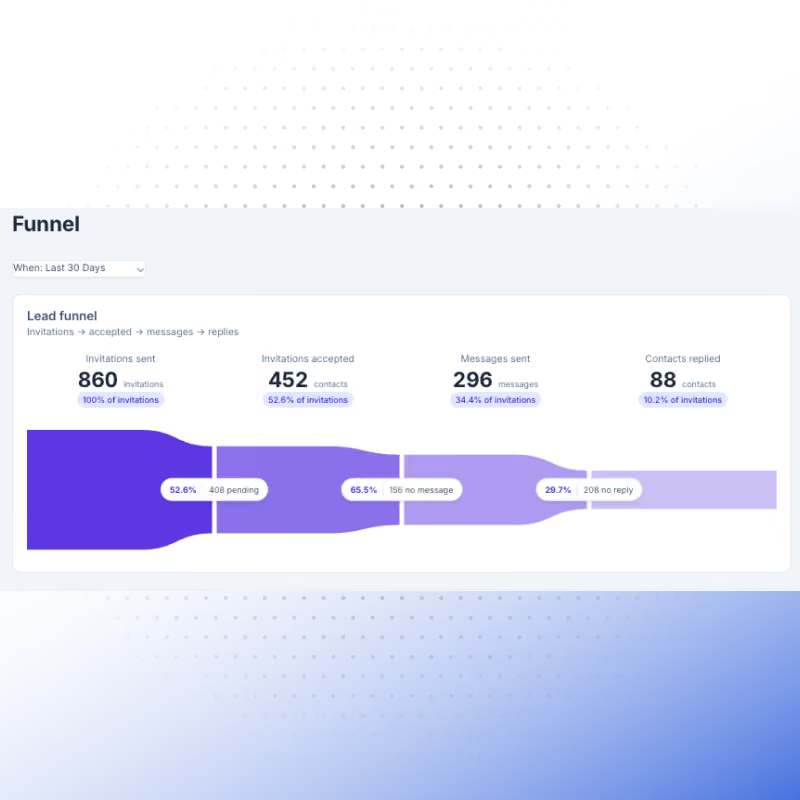
Where is your funnel actually breaking?
Scoped to contacts imported into your CRM, not every LinkedIn invite sent, since not everyone you reach out to matters for your business: see invitations sent, accepted, messages sent, and replies.
✓ Scoped to the contacts that actually matter for your business, not raw LinkedIn activity
✓ Invitations sent vs. accepted, messages sent vs. replies, side by side
✓ Spot exactly where the funnel breaks: acceptance, engagement, or response
✓ Scoped to the contacts that actually matter for your business, not raw LinkedIn activity
✓ Invitations sent vs. accepted, messages sent vs. replies, side by side
✓ Spot exactly where the funnel breaks: acceptance, engagement, or response
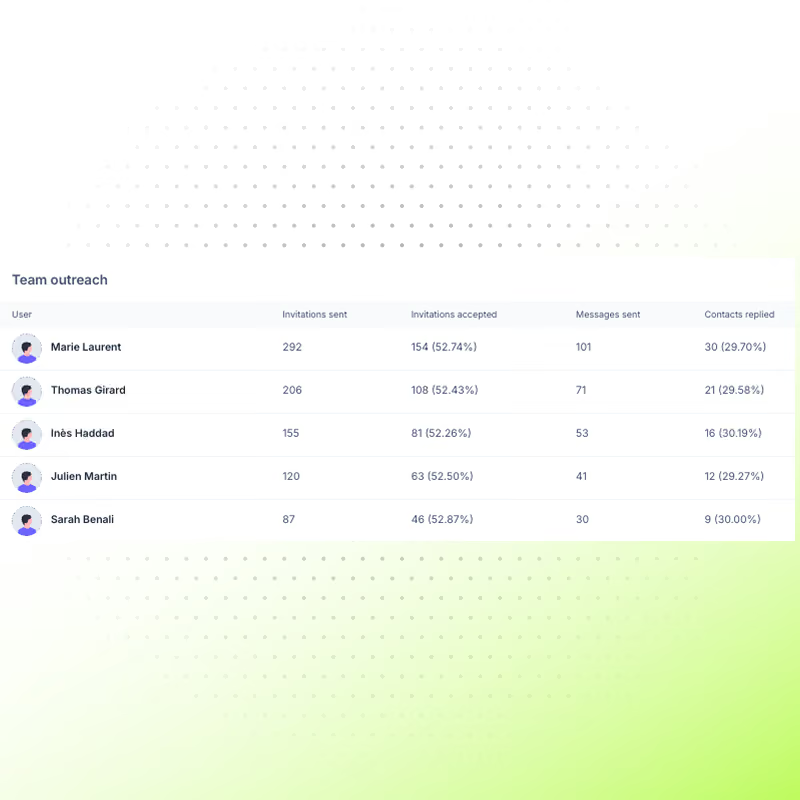
See exactly who's active, rep by rep
A global view is great, but to coach your team you need the detail. Break activity down by rep and by team to see who's reaching out, who's converting, and where to step in.
✓ Break down LinkedIn activity by individual rep and by team
✓ Spot top performers and reps who need support at a glance
✓ Coach with real data instead of gut feeling
✓ Break down LinkedIn activity by individual rep and by team
✓ Spot top performers and reps who need support at a glance
✓ Coach with real data instead of gut feeling
Hublead does more than let you search for leads
Capture everything from LinkedIn
Every profile you view, every connection you make, every message you send, captured and synced to your CRM automatically, so your CRM builds itself while you prospect.
Learn more

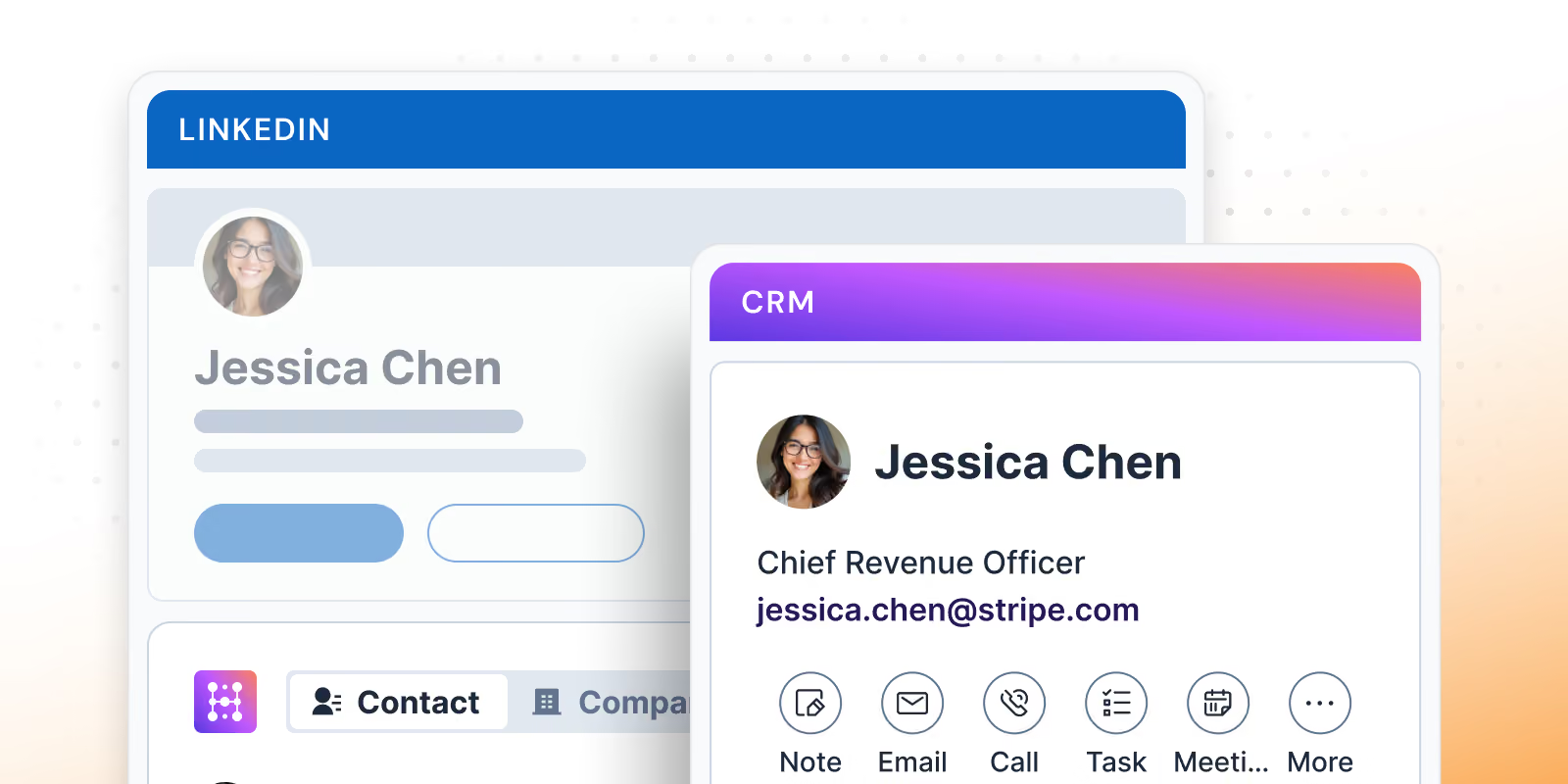
Work your CRM from LinkedIn
Import leads from LinkedIn and Sales Navigator with one click, and enrich them with accurate contact information.
Learn more
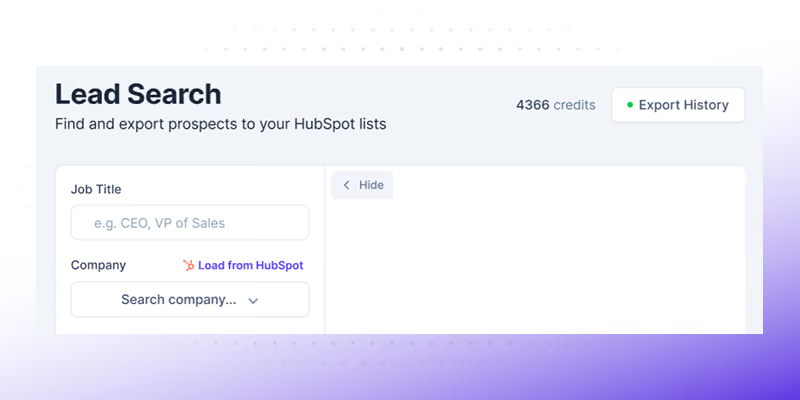
Build oubtound target quickly
Skip the manual hunt. Search across 200M+ profiles, enrich your whole list in seconds, and let Hublead do the work.
Learn more
The best lead enrichment for your CRM
Hublead was built for sales reps who want to spend more time prospecting and less time managing different tools.
Keep your CRM clean
Keep all prospect in your CRM for complete context
75%
more meetings booked
Enrich leads in seconds
Enrich individual contacts or an entire list in seconds
95%
accurate and up-to-date information
Track LinkedIn activities
Track message response times and follow-up effectiveness
2+
hours saved every week
HubSpot and Salesforce LinkedIn Chrome Extension
Frequently Asked Questions
See HubSpot and Salesforce data on LinkedIn, no need to switch tabs every time you're landing on a prospect.
How does Hublead get its enrichment data?
Hublead built a database of 200M+ B2B contacts to power our enrichment data.
Does Hublead change my existing HubSpot data?
No, original data stays untouched. Hublead only adds missing fields.
Can Hublead enrich contacts automatically?
Yes, Hublead finds missing details like job titles, company info, and LinkedIn data for faster, more accurate outreach.
How many contacts can I enrich?
It will depend on your plan. Pro plans get 600 credits, and Scale plans get 12,000. Hublead offers an Enterprise plan as well for custom limits.
How accurate is Hublead’s enrichment data?
We can find contact email address and phone number data with 95% accuracy.
What fields does Hublead add to my contacts?
Hublead adds new information like job titles, company roles, and LinkedIn identifiers to complete your profiles.
Which plan includes enrichment?
All of them! The credits you are allowed to use will vary by plan, but all Hublead plans offer enrichment.
How do I enrich contacts using Hublead?
Log into Hublead and select a list of contacts you want to enrich, and Hublead will enrich them in seconds.