
Take CRM actions the moment you're on a profile, not after you switch apps
Why open your CRM when everything you need is already on the profile? Notes, tasks, sequences, lists, templates, run your whole CRM without leaving LinkedIn
Try Hublead for Free
Loved by 8,000+ Users













HubSpot and Salesforce LinkedIn Chrome Extension
Everything HubSpot can do, right on the profile you're already on
Hublead was built for reps who want to take every CRM action: notes, tasks, sequences, without ever opening a new tab.
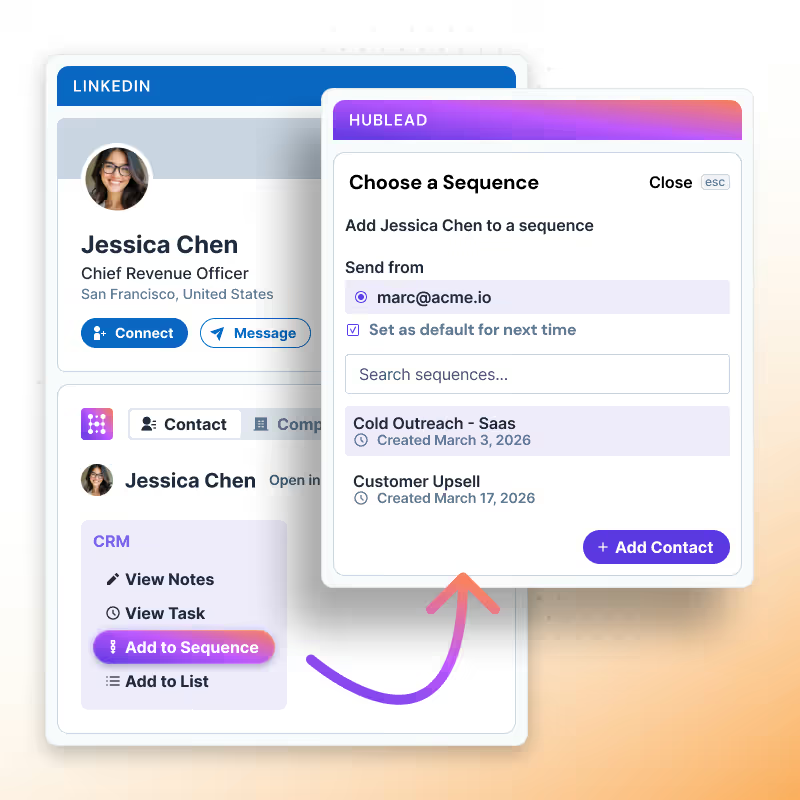
Sequences that require leaving LinkedIn are sequences reps skip
Enroll a prospect in a multichannel sequence: LinkedIn touches and Inmails, all without leaving the profile.
✓ Enroll in one click, right from the LinkedIn profile
✓ Combines LinkedIn touches (connection, message, InMail) with your CRM steps
✓ Reps approve every LinkedIn step: nothing sends automatically without them
✓ Enroll in one click, right from the LinkedIn profile
✓ Combines LinkedIn touches (connection, message, InMail) with your CRM steps
✓ Reps approve every LinkedIn step: nothing sends automatically without them
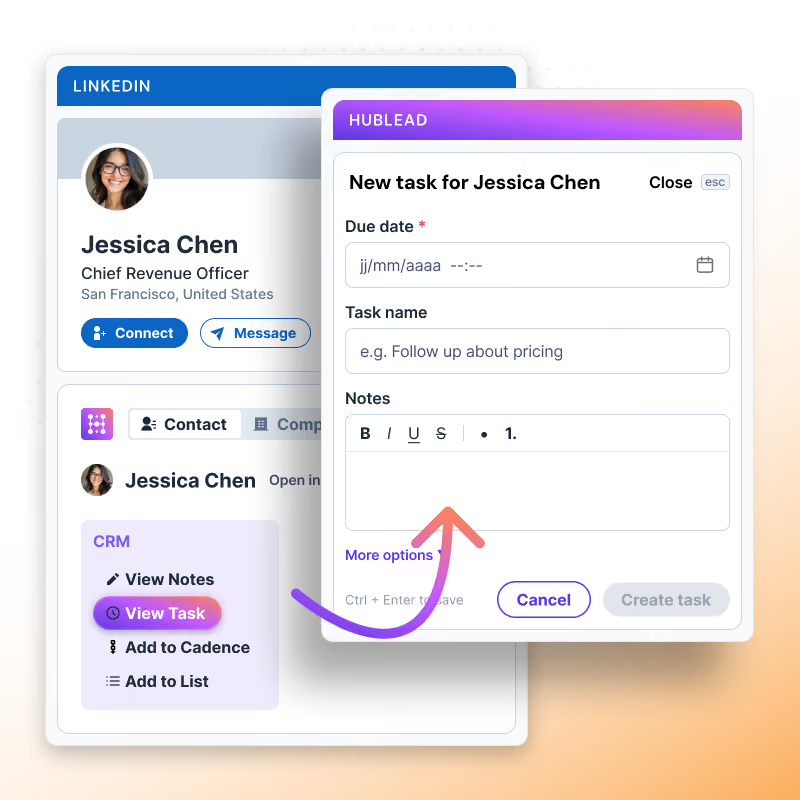
A task you don't see is a follow-up that doesn't happen
See any open task tied to a contact directly on their LinkedIn profile and don’t open your CRM anymore to check what's due.
✓ Open tasks visible right on the LinkedIn profile
✓ No follow-up missed because it's stuck in a different tab
✓ Full task context without leaving the conversation
✓ Open tasks visible right on the LinkedIn profile
✓ No follow-up missed because it's stuck in a different tab
✓ Full task context without leaving the conversation
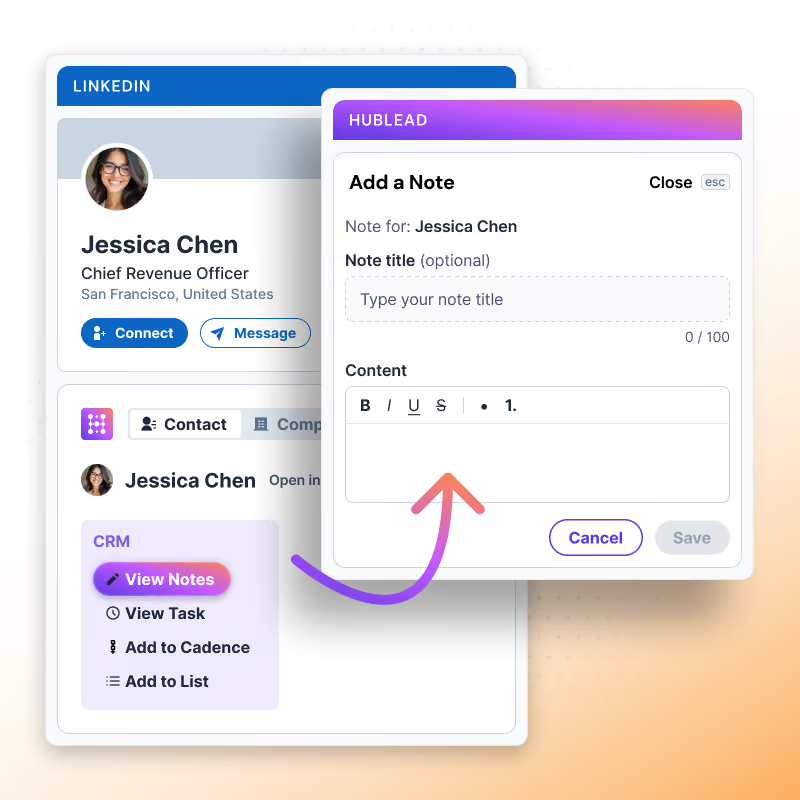
A note that requires opening your CRM is a note that never gets written
Add a note straight from the LinkedIn profile, no need to open your CRM to keep the context up to date.
✓ Add a note in one click, without leaving LinkedIn
✓ No re-asking questions already answered in a previous conversation
✓ Anyone picking up the account starts with full context, not a blank slate
✓ Add a note in one click, without leaving LinkedIn
✓ No re-asking questions already answered in a previous conversation
✓ Anyone picking up the account starts with full context, not a blank slate
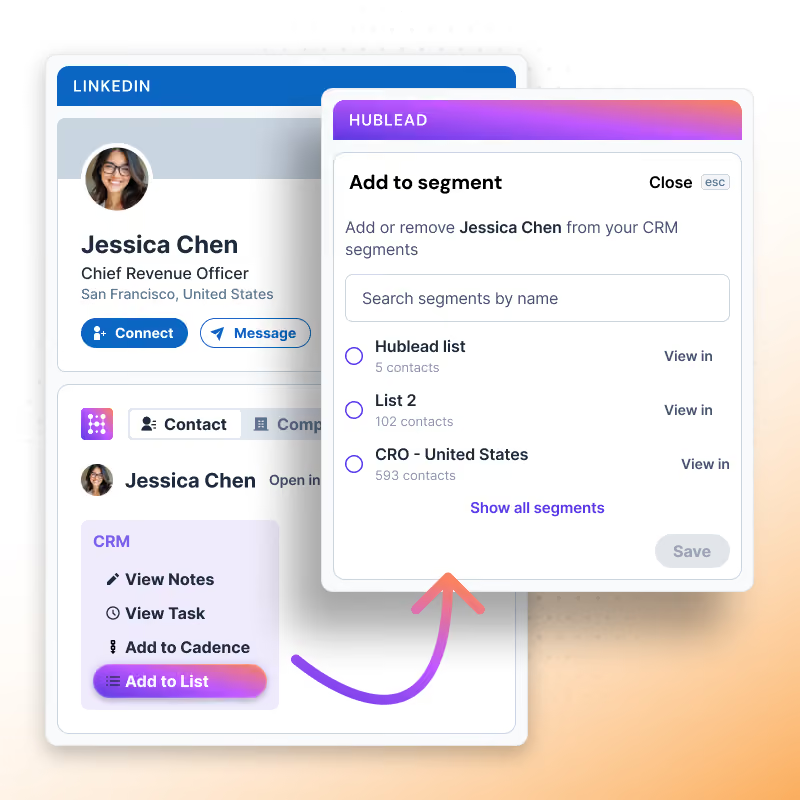
A prospect not added to the right list gets lost in the wrong campaign
Add a contact to any HubSpot list straight from their LinkedIn profile keep it organized without opening your CRM.
✓ Add to any existing HubSpot list in one click, from the profile
✓ Prospects land in the right segment the moment you find them
✓ No need to open your CRM to keep lists up to date
✓ Add to any existing HubSpot list in one click, from the profile
✓ Prospects land in the right segment the moment you find them
✓ No need to open your CRM to keep lists up to date
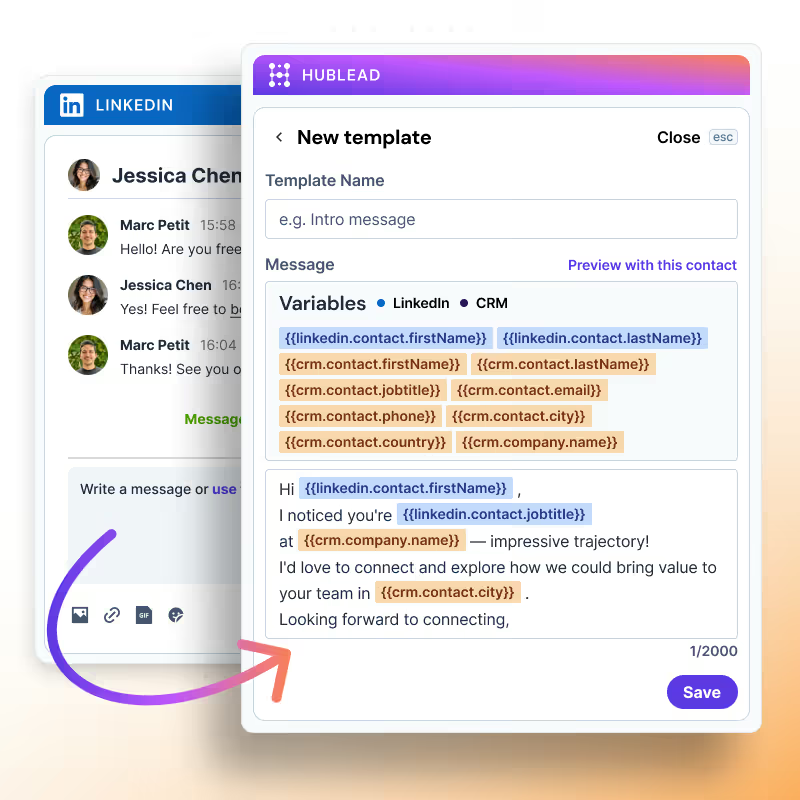
Every message written from scratch is time not spent prospecting
Add a note straight from the LinkedIn profile, no need to open your CRM to keep the context up to date.✓ Anyone picking up the account starts with full context, not a blank slate
✓ No re-asking questions already answered in a previous conversation✓ Add a note in one click, without leaving LinkedIn
✓ No re-asking questions already answered in a previous conversation✓ Add a note in one click, without leaving LinkedIn
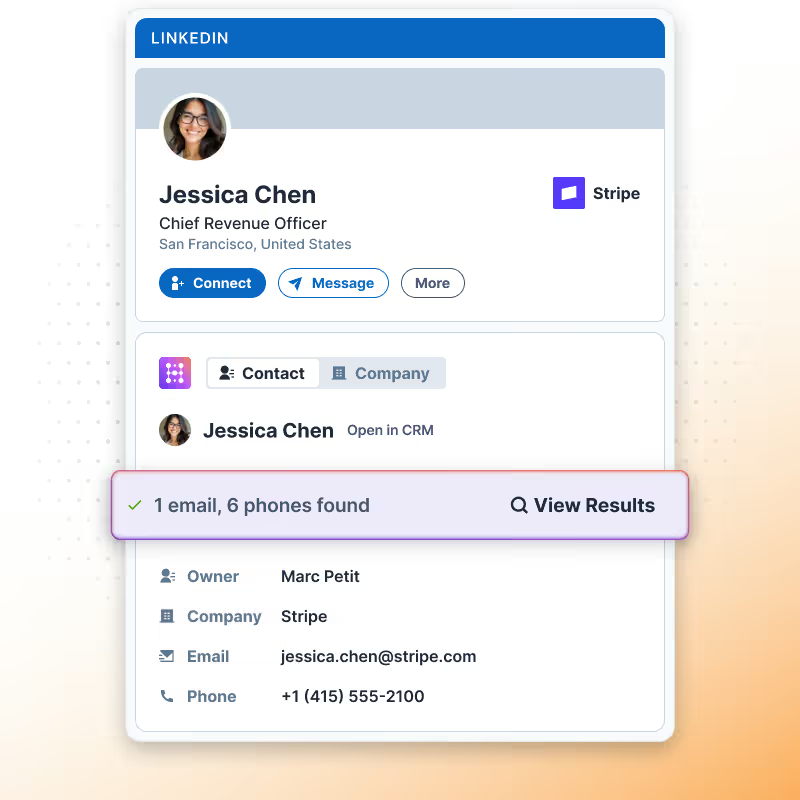
No email address? No problem, Hublead can find it
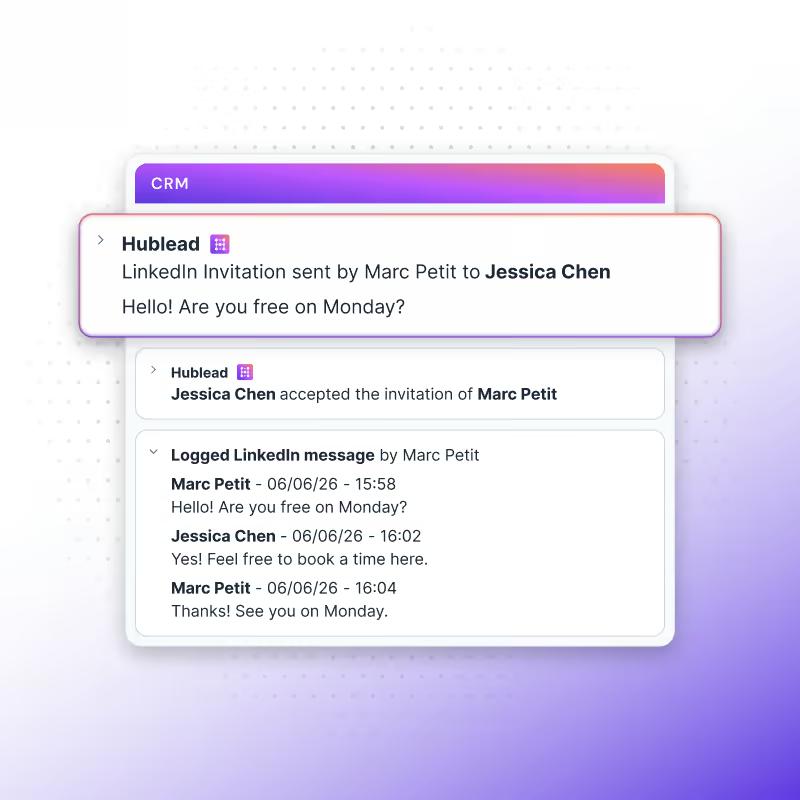
Capture everything from LinkedIn
Every profile you view, every connection you make, every message you send, captured and synced to your CRM automatically, so your CRM builds itself while you prospect.
Learn more

Build oubtound target quickly
Skip the manual hunt. Search across 200M+ profiles, enrich your whole list in seconds, and let Hublead do the work.
Learn more
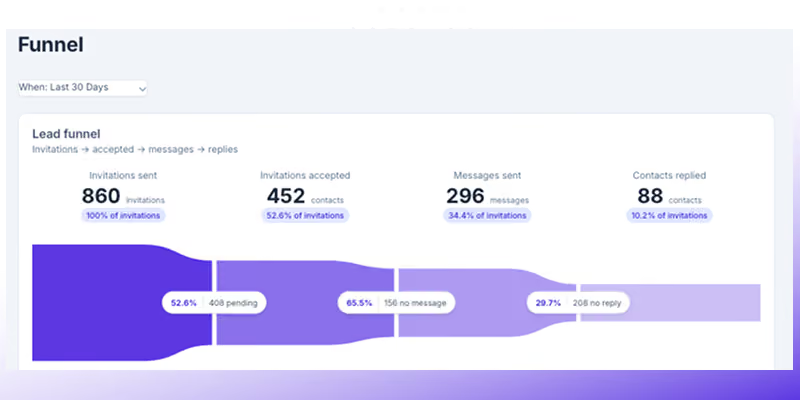
Track activity & performance
Stop guessing what your team's actually doing on LinkedIn. See the activity, see the funnel, see what's working, all in one place.
Learn more
Lead search built for you
Hublead was built for sales reps who want to spend more time prospecting and less time managing different tools.
Keep your CRM clean
Keep all prospect in your CRM for complete context
75%
more meetings booked
Enrich leads in seconds
Enrich individual contacts or an entire list in seconds
95%
accurate and up-to-date information
Track LinkedIn activities
Track message response times and follow-up effectiveness
2+
hours saved every week
HubSpot LinkedIn Chrome Extension
Frequently Asked Questions
See HubSpot and Salesforce data on LinkedIn, no need to switch tabs every time you're landing on a prospect.
What does 1 email credit mean?
Yes, Hublead updates key LinkedIn activity properties in HubSpot so managers can coach, measure performance, and keep data clean.
How many contacts can I enrich?
It will depend on your plan. Pro plans get 600 credits, and Scale plans get 12,000. Hublead offers an Enterprise plan as well for custom limits.
How accurate is Hublead's email and phone enrichment?
We can find contact email address and phone number data with 95% accuracy.
Which plan includes enrichment?
All of them! The credits you are allowed to use will vary by plan, but all Hublead plans offer enrichment.