

4 practical LinkedIn message template examples to cut through the noise [Download the full list]
Most LinkedIn messages fail for two reasons: wrong message and wrong buying stage. Here's how to fix that, with templates you can use.
Let me guess, you’re here for the magic list of LinkedIn messages and openers that will turn a completely cold prospect into dollars and pipeline?
You’re in for a little surprise.
I’m not baiting and switching you. I am going to share LinkedIn templates you can use. But I want to make one thing crystal clear: You aren’t selling in your first message; you are trying to start a conversation.
Bad sales reps waste their time and their prospect’s time by sending pitchslap messages with zero prep, context, or research behind them. In this guide, I’ll show you how good sales reps use LinkedIn effectively to cut through the noise, open the door, and start conversations with qualified prospects.
How to send messages on LinkedIn
You have two options to message prospects, use them strategically:
- Send a DM: LinkedIn DMs (or direct messages) can only be sent to prospects you are connected with on LinkedIn. To send a DM, head to your connection’s profile and click the Message button.
- Send an InMail: LinkedIn InMails are messages you can send to prospects, whether or not you are connected with them. LinkedIn knows this, though, so you are given a limited number of credits to use for InMail messages, and you must have a Premium account. The good news is that if a prospect replies to your InMail, you get the credit back. The process is the same as for a DM: head to the prospect’s profile, click Message, and set a subject line and body text for your InMail there.
Knowing how to message is the easy part. What do you send to turn a cold prospect into a meeting? I’ll share that throughout the rest of this guide.
What makes for a good message on LinkedIn
We’ll get to the types of messages I recommend sending a bit later, but let’s start now with a little theory on what makes a good message and what makes a bad one.
First, let’s look at a few bad messages:
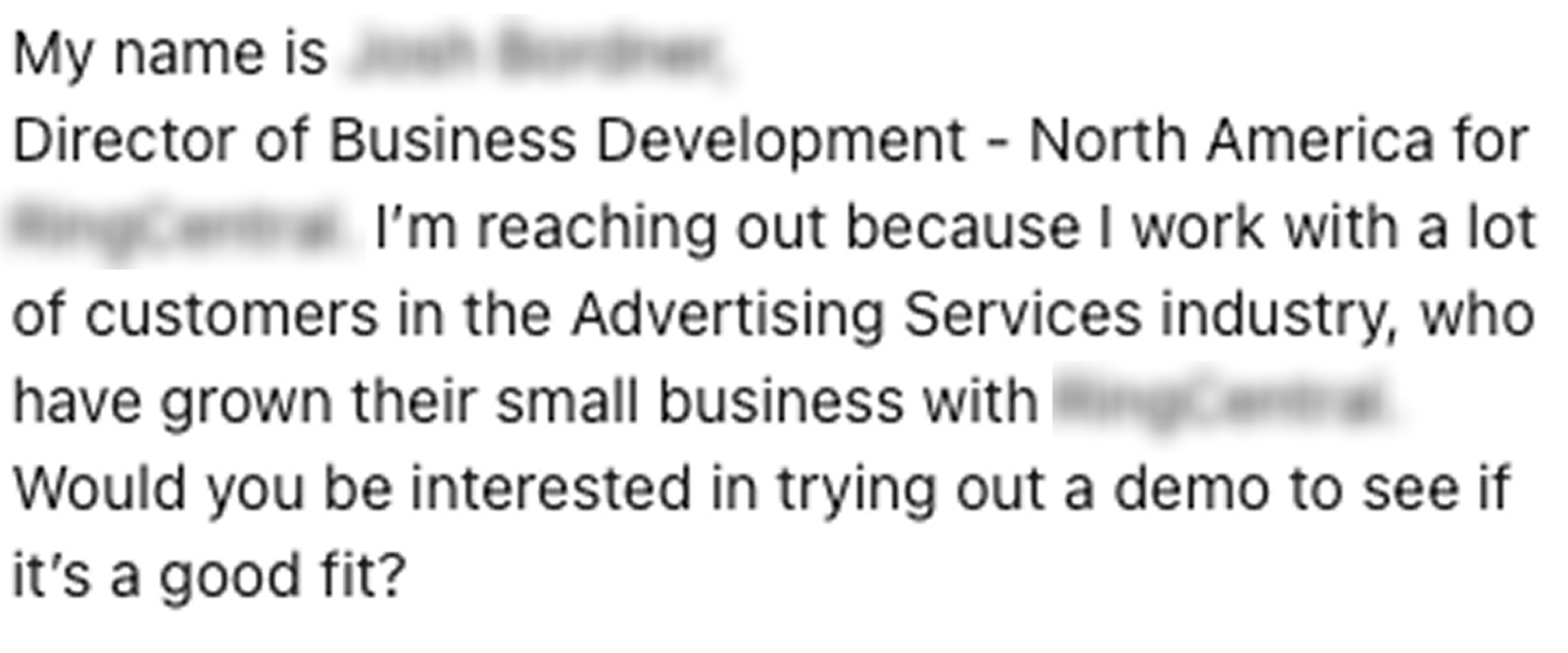
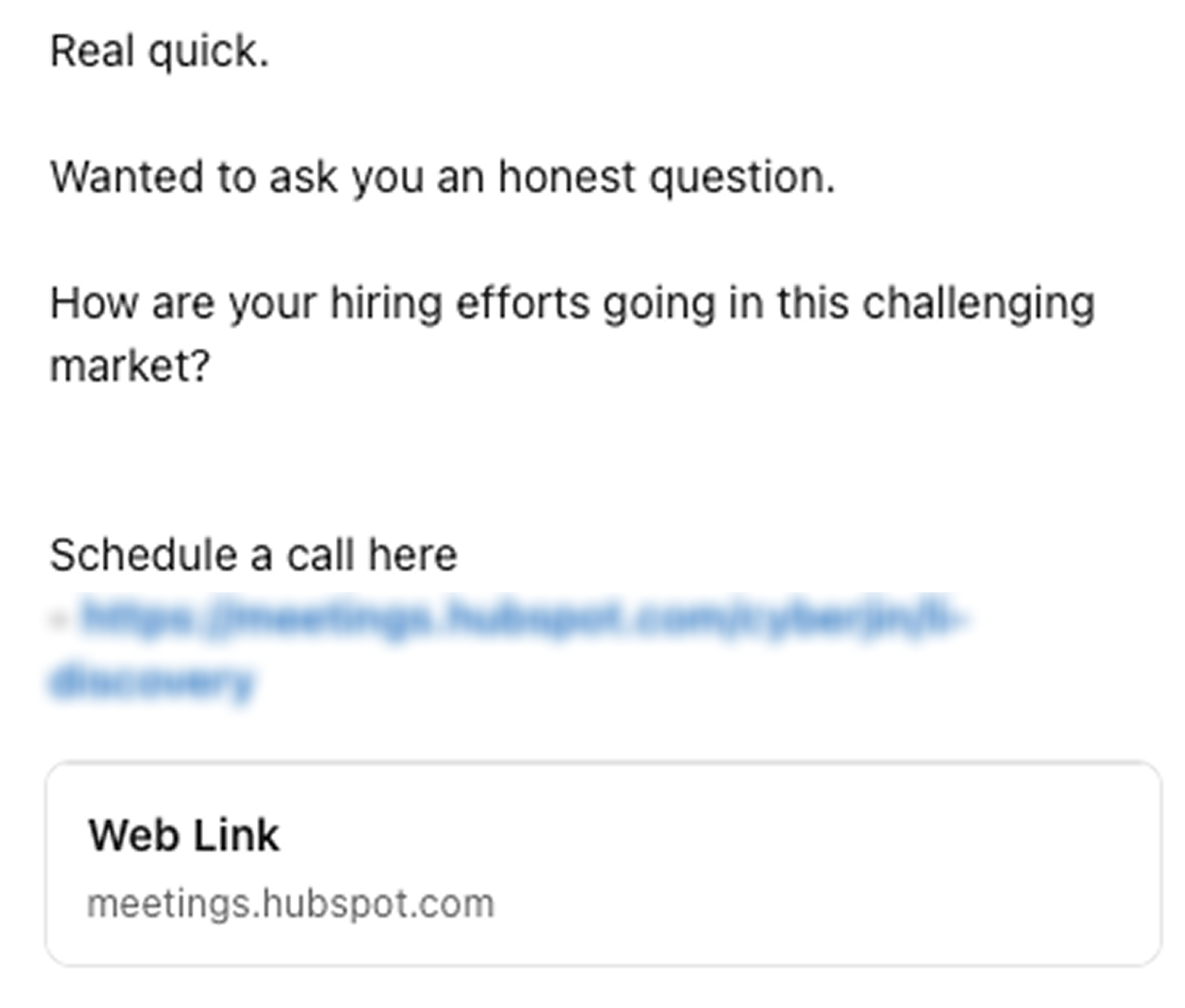
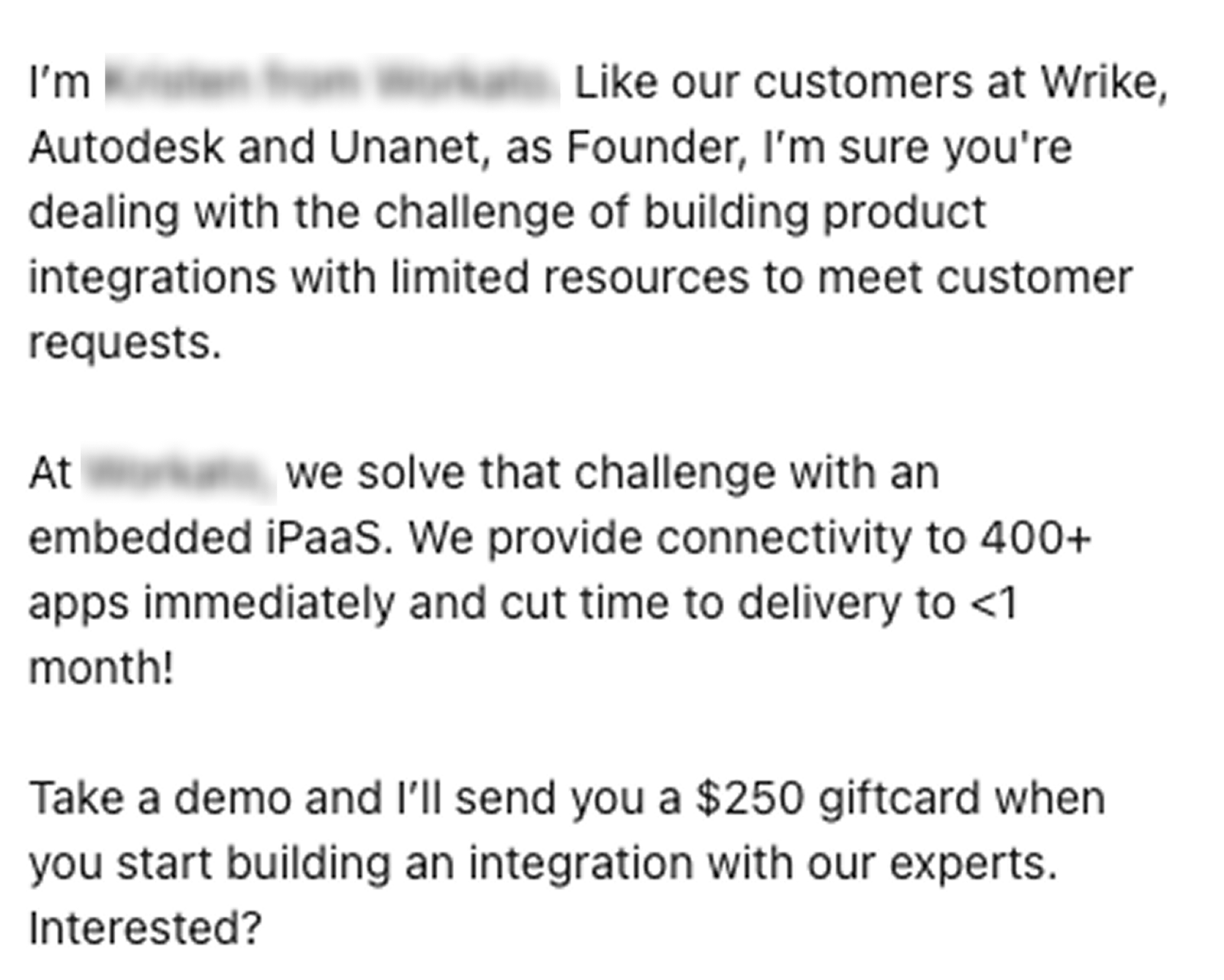

What do they all have in common?
It’s not just the poor grammar or length. It’s that these are all the first messages I've received from these people, and none of them have anything to do with me. I’ve never heard of the brands, I’m not considering the products, and I certainly don’t want to waste my time talking to strangers.
Is that selfish? Maybe. But we’re all a little selfish, and that’s OK because if I accepted every single offer that came my way, I’d have no time to sell for myself, grow Hublead, spend time with my friends and family, etc.
Your prospects will read your messages for their reasons, not yours. As a result, it pays to follow these key principles:
- Keep it short
- Make it relevant
- Match your prospect where they are
And while the framework is marketing-specific, I find that Eugene M. Schwartz (and advertising all-time great) has a great framework for matching the message to the funnel stage:
- Most aware: These are prospects who are aware of you/your product and are actively looking to buy. They are the easiest to sell to (because they’ve pretty much made the decision to buy).
- Product-aware: These prospects are aware of your product and its capabilities but may not yet be ready to buy. With some nurturing, though, you can warm them up to a conversation and a sale.
- Solution-aware: These are prospects who are aware that there are solutions to their problems, but not to yours. They need education about you to connect the dots to your product as the solution for them.
- Problem-aware: These are prospects who are aware of their problem but not of the available solutions. They need considerable education and nurturing to arrive at a buying decision.
- Not aware: These are prospects who are not even aware of the problem. The problem may lurk below the surface, but they are not actively aware of it or looking for a solution. As a result, they will not be receptive to any of your sales messages.
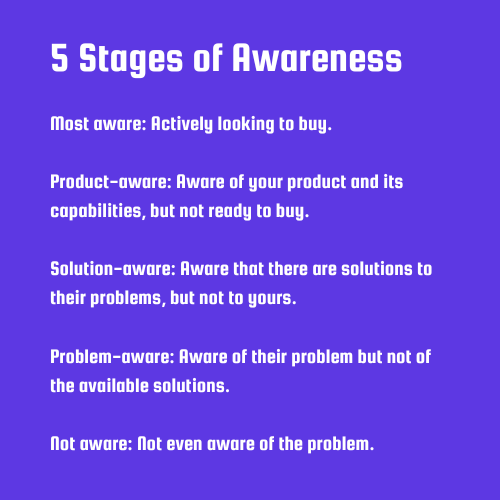
The issue with all of the messages above is that they assume I am “most aware” when, at best, I’m “problem aware.” In some of the cases above, I’m “not aware.”
If I’m not actively looking to purchase a product, asking me to give up my time for a demo and to make a buying decision is the wrong CTA. That mismatch is the problem, and the reason most cold sales messages fall flat. The fix is to simply match the message to the buying stage and make it relevant to your prospect.
Next, I’ll share message templates you can use and situations to use them in.

Ready to fix your outbound process?
Message templates you can use to start conversations on LinkedIn with prospects
So you can’t churn and burn sales pitches to book a week full of demos. Here are four messages you can send (either as a DM or InMail) that will get noticed and earn you a response because they are contextual:
- Share something of genuine value
- Give them a real compliment
- Follow up on profile views
- Stack on top of another channel
Each of the four message types below is designed for prospects who are somewhere in the middle of that awareness spectrum I shared above (problem-aware or solution-aware) because that's where most of your cold prospects actually live.
For the purpose of providing an example, I’m writing these as if someone were messaging me about Hublead.
Share something of genuine value
“Share something of value.” That gets posted a lot online. The problem is that the way “value” is framed is usually wrong.
When reps hear “share something of value,” they often jump to:
- Blog posts from their site
- The latest piece of collateral marketing put out
- Their calendar link
Unless your prospect is aware and actively looking, none of that is valuable for them. Here’s what is valuable: content that they find interesting or content that solves a specific problem they’ve mentioned.
The best way to do this is to pay attention. Read what your prospects post about. Notice what they engage with. If someone just published a post complaining about their sales team's CRM hygiene and you come across an article on building better data habits in HubSpot, that's your window.
Here's what that looks like in practice:
"Hey Bastien,
I saw your post about keeping a clean record of LinkedIn prospecting activity in HubSpot. I just watched this video on fixing HubSpot data hygiene at the source and thought it might be relevant. It helped me out, so I wanted to share!"
What you're doing here is opening a door, not walking through it with a pitch deck under your arm. If they respond, great, now you have a conversation. If they don't, you've at least made a positive impression that makes your next touchpoint warmer.
Give them a real compliment
“Big fan of your work” seems to be the default compliment these days, but it’s utterly meaningless.
No one is flattered that a stranger is a “big fan of their work.” But flattery can go a long way if you are specific.
There's a difference between "love what you're building over at [Company]" and "your breakdown of how you restructured your SDR comp plan was the most practical thing I've read on LinkedIn this month." One is filler, the other is hyper-specific.
Try this:
"Hey Bastien,
I loved your post on outbound volume being a vanity metric. It’s a conversation that my manager has been having with our team, focusing more on real connections and response rates. What tools do you use to gauge responses?"
This works because it centers the conversation on them, makes them feel smart/important, and opens the door to a conversation with a timely and relevant question.
Follow up on profile views
If you are actively posting valuable content (even as little as once every couple of weeks) and engaging with prospects in a meaningful way, some of them will check out your profile.
Jump on this as an opportunity to start a conversation.
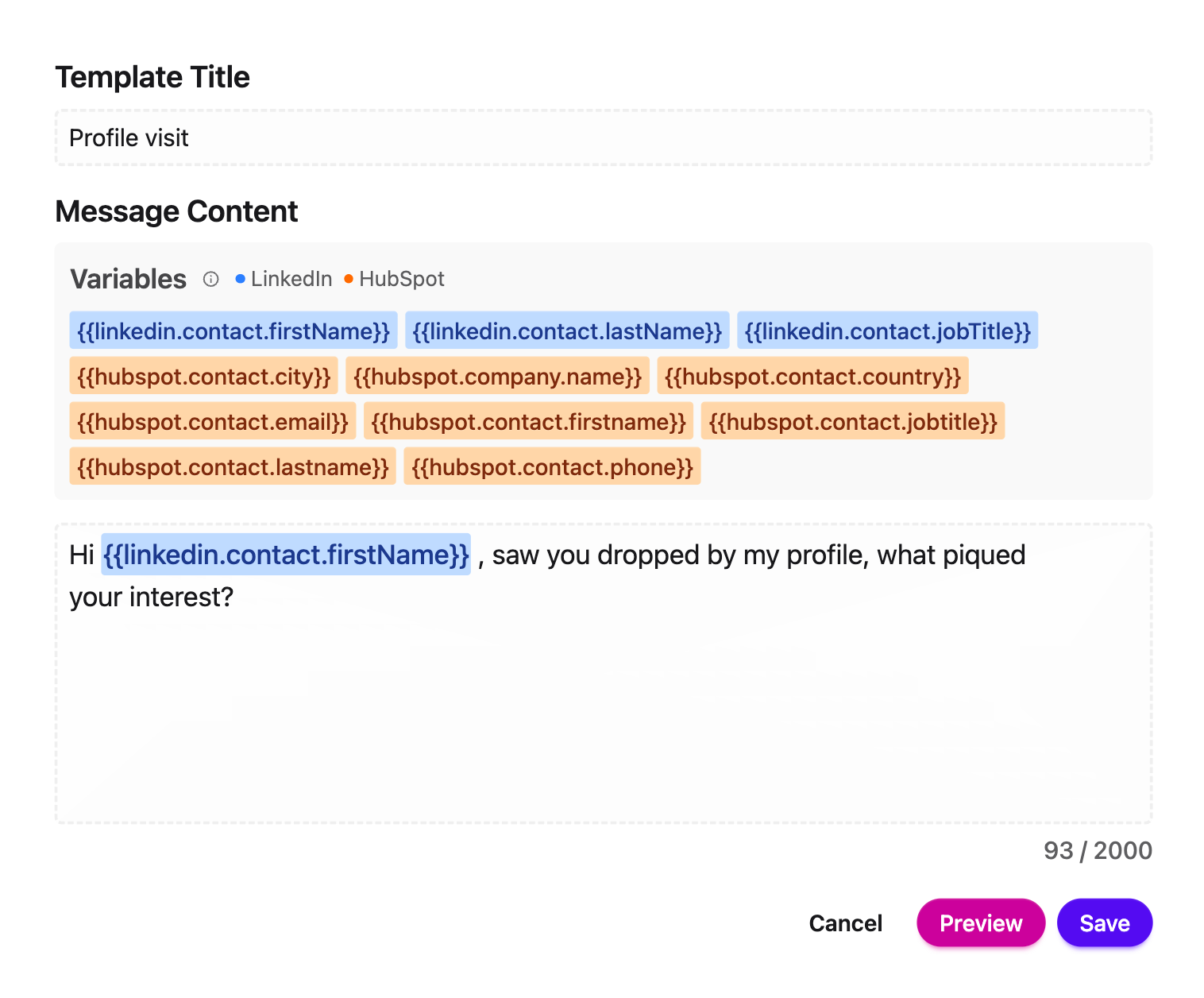
"Hey Bastien, I noticed you stopped by my profile. What piqued your interest?"
That's it. You don't need to pitch anything. The profile view already told you there's some level of curiosity on their end; your job is just to meet it.
One caveat: this only works if your LinkedIn profile is actually doing its job. If someone visits your profile and it reads like a dusty resume, you've already lost them. Make sure your headline and about section speak to the problems you solve, not just your job title
Stack on top of another channel
Did you call a prospect and leave a voicemail? How about sending an email?
Message them on LinkedIn.
You’re easy to ignore on one channel, but by stacking outbound channels, you can increase your chances of getting a response. The reps who fired off cold emails into oblivion will scratch their heads and wonder why no one responds, but the reps who follow a cadence of Connect on LinkedIn > Email > Leave voicemail > Message on LinkedIn will get answers fast.
Will some of those answers be “no”? Yep, but you’ll get a few bites, and if you stack up enough of those, that’ll keep your calendar booked.
"Hey Bastien, I just left a voicemail. [Make your pitch]. Worth a quick chat?"
The goal is to be present enough that when your prospect is finally ready to engage, you're the rep they remember.
How to sync LinkedIn messages back to HubSpot
You know what I hate more than getting peppered with bad messages on LinkedIn?
When all of the hard prospecting work I do on LinkedIn slips through the cracks on the way back to HubSpot.
HubSpot has the Sales Navigator integration, but it doesn’t have a native LinkedIn integration (and the Sales Navigator integration only works with the highest tiers), which means reps are manually logging conversations (if they're logging them at all).
When data is lost from your prospecting channel on its way to HubSpot, you end up with missed opportunities and gaps. Not to mention that if your manager pulls up a contact in HubSpot and there's no activity on record, that conversation might as well never have happened.
This is exactly what Hublead solves.
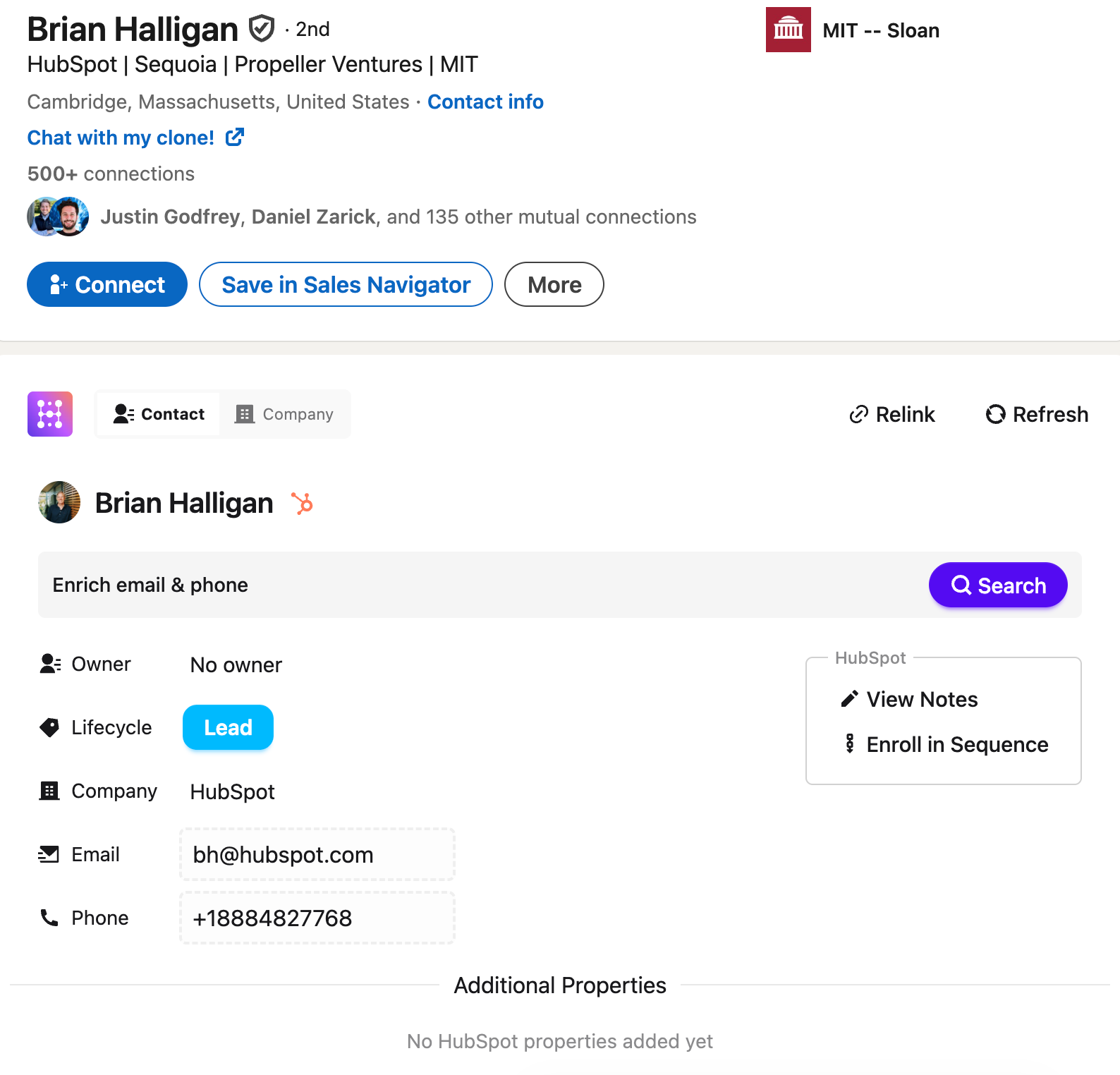
Hublead connects your LinkedIn activity directly to HubSpot, so your messages, connection requests, and prospect data sync automatically: no copy-pasting, no tab-switching, no dropped context. You can see your LinkedIn conversations right inside HubSpot and log activity without breaking your prospecting flow. You can also create and save message templates, so if you find any of the above work well, you can save them for repeated use.
If you're running any kind of LinkedIn outbound at scale, you absolutely need Hublead to sync that data back to your CRM. Try Hublead for free here!
Best practices when messaging on LinkedIn
Beyond the above message template, here are a few best practices I recommend following to improve your odds of getting a response:
- Choose your targets carefully: LinkedIn outreach lives and dies by relevance, and relevance starts with who you're reaching out to. Before you send a single message, make sure you're talking to someone who actually fits your ICP. That means the right role, the right company size, the right industry, and ideally, some trigger that tells you the timing is right.
- Keep it short: If your message requires scrolling, it's too long. Aim for 3-4 sentences max. Your prospect is reading this on a phone, between meetings, with half their attention elsewhere. Respect that. A short message that gets read beats a long message that gets skipped every time.
- Make it relevant: Generic is invisible. The more your message feels like it could have been sent to anyone, the more likely it will be ignored by everyone. Reference something specific: a post they wrote, a company milestone, a problem you know they're dealing with.
- End with a clear ask: Every message should have one job. Not two, not three. Just one. Whether that's asking if they'd be open to a call, sharing a resource, or just asking a question to start a conversation, be clear about what you want them to do next. Ambiguous messages get ambiguous responses, which is usually no response at all.
These best practices can be a little broad, so next, I’ll share specific things I recommend you never do.
Things to avoid when messaging on LinkedIn
Because I don’t know you, your product, or your ICP, any advice I can give on what to do will intentionally be high-level, because the best sales advice guides you rather than gives you something to copy and paste.
I can tell you what to never do, though.
Don’t…
- Pitchslap a cold prospect immediately after connecting with them
- Write more than one paragraph for an opening message
- Use a vague phrase like “would love to connect” in your connection message
- For that matter, I’d just avoid the connection message entirely unless you know the person
- Argue with a prospect when they don’t respond or are not interested (it’s happened to me, and it always boggles my mind)
Avoid those, and you’ll limit the “spam flags” you raise. It won’t guarantee a response, but it will improve your chances.
Start more conversations on LinkedIn with these openers
If one thing is clear, I hope it’s this: relevance and context are the difference-makers in good LinkedIn opening messages.
If your prospect is not actively buying, then there is no amount of selling you can do to change their mind or make them interested in what you have to say. But once you start from their point of view and the buying stage, that’s when doors open.
The four message types shared above are a great place to start, but I’ve got a list of 15 LinkedIn openers you can try. These aren’t based on some magic recipe of words to use; I based them on customer-centric, hyper-focused outreach we used to build Hublead.
Click the button below to download your free copy.
Ready to fix your outbound process?
Frequently asked questions
Can you send InMails for free?
No, you can only send DMs for free. InMails require a Premium account or Sales Navigator subscription.
What is the best tool to sync LinkedIn messages to HubSpot?
The best way to sync LinkedIn DMs and InMails to HubSpot is to use Hublead. Hublead is a Chrome extension that seamlessly integrates HubSpot with LinkedIn so all of your connection requests and messages sync back to your CRM.
Can you create and save message templates for LinkedIn?
You can with Hublead! You can create and save LinkedIn message templates and add personalization tokens to run outbound at scale.
.avif)
.avif)