
How to use HubSpot for multichannel outbound: a guide for sales teams
Here’s your ultimate guide to building a multichannel outbound strategy in HubSpot, based on real tactics.
 Bastien PaulAugust 24, 202614 min read
The short answer
Build multichannel outbound in HubSpot in three steps: identify qualified prospects, pick at least two or three channels among email, calls, SMS and LinkedIn, then set a cadence of touchpoints. Keep every touch on the same contact timeline. HubSpot is for targeted outreach, not spray and pray.
Let’s talk about the best outbound platform there is: HubSpot.
I’m not joking.
Yes, HubSpot is the “anti-spam CRM.” While no sales rep would admit it, being anti-spam seems to fly in the face of all the sales best practices we’re taught. You know what I’m talking about: build a big list, send the same email/DM, twiddle your thumbs, and wait for a response.
Except that’s not how you do outbound. Not the right way, anyway.
Messaging and volume aren’t the key to success. You need to be persistent and layer your channels.
In this guide, I’ll break down exactly how I build multichannel outbound strategies in HubSpot. After reading this, you’ll know how to use HubSpot effectively and how to build outbound campaigns that cut through the noise.
Why HubSpot is a great platform for outbound
Everyone knows HubSpot is a leader in inbound marketing. As if the conference named INBOUND wasn’t a clue.
HubSpot isn't made for the numbers game. It's made for outbound that doesn't feel like waiting at the DMV: targeted, multichannel, and easy to follow.
Once your LinkedIn, email, and call touches live on the same contact timeline, you can manage follow ups like a real pipeline instead of scattered tasks. Here’s a simple example: a LinkedIn outbound kanban board in HubSpot based on activity signals.
Does HubSpot allow you to find thousands of cold prospects and enrich them? No. Does HubSpot warm up IP addresses for cold campaigns? Also no.
But those aren’t necessary for a successful outbound campaign. Most outbound sales tools lean into the numbers game. The more people you get in front of, the better your chances of starting a conversation, right? Yes, but playing the numbers game is about as appealing as waiting at the DMV. Believe it or not, there are better ways to do sales: build a targeted list of qualified prospects, engage with them across channels to build familiarity, and strike when they are in their buying window.
HubSpot is not the tool for spray-and-pray outbound. It’s the tool for targeted multichannel execution, where every touchpoint stays visible and follow-up stays consistent.
Tools you will need for your outbound strategy in HubSpot
HubSpot offers a ton on its own, but you’re going to need a few extra tools to set up your outbound campaigns across all the channels you’ll need.
My top recommendations are:
- The HubSpot Chrome extension: The HubSpot Chrome extension allows you to automatically add contacts and log emails from your inbox, track email opens, sync templates, and review synced contacts. There’s a ton more it can do, though, so check out my guide here.
- Hublead: Our Chrome extension that seamlessly syncs HubSpot and LinkedIn. With Hublead, you can add contacts to your CRM with one click, enrich contacts, sync DMs and InMails, and so much more. Try Hublead for free today.
- An SMS integration of your choice: HubSpot's SMS capabilities are limited for sales, so I recommend integrating with an SMS platform if you want to send messages as part of your outbound strategy.
Once you have the tools set up, move on to the next step: choosing your outbound channels.
The channels you will need in your outbound strategy
For the purpose of this article, I’m going to focus on the following four channels:
- Calls
- SMS
Read on to learn how to incorporate them into your outbound strategy in HubSpot.
How to send cold emails in HubSpot
Here’s the secret to success in cold email: mix it with other channels.
Your basic opening sales letter establishes who you are, who you help, and your intentions. But few people will actually respond to it right away unless you’re incredibly lucky or a very well-known brand.
But you need to send it anyway, and mix in touchpoints across channels that build familiarity and urgency around your offer. I usually send cold emails from my inbox (while logging and tracking with the HubSpot Chrome extension). Most times, I’ll create a template for this and send it manually or enroll a contact into a Sequence to begin nurturing them.
I include a sample cold email template in my guide to HubSpot sales templates here. Check it out!
How to make cold calls in HubSpot
Think cold calling is dead?
That’s a myth that the gurus on social media want you to believe. Cold calling is alive and well, and it works. But only if you arm yourself with the right data, and pay attention to what your prospects are telling you.
You have a few options for making calls through HubSpot:
- Make a call through your computer: You can either make a call from a view/list in HubSpot or the contact record. In any view/list, look for the phone number column and click the phone number that you have saved. If the phone number is properly formatted and validated, you can call that contact. Or head to a contact and tap the phone icon next to their name.
- Make a call through the HubSpot app: When using the HubSpot mobile app, you have two options for making calls. You can make them either through your mobile phone carrier or the HubSpot calling feature. Note that if you use your mobile phone carrier for calls, you cannot record them.
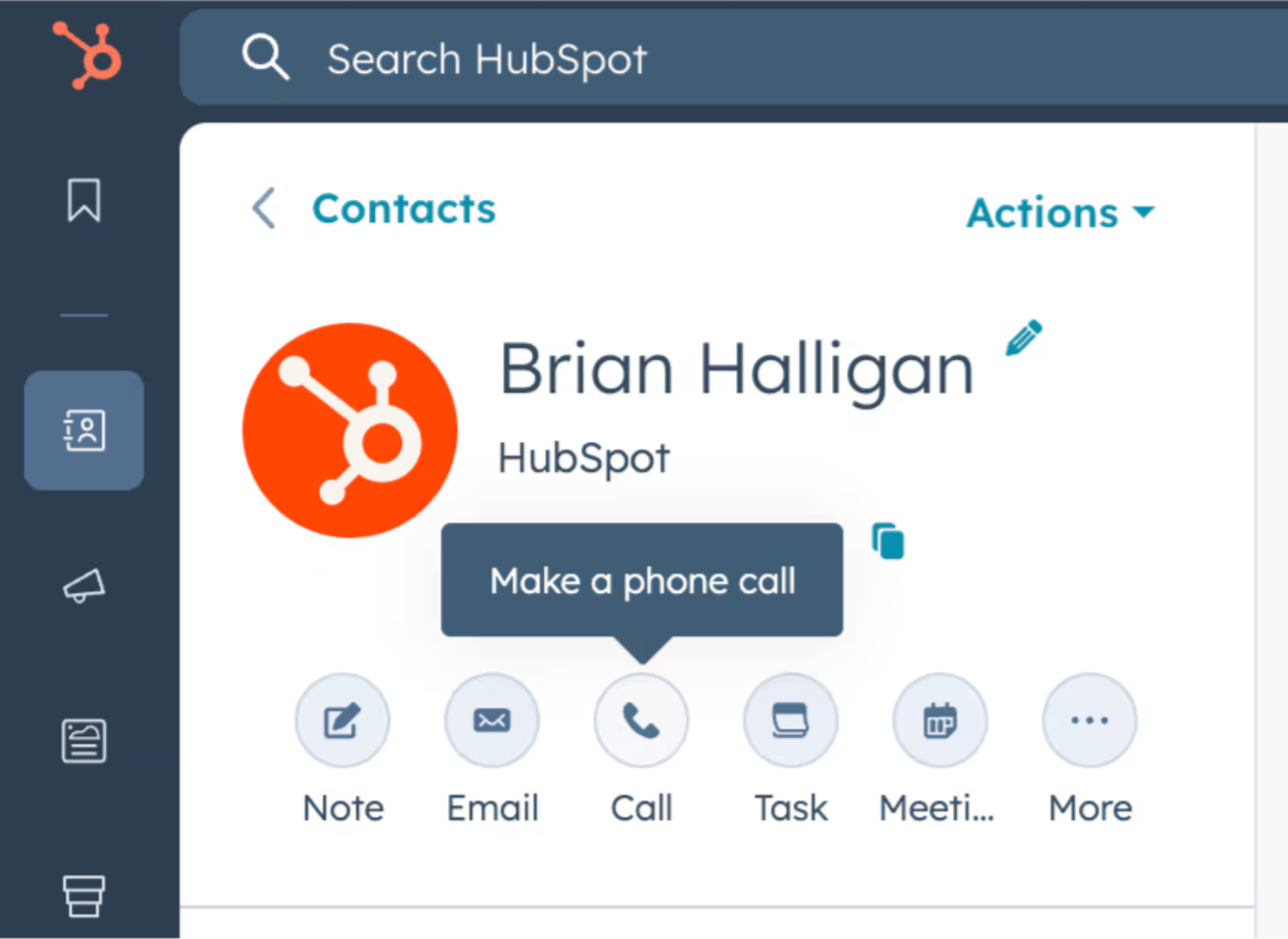
Check out my guide to using HubSpot calling for a deeper dive!
How to send SMS in HubSpot
When I’m feeling a bit lazy, I just load up iMessage on my computer and fire off a text. But if I want a record of the texts I send to prospects in my CRM (which should be the case every time), I use one of the integrations below:
- Salesmsg
- Heymarket
- Sakari SMS
- TrueDialog
- Aircall
Browse my reviews for these HubSpot SMS integrations here. Before you install one of those integrations and fire off text messages like there’s no tomorrow, I recommend taking a step back to think strategically about where SMS fits into your outbound strategy.
- Double down on another channel: If you left a voicemail, send a text as well. By doubling down on multiple channels, you almost guarantee that you’ll be noticed. Whether your prospect responds depends on the effectiveness of your message.
- Trigger based on action: HubSpot gives you a TON of ways to trigger based on high-intent actions. If a prospect you are nurturing visits your pricing page, signs up for a trial, or tests out a sandbox, you can use the above integrations with Workflows to send a timely message.
- Be persistent, but respectful: People get busy, and responding to your outreach is far from the top of someone’s to-do list. Persistence is what wins in sales, but don’t blow up someone’s phone just to get a response. Send a text, make a call, interact with them on LinkedIn… whatever it takes to stay engaged and top of mind.
Bear the above in mind, and you’ll stand a better chance of making a good impression and earning the attention of your prospects.
How to prospect on LinkedIn from HubSpot
LinkedIn is one of my favorite prospecting channels because it is the very best platform for building familiarity, and successful reps know that familiarity is what makes the difference in prospecting.
LinkedIn allows you to do the following:
- Demonstrate credibility and social proof through shared connections, job history, and certifications.
- Demonstrate thought leadership through your profile.
- Build familiarity through multiple touchpoints, like comments, reactions, and DMs.
- Filter and zero in on people who match your ICP
Prospecting on LinkedIn is the difference between a cold email resulting in a “who’s this guy?” reaction and “Oh, right, that guy I chatted with on LinkedIn.” Don’t abuse it, though, or you risk burning more bridges than you build with prospects. Check out my guide to prospecting on LinkedIn for a full walkthrough of my favorite tactics.
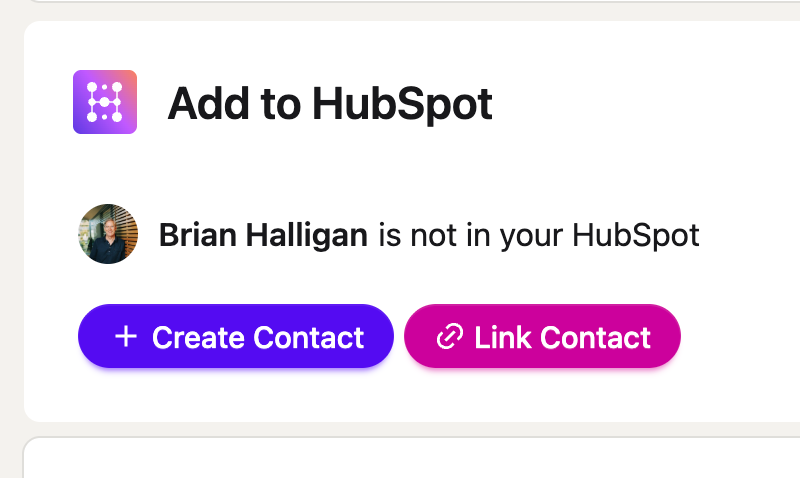
Like SMS, HubSpot’s LinkedIn functionality is lacking. That’s why we built Hublead to seamlessly sync LinkedIn with HubSpot. You can save contacts from LinkedIn, sync DMs to the contact record, and even trigger Workflows from LinkedIn activity.
Free guide
Get the HubSpot Outbound Handbook
Run an effective outbound campaign that keeps your pipeline full.
How to build an outbound strategy
You have the nuts and bolts, so let’s get to the real difference-maker in a successful outbound campaign: your strategy.
The prep you do here will make a massive difference in how effective you are at reaching prospects simply because it’s the prep you do here that will focus your efforts and allow you to spend more time executing and less time wondering if you’re doing the right things.
There are a million ways to build a sales strategy, but I find the following three steps are a good place to start.
- Identify your prospects
- Choose your channels
- Set your touchpoints
Identify prospects
Before you even lay a finger on your keyboard, is this prospect one you should reach out to in the first place?
For example, at Hublead, thousands of companies could benefit from syncing their CRMs with LinkedIn… but Hublead only integrates with HubSpot and Salesforce. A company could be a huge fan of the product, but a bad fit if they use Pipedrive.
Or if you offer services, does the company already have a full-time hire dedicated to those services?
These are easy questions to answer with a bit of snooping on LinkedIn or by using tools like Apollo. Make sure that your outreach list is qualified to buy your product/service before reaching out.
Choose your channels
Once you have your leads set, it’s time to select your channels. Yes, channels, not channel. You’re going to mix and match the following channels to reach your leads:
- Phone
- SMS
I recommend at least 2 or 3. But definitely not one.
Sticking to one channel, like email, is a fantastic way to feel like you’re doing something productive when in reality, you’re being ignored. By combining email with phone, though, you’re impossible to ignore, and that means getting an answer from your prospect faster.
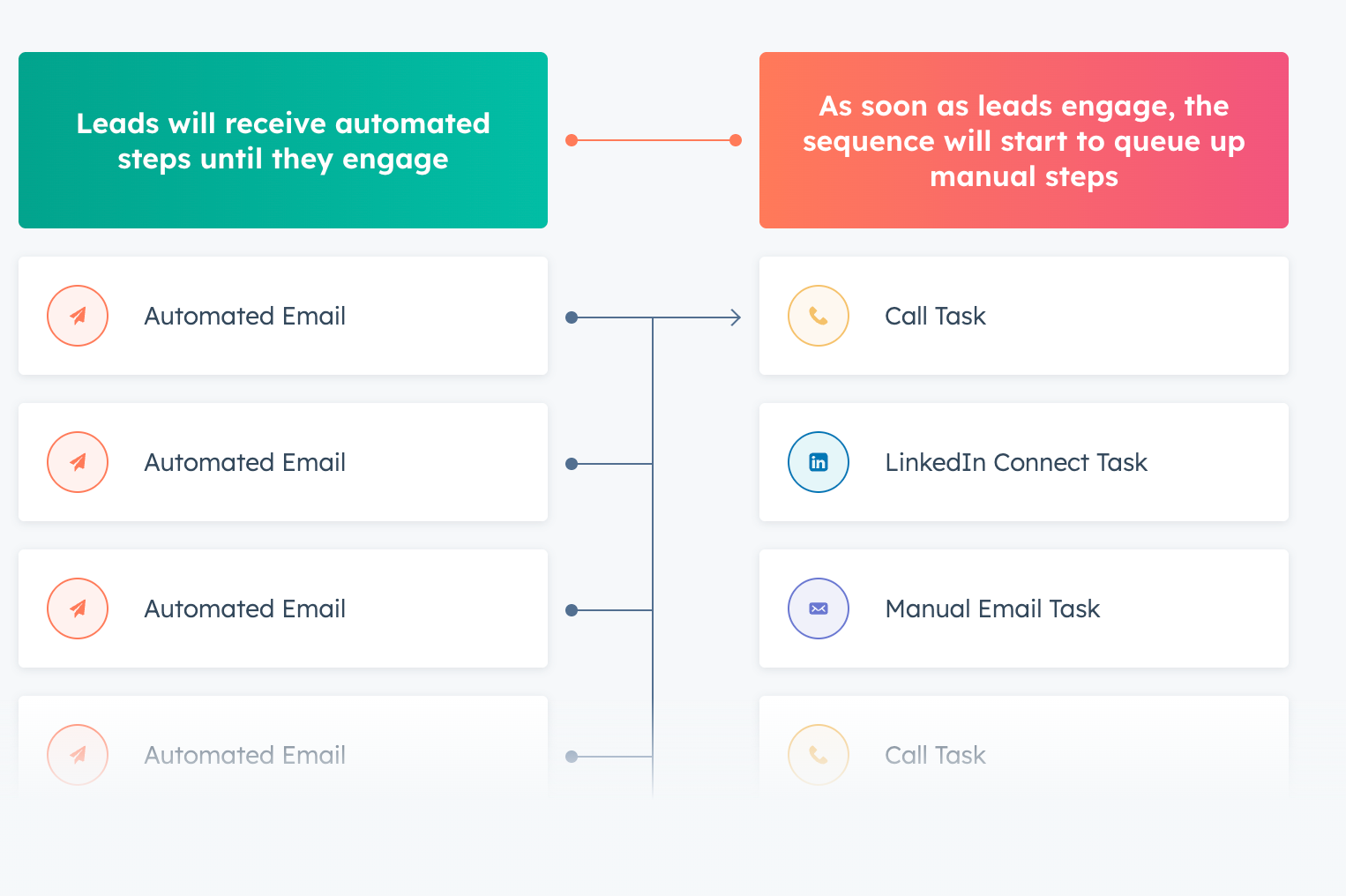
Even if the answer is “no,” it’s better than being ghosted, so don’t let the fear of being rejected stop you from pushing for a fast answer.
Set your touchpoints
Now it’s a matter of setting a cadence of touchpoints to get on your prospect’s radar. This might be something like this:
- Connect on LinkedIn
- Comment on three of their posts
- Share a resource on LinkedIn
- Follow up via email
And then base the next one on their activity. If you can see they visited your website and checked out your pricing page (with HubSpot buyer intent), maybe drop them a call and follow up with an email if they don’t answer. You can do this on the fly (though I recommend using HubSpot Tasks to map out your steps), or preschedule messages through Sequences.
The key is to set a regular cadence with the prospects you are working with and build familiarity while responding appropriately to their behavior.
Keys to outbound success
You’ve learned about HubSpot’s outbound tools, the best third-party integrations to use, and how to build an effective strategy. Below are a few keys to success:
- Make it relevant: Your message needs to matter right now. Tie outreach to timely triggers: funding rounds, leadership changes, seasonal demands. If you can't articulate why this prospect should care this week, you're just noise.
- Automate as much as you can: Let HubSpot's Sequences and Workflows handle scheduling and follow-ups so you can focus on hooks and angles in your messaging. When automating, though, make sure your messaging is as human as possible so your prospects’ inboxes aren’t spammed with noise. Check out my guide to using Sequences and Workflows for more.
- Mix up channels: On its own, email is a great way to appear to be doing a lot of work while going nowhere. Layer in LinkedIn, calls, video messages, and even direct mail. Your job is to stand out and get a response, not close with one message.
Download the HubSpot Outbound Handbook
Success in outbound is less about a single magical template and more about orchestrating messages and touchpoints.
Identify your top prospects, choose your channels, and coordinate your touchpoints to get their attention.
If you really want to level up your sales process in HubSpot, download the free HubSpot Outbound Handbook, our guide to building a scalable and effective outbound process in HubSpot. In this guide, we cover:
- The channels to use
- How to get the attention of your prospects
- The tools you should use to speed up sales
And more! Click the button below to get it for free and start scaling your outbound process in HubSpot.
Free guide
Get the HubSpot Outbound Handbook
Run an effective outbound campaign that keeps your pipeline full.
Before you go further
Can you prospect on LinkedIn from HubSpot?
Yep, with Hublead. Hublead allows you to create and enrich contacts, sync DMs and InMails, and even trigger Workflow actions.
Can you send cold emails and make cold calls from HubSpot?
Yes! You can make calls directly from HubSpot and send and log cold emails from your inbox using the HubSpot Chrome extension.
Keep reading on LinkedIn and HubSpot
 Lead Management
How to use HubSpot Sales: The ultimate guide for sales teams
HubSpot won't magically fill your pipeline, but using it right will. Learn how to set up Sales Hub, run multi-channel outbound campaigns, and automate your sales process.
Lead Management
How to use HubSpot Sales: The ultimate guide for sales teams
HubSpot won't magically fill your pipeline, but using it right will. Learn how to set up Sales Hub, run multi-channel outbound campaigns, and automate your sales process.
 Lead Management
Mastering HubSpot Round Robin Lead Assignment Setup
Optimize your sales process with effective Round Robin lead assignment in HubSpot. Improve efficiency and boost team collaboration. Read more to learn how!
Lead Management
Mastering HubSpot Round Robin Lead Assignment Setup
Optimize your sales process with effective Round Robin lead assignment in HubSpot. Improve efficiency and boost team collaboration. Read more to learn how!
 Lead Management
Mastering Lead Form Routing in HubSpot
Speed up your sales process with smart lead form routing in HubSpot. Learn how top teams automate lead assignment and improve conversion rates.
Lead Management
Mastering Lead Form Routing in HubSpot
Speed up your sales process with smart lead form routing in HubSpot. Learn how top teams automate lead assignment and improve conversion rates.
See your CRM on
every LinkedIn profile.
Install the extension, connect HubSpot or Salesforce, open a profile. You see right away whether the person is in your CRM.
Free to start, no card needed.