
Prospect on LinkedIn like you always have and update your CRM in a click
Every profile you view, every connection you make, every message you send, captured and synced to your CRM automatically, so your CRM builds itself while you prospect

Loved by 8,000+ Users













HubSpot and Salesforce LinkedIn Chrome Extension
Your CRM builds itself while you prospect on LinkedIn
Hublead was built for sales teams who want their CRM to stay current without a single copy-paste.
Manually adding prospects to your CRM is slowing your reps down
One click on any LinkedIn profile is all you need to create a new up-to-date contact in your CRM.
✓ One-click add, no manual data entry
✓ Company record created alongside every new contact
✓ Link contact to avoid duplicate contacts
✓ One-click add, no manual data entry
✓ Company record created alongside every new contact
✓ Link contact to avoid duplicate contacts
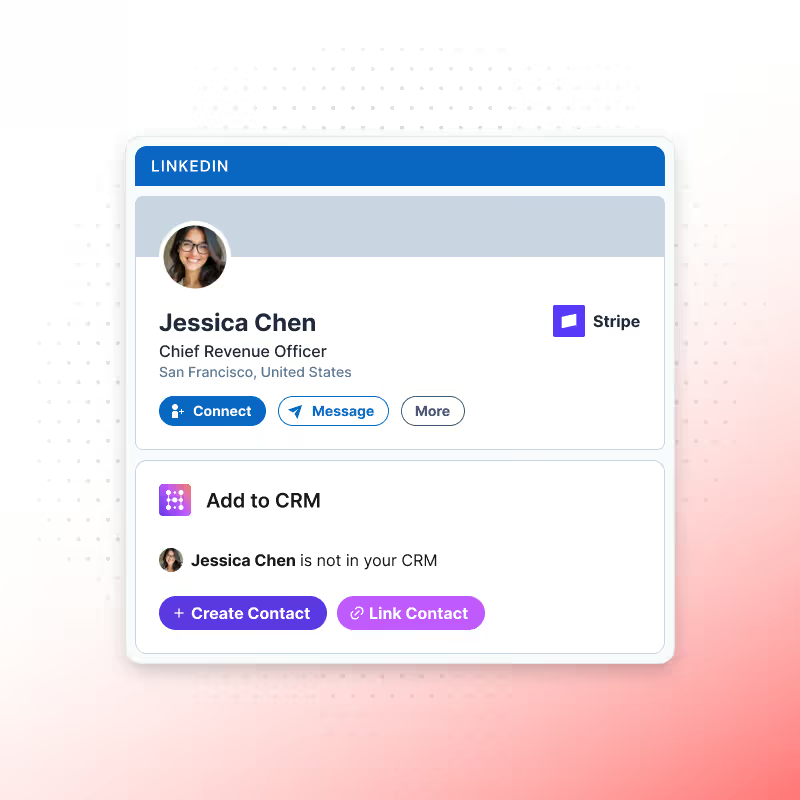
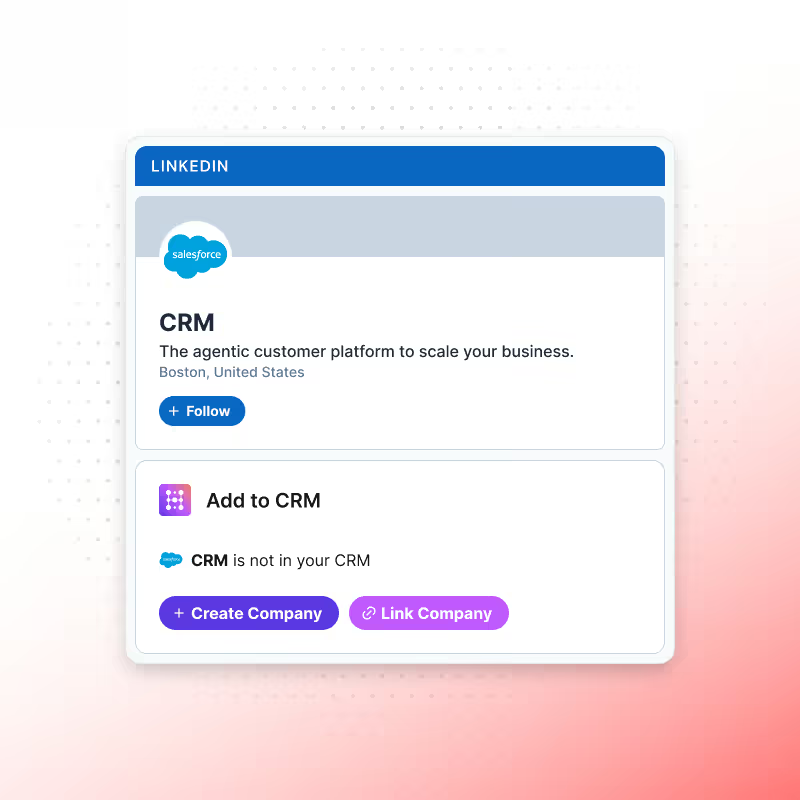
View contacts without the company behind them are half a CRM
Every time a rep adds a contact from LinkedIn, Hublead automatically creates the matching company record with it.
✓ Company record created automatically with every contact, zero extra steps
✓ Full company context populated instantly: domain, industry, size, LinkedIn URL
✓ No orphan contacts sitting without an account behind them
✓ Company record created automatically with every contact, zero extra steps
✓ Full company context populated instantly: domain, industry, size, LinkedIn URL
✓ No orphan contacts sitting without an account behind them
The properties your team actually relies on rarely match anyone's default sync list
Beyond the standard contact and company fields, Hublead can be mapped to any property you use in your CRM, so LinkedIn data fills in your CRM exactly the way your team set it up, not a generic template.
✓ Standard fields populated instantly: name, job title, location, LinkedIn URL, and more
✓ Any custom property you use in your CRM can be mapped and filled the same way
✓ No post-import cleanup: records match your CRM setup from the first click
✓ Standard fields populated instantly: name, job title, location, LinkedIn URL, and more
✓ Any custom property you use in your CRM can be mapped and filled the same way
✓ No post-import cleanup: records match your CRM setup from the first click
Every LinkedIn touch that isn't logged is a touch nobody can report on
Profile visits, connection requests, messages, and InMails sync to your CRM timeline in real time.
✓ Every visit, connection, message, and InMail logged automatically
✓ The last 20 to 30 messages of each conversation synced onto the timeline when you open it, not just the fact that a message happened
✓ Last Activity Date updates on its own, so nothing looks abandoned that isn't
✓ Every visit, connection, message, and InMail logged automatically
✓ The last 20 to 30 messages of each conversation synced onto the timeline when you open it, not just the fact that a message happened
✓ Last Activity Date updates on its own, so nothing looks abandoned that isn't

You found the right person. Now you can actually reach them
Hublead finds verified contact info by waterfalling across 5 data providers, right from the LinkedIn profile, in one click.
✓ Email and phone found in one click, no separate tool needed
✓ Waterfalled across 5 data providers for the best match, not a single source
✓ Only surfaced at high confidence, no guessed or stale contact info
✓ Email and phone found in one click, no separate tool needed
✓ Waterfalled across 5 data providers for the best match, not a single source
✓ Only surfaced at high confidence, no guessed or stale contact info
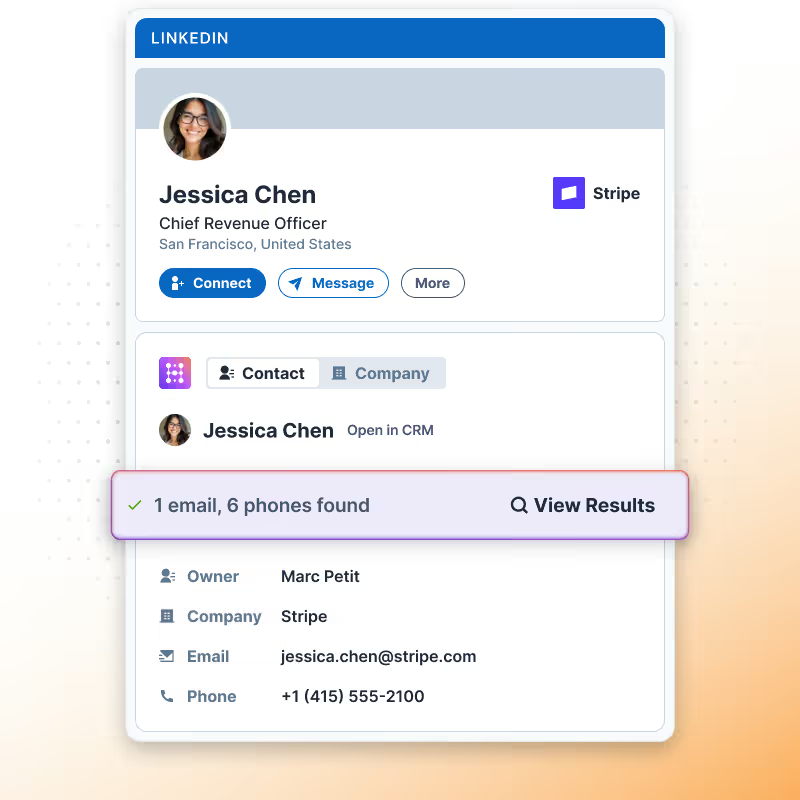
No email address? No problem, Hublead can find it
Work your CRM from LinkedIn
Why open your CRM when everything you need is already on the profile? Notes, tasks, sequences, lists, templates, run your whole CRM without leaving LinkedIn.
Learn more

Build oubtound target quickly
Skip the manual hunt. Search across 200M+ profiles, enrich your whole list in seconds, and let Hublead do the work.
Learn more
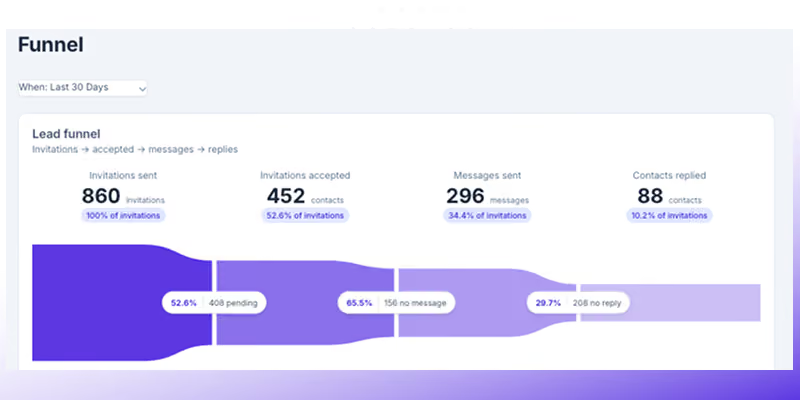
Track activity & performance
Stop guessing what your team's actually doing on LinkedIn. See the activity, see the funnel, see what's working, all in one place.
Learn more
Goodbye tab-switching, hello prospecting
Hublead was built for sales reps who want to spend more time prospecting and less time managing different tools.
Keep your CRM clean
Keep all prospect in HubSpot or Salesforce for complete context
75%
more meetings booked
Enrich leads in seconds
Enrich individual contacts or an entire list in seconds
95%
accurate and up-to-date information
Track LinkedIn activities
Track message response times and follow-up effectiveness
2+
hours saved every week
HubSpot and Salesforce LinkedIn Chrome Extension
Frequently Asked Questions
See your CRM data on LinkedIn, no need to switch tabs every time you're landing on a prospect.
Does Hublead work with LinkedIn or Sales Navigator?
Hublead works with both LinkedIn and any Sales Navigator subscription.
Is there a limit to how many contacts I can sync.
No. You can sync as many contacts from LinkedIn as you’d like.
Does Hublead de-duplicate contacts when importing them from LinkedIn?
Yes. Hublead automatically de-duplicates contacts you import from LinkedIn.
Can sales reps update their CRM directly from LinkedIn?
Yes. Reps can edit, enrich, and follow up from LinkedIn without switching tools if they use HubSpot or Salesforce.
Can I customize the CRM properties that appear on LinkedIn?
Yes, you can add additional properties that you’d like to be able to see/edit on LinkedIn.
Does Hublead work with other CRMs or just HubSpot?
Hublead works with Salesforce and HubSpot.