
Stop wasting your time and build your outbound target quickly
Skip the manual hunt. Search across 200M+ profiles, enrich your whole list in seconds, and let Hublead do the work
Loved by 8,000+ Users












Hublead Platform
Find and enrich thousands of contacts without lifting a finger
Hublead was built for teams who want to find and enrich contacts without juggling five different data tools.
Find the right contacts without the manual hunt
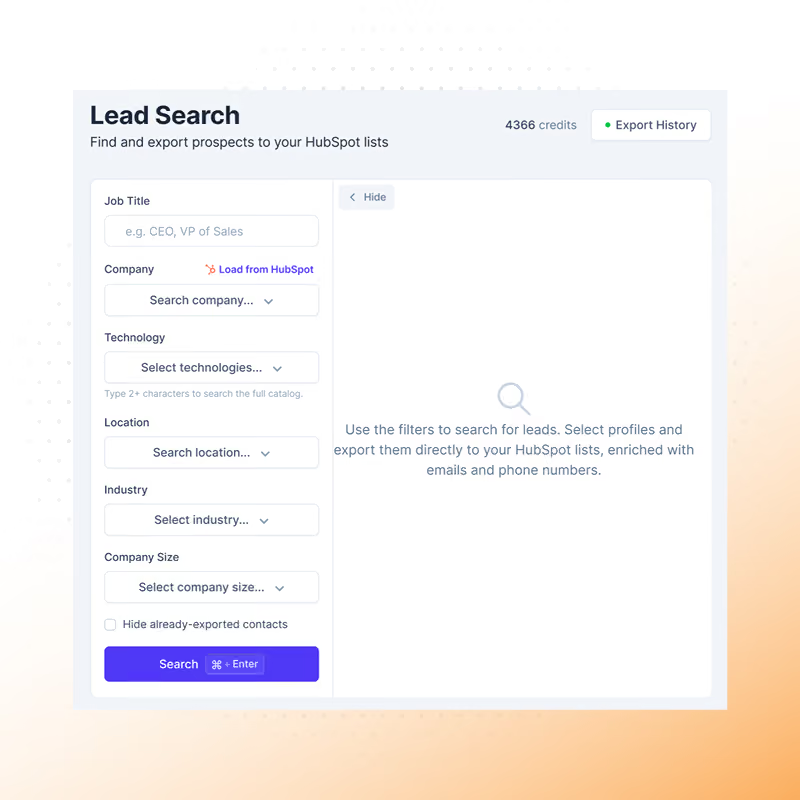
When your list runs dry, build the next one in seconds. Tell Hublead who your ideal buyer is, and get a fresh set of matching prospects dropped straight into your CRM ready to work.
✓ Use filters and pull a fresh batch of matching prospects on demand
✓ Each contact lands in your CRM as a real contact and company
✓ People already in your CRM are left out automatically, so you only get new names
✓ Use filters and pull a fresh batch of matching prospects on demand
✓ Each contact lands in your CRM as a real contact and company
✓ People already in your CRM are left out automatically, so you only get new names
Try Hublead for Free
Your warmest leads are buried in an outdated list
Your contacts don't stand still, your lists shouldn't either.
✓ Refresh any CRM segment on demand and get your inbound leads, re-enriched and up to date
✓ Re-work prospects you already have instead of starting a new list from scratch
✓ Reach out with current data: fresh roles, companies, and contact details
✓ Refresh any CRM segment on demand and get your inbound leads, re-enriched and up to date
✓ Re-work prospects you already have instead of starting a new list from scratch
✓ Reach out with current data: fresh roles, companies, and contact details
Try Hublead for Free
Tired of exporting Sales Nav leads one by one?
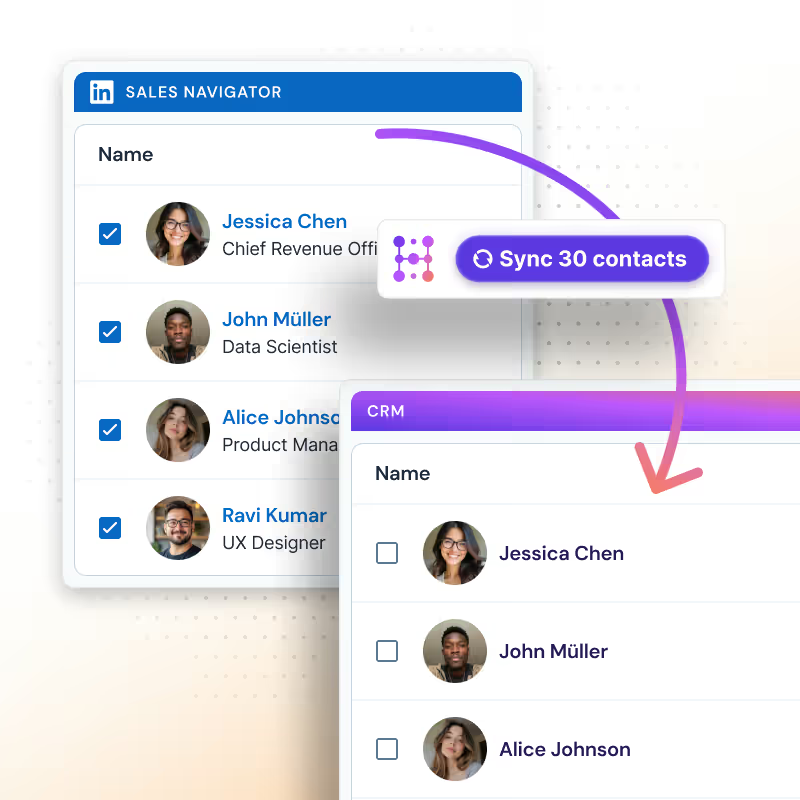
Sales Navigator has the sharpest targeting out there, but exporting leads one at a time kills the momentum. With Hublead's extension, turn a full Sales Nav search into a clean, enriched list in your CRM, in one go.
✓ Export entire searches in bulk, not one profile at a time
✓ More advanced filters than a standard lead search, all on the Hublead platform
✓ Enrich every prospect with verified contact details before they land in your CRM
✓ Export entire searches in bulk, not one profile at a time
✓ More advanced filters than a standard lead search, all on the Hublead platform
✓ Enrich every prospect with verified contact details before they land in your CRM
Try Hublead for Free
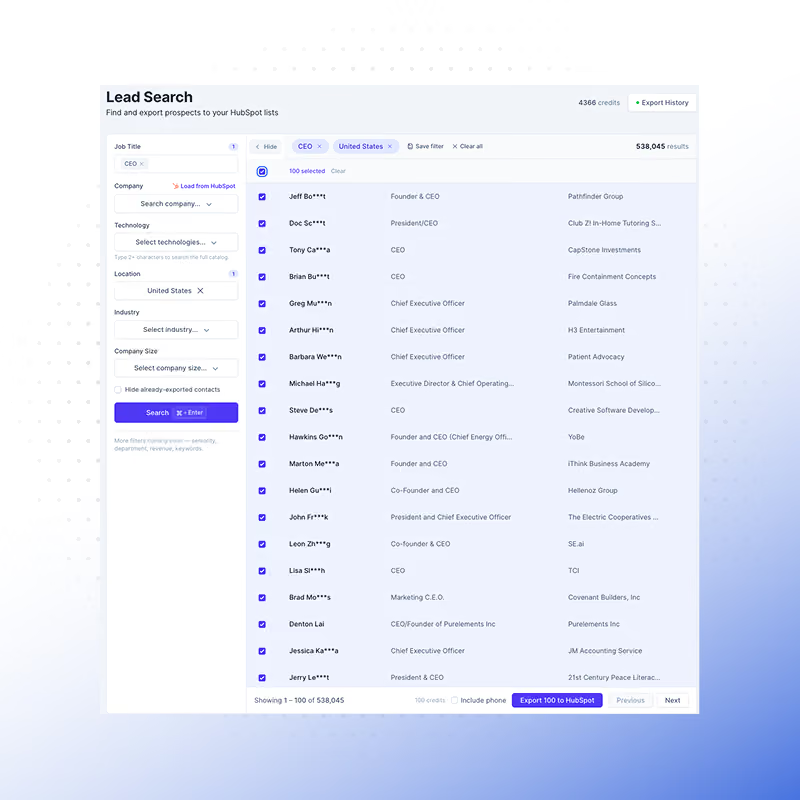
Don't start from scratch: search inside the lists you already built
No need to rebuild a list from zero. Upload lists from your CRM and search inside them with precise filters to pull out exactly the decision-makers you want.
✓ Search within your own company lists, not a generic database
✓ Filter by title, seniority, and department to surface only the right contacts
✓ Export a targeted contact list in seconds
✓ Search within your own company lists, not a generic database
✓ Filter by title, seniority, and department to surface only the right contacts
✓ Export a targeted contact list in seconds
Try Hublead for Free
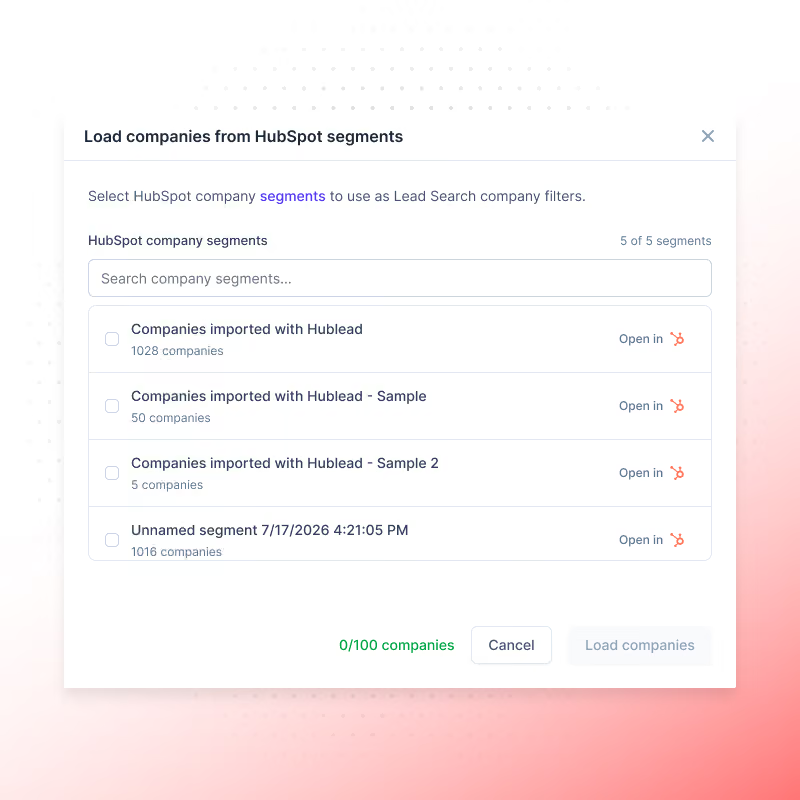
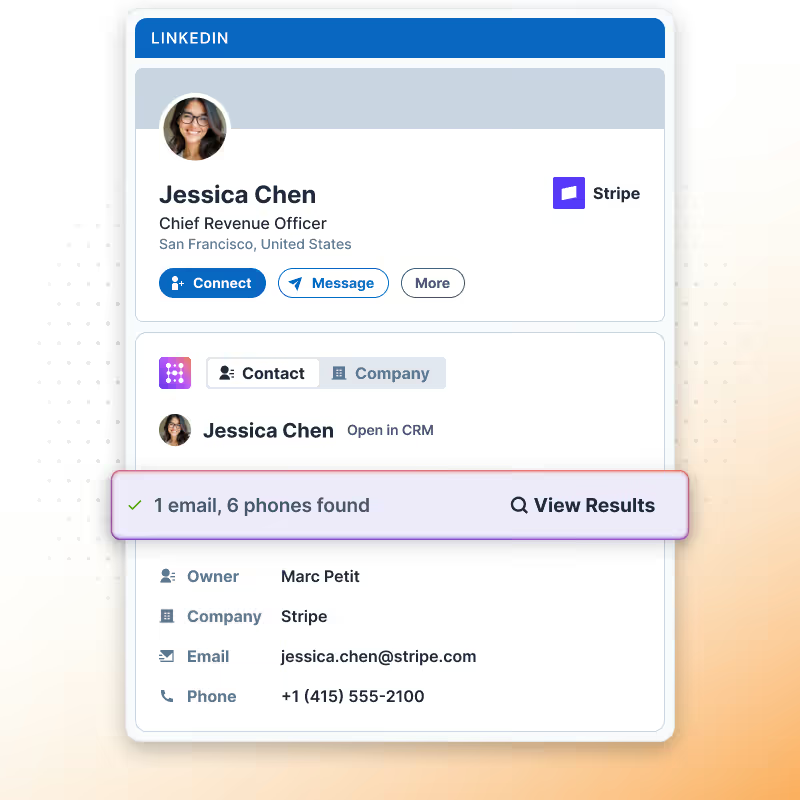
No email address? No problem, Hublead can find it
Capture everything from LinkedIn
Every profile you view, every connection you make, every message you send, captured and synced to your CRM automatically, so your CRM builds itself while you prospect.
Learn more

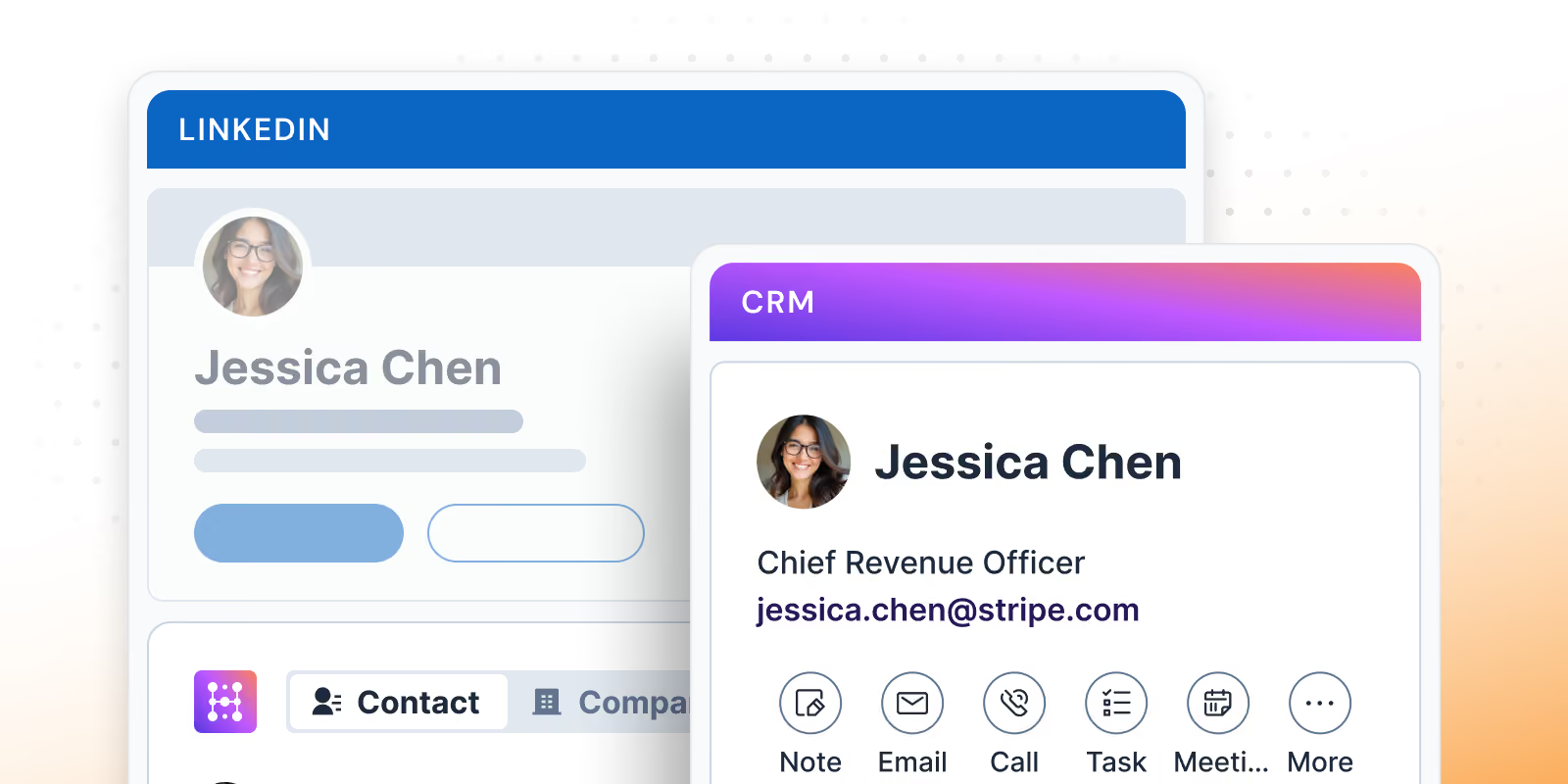
Work your CRM from LinkedIn
Why open your CRM when everything you need is already on the profile? Notes, tasks, sequences, lists, templates, run your whole CRM without leaving LinkedIn
Learn more
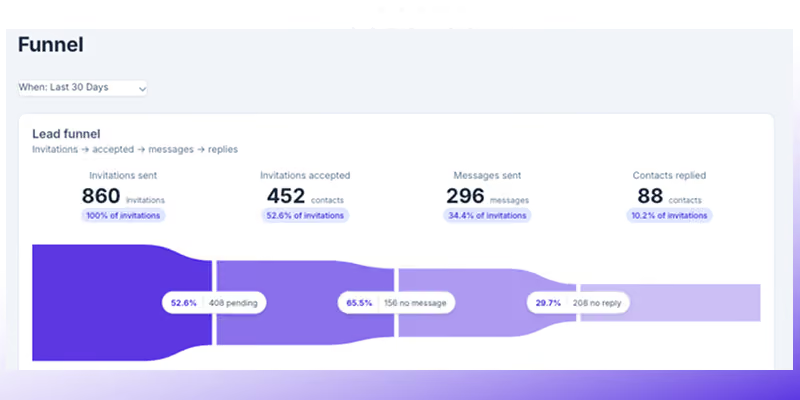
Track activity & performance
Stop guessing what your team's actually doing on LinkedIn. See the activity, see the funnel, see what's working, all in one place.
Learn more
Lead search built for HubSpot and Salesforce
Hublead was built for sales reps who want to spend more time prospecting and less time managing different tools.
Keep your CRM clean
Keep all prospect in your CRM for complete context
75%
more meetings booked
Enrich leads in seconds
Enrich individual contacts or an entire list in seconds
95%
accurate and up-to-date information
Track LinkedIn activities
Track message response times and follow-up effectiveness
2+
hours saved every week

How much time will Hublead save you this week?
Join 8,000+ sales teams who search, enrich, and push to your CRM in one click.
HubSpot LinkedIn Chrome Extension
Frequently Asked Questions
See HubSpot and Salesforce data on LinkedIn, no need to switch tabs every time you're landing on a prospect.
What does Hublead do inside LinkedIn?
Hublead creates one clean workspace in LinkedIn so reps can prospect, update HubSpot, and enrich contacts without switching tools.
Can Hublead import contacts from LinkedIn or Sales Navigator?
Yes, one click imports contacts into HubSpot and prevents duplicates so reps stay organized.
Does Hublead sync LinkedIn messages and invitations?
Yes, you can sync conversations and invitations to HubSpot and keep a full outbound history for every contact.
How does Hublead help sales reps save time?
Reps avoid tool switching and manual copy pasting. Everything needed for outreach, follow up, and enrichment lives in LinkedIn.
Can managers track what reps do on LinkedIn?
Yes, Hublead updates key LinkedIn activity properties in HubSpot so managers can coach, measure performance, and keep data clean.
Does Hublead improve reporting?
Yes, you get real LinkedIn engagement data in your CRM so your lists, scoring, dashboards, and automation are more reliable.
Can I edit properties for contacts or companies from LinkedIn?
Yes, Hublead lets you update any contact or company property from LinkedIn. You can edit fields, update lifecycle stages, add notes, change owners, and keep your CRM organized without leaving your workflow.