Find your LinkedIn connections that have no email in HubSpot and enrich them in one go, so you can reach them by email too.
Problem
You have hundreds of LinkedIn connections synced into HubSpot, but a big share of them have no email address. So you can only reach them by LinkedIn message, one at a time. Your warmest network is stuck in a channel you cannot automate.
What you get
- A clean list of contacts who are connected on LinkedIn but unreachable by email
- Their emails filled in one bulk action with Hublead
- A warm audience you can drop into a HubSpot sequence or workflow, not just DM
Prerequisites
- Hublead active (Professional, Business or Scale)
- LinkedIn Connection Status syncing onto your HubSpot contacts (Hublead sets it)
- Email credits left on your plan: 600 on Professional, 6,000 on Business, 12,000 on Scale
1. Filter your unreachable connections
In HubSpot go to Contacts and build a filter:
- LinkedIn Connection Status is Connected
- AND Email is unknown
That is your pool of connected-but-unreachable contacts.
2. Save it as a list
Save the filtered view as an active list called "Connected, no email" so it keeps refreshing as new connections sync in and stays ready to work.
Free Guide
Hublead Enrichment
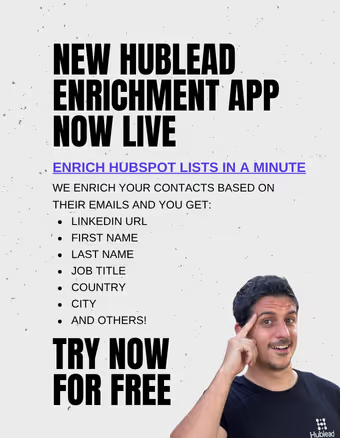
Select any list in HubSpot and enrich your contacts in minutes.
3. Enrich the emails with Hublead
Select the list and run Hublead enrichment on it. Hublead finds the professional email for each contact and writes it back to HubSpot.
- It only fills contacts where Email is empty, it never overwrites an existing address
- Each enriched email uses one of your plan's email credits
4. Start reaching them by email
Once the emails land, the list becomes an audience you can actually automate:
- Enroll them in a HubSpot sequence
- Add them to a nurture workflow
- Or hand a rep a task list of warm, now-emailable contacts
Result
Your warm LinkedIn network stops being a pile of names you can only DM. It becomes a reachable, emailable list you can sequence and nurture like any other HubSpot audience, without leaving a single warm connection stuck on LinkedIn.
Free Guide
Hublead Enrichment
Select any list in HubSpot and enrich your contacts in minutes.
FAQs
How many contacts can I enrich?
It depends on your plan's email credits: 600 on Professional, 6,000 on Business, 12,000 on Scale per month.
Does it overwrite existing emails?
No. Hublead only fills contacts where the email is empty, so your existing addresses are safe.
Where does LinkedIn Connection Status come from?
Hublead sets it on the contact when it syncs your LinkedIn connections into HubSpot, so you can filter on who is actually connected.